As Amazon Associates, we earn from qualifying purchases. This means we may receive a small commission at no extra cost to you if you click through and make a purchase.
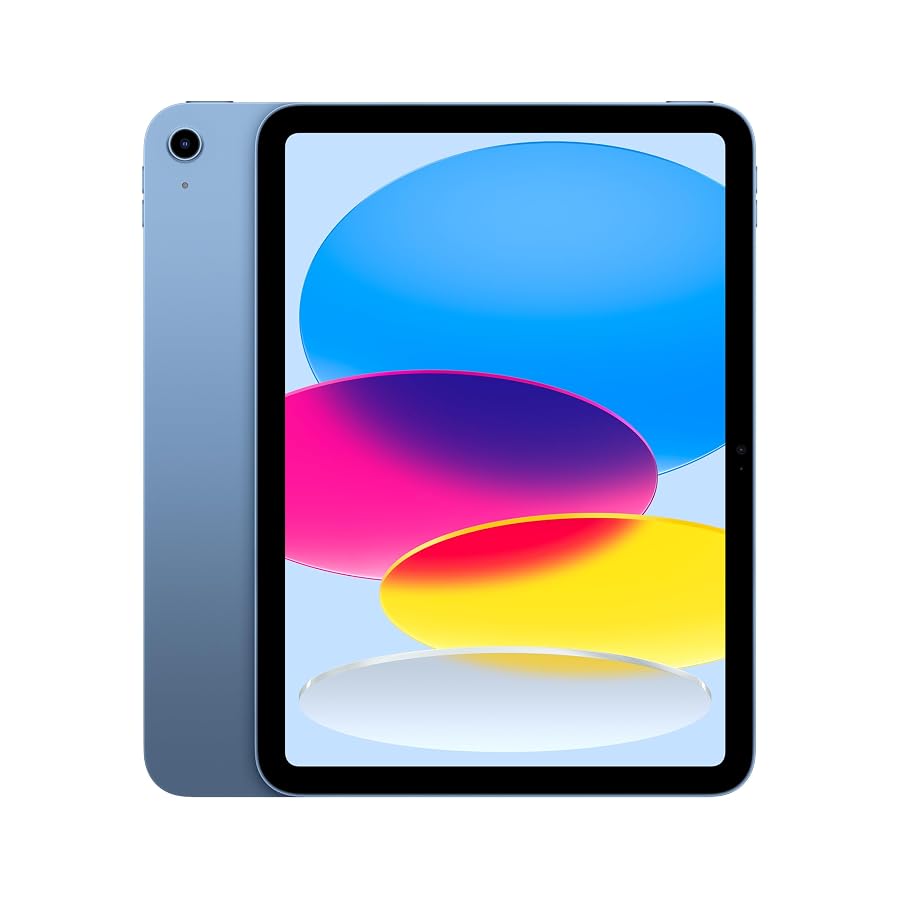
Choosing the right tablet for creative work requires balancing processing overhead, display accuracy, and physical utility. The Apple iPad targets creators, vloggers, and mobile hobbyists who need a capable digital workstation without the complexity or weight of a full-size production laptop. Equipped with an A16 chip, an 11-inch Liquid Retina display, and modern USB-C connectivity, this baseline slate addresses everyday editing, sketching, and media ingest. For buyers weighing entry-level configurations against premium alternatives, this model presents an agile, balanced footprint.
Understanding how this hardware performs under real production stress determines whether it fits your daily routine. This review examines the core capabilities of the Apple iPad, diving into processor metrics, digital drawing fidelity, file transfer speeds through the USB-C interface, and overall ergonomics in field environments. By analyzing concrete specifications and real-world creative demands, we outline where this slate excels, where its technical ceilings lie, and who benefits most from its integrated toolset.

What You Get With the Apple iPad
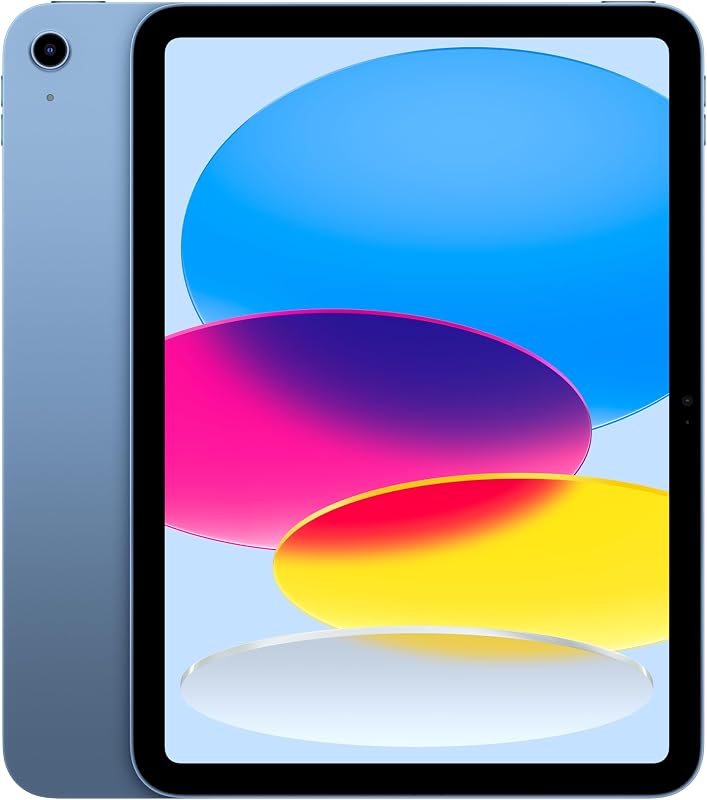
The standard packaging delivers the core slate configured with foundational hardware built to run modern iPadOS applications. While creative accessories like input pens and keyboards sell independently, the base device provides all the integrated processing, audio, and visual capture tools needed for standalone production right out of the box.
- Apple iPad 11-inch tablet (model MD4A4LL/A) in selected color finish
- Integrated A16 processor featuring a 5-core CPU, 4-core GPU, and 16-core Neural Engine
- 11-inch Liquid Retina display with 2360-by-1640 resolution and True Tone technology
- Internal solid-state storage starting at 128GB (configurable up to 512GB)
- 12MP Wide rear camera featuring True Tone flash and 4K video recording capability
- 12MP landscape Center Stage front camera for dynamic video framing
- USB-C charging and expansion port supporting DisplayPort video output
- Built-in landscape stereo speakers and dual studio-style microphones
- Support for Apple Pencil (USB-C) and Magic Keyboard Folio accessories
Key Specifications
| Attribute | Detail |
|---|---|
| Screen Size & Resolution | 11 inches, Liquid Retina display (2360-by-1640 pixels at 264 ppi) |
| Processing Silicon | Apple A16 chip (5-core CPU, 4-core GPU, 16-core Neural Engine) |
| Base Storage Capacity | 128GB (optional expansion tiers up to 512GB) |
| Rear Camera System | 12MP Wide camera, True Tone flash, 4K video recording |
| Front Camera System | 12MP Center Stage camera with automatic subject tracking |
| Wired Expansion | USB-C port (Charging, DisplayPort, USB 2.0 up to 480 Mb/s) |
| Wireless Connectivity | Wi-Fi 6 wireless networking |
| Audio Hardware | Landscape stereo speakers, dual microphones |
| Biometric Security | Touch ID sensor integrated into the top power button |
| Dimensions & Weight | 9.79 x 7.07 x 0.28 inches; 1.05 pounds |
A16 Processing Power and Real-World Creative Demands
Evaluating the apple ipad a16 performance reveals steady, dependable throughput for mobile workflows. The architecture incorporates a 5-core CPU paired with a 4-core GPU and a 16-core Neural Engine, creating a balanced silicon foundation for timeline manipulation and image rendering. When managing multi-track audio projects or organizing raw image libraries, the processor transitions smoothly across tasks without noticeable thermal throttling. It executes background operations like photo indexing and machine learning enhancements reliably during continuous editing sessions.
For video producers, executing an apple ipad video editing project involves working within realistic track constraints. The hardware handles multi-stream 1080p timelines effortlessly and supports lightweight 4K cutting using standard iPadOS editing applications. Scrubbing through high-resolution clips remains fluid, and applying basic color grades or text transitions does not choke the interface. Those requiring sustained multi-stream ProRes timelines or heavy 3D rendering will eventually notice the hardware ceiling and may lean toward higher tiers like the ipad air 13 in m4, but the baseline A16 platform remains remarkably agile for YouTube cuts, short-form vlogs, and mobile reels.
Multitasking within iPadOS benefits directly from the silicon configuration. Running apps side by side, such as a script editor alongside a timeline or referencing asset folders while grading photos, functions smoothly. While the entry storage tier of 128GB necessitates active library management, the underlying memory pipeline maintains stable system responsiveness. Creative hobbyists seeking a compact editing station will find the operational headroom more than sufficient for everyday production workloads.
Liquid Retina Display Clarity and Digital Illustration
Visual fidelity stands out on the apple ipad liquid retina display. Boasting a maximum resolution of 2360-by-1640 at 264 pixels per inch, the 11-inch screen renders detailed graphics, precise linework, and sharp typography. True Tone technology automatically adjusts the white balance relative to your ambient lighting environment, which minimizes visual fatigue during marathon editing or writing sessions. For content creators grading social video or curating photo galleries, the screen offers reliable clarity across diverse viewing angles.
The slate demonstrates excellent drawing responsiveness when paired with the Apple Pencil (USB-C). Digital artists working across sketching applications, storyboarding apps, and vector layout tools will appreciate the apple ipad drawing performance. Stroke tracking feels direct and natural, accommodating fast sketches, hand-drawn typography, and detailed graphic annotations. iPadOS integrates Scribble functionality natively, enabling creators to handwrite directly into text fields, convert notes to text, and annotate production documents on the fly.
The 11-inch form factor strikes a practical compromise between desktop working area and mobile drafting ease. It offers noticeably more canvas room for layer management and toolbar placement than miniature slates such as an apple ipad mini on sale, while remaining light enough to balance on one arm during field sketches. Integrated Touch ID on the top button keeps device access secure without obstructing screen bezels, maintaining an uninterrupted front glass surface for drawing and navigation.
USB-C Connectivity and External Workflow Limitations
The hardware transition to a universal interface greatly enhances the apple ipad usb c workflow. A single port now handles unit charging, peripheral attachment, and external video output via DisplayPort. For presenters, educators, and creative reviewers, connecting the slate to an external monitor or projector mirrors visual assets instantly. The reversible connector also standardizes gear bags, allowing you to use common cables across your phone, tablet, and accessory power bricks.
External data handling requires an honest look at the apple ipad specs. While the port utilizes the physical USB-C form factor, data transmission operates at USB 2.0 speeds, capping throughput at 480 Mb/s. When moving small audio clips, voice memos, or individual image batches from thumb drives, transfer times remain manageable. However, creators dumping multiple gigabytes of high-bitrate 4K footage from field cameras will encounter transfer bottlenecks compared to production stations like an ipad pro 1tb with higher-tier port controllers.
Beyond data offloading, the port supports hardware accessories that expand creator utility. Connecting external USB-C microphones, camera card readers, and audio interfaces works natively through iPadOS file management. Combined with the slate’s built-in dual microphones and landscape stereo speakers, audio monitoring and recording remain straightforward, allowing mobile journalists and podcasters to capture clean sound on location without carrying bulky converter hubs.
Daily Handling and Field Battery Efficiency
Ergonomics play a major role in run-and-gun media production. Measuring 9.79 by 7.07 inches with a thin 0.28-inch profile and weighing 1.05 pounds, the tablet remains exceptionally portable. Holding the device aloft to capture b-roll using the 12MP Wide rear camera feels stable and causes minimal wrist fatigue. The camera module includes a True Tone flash and captures native 4K video, making it a reliable capture tool for quick documentation, social updates, and document scanning.
Remote creators can depend on stable apple ipad battery life throughout demanding shooting schedules. The integrated nonstandard rechargeable battery is engineered to deliver all-day endurance under typical mixed usage. In practical terms, alternating between script writing, web research over Wi-Fi 6, streaming reference video, and trimming video clips leaves enough reserve power to complete an entire production day. Wi-Fi 6 integration ensures rapid cloud syncing and remote asset uploads whenever a compatible network is within range.
Physical usability extends to typing environments via support for the Magic Keyboard Folio. This optional accessory employs a versatile two-piece magnetic design featuring a protective back panel and a detachable keyboard deck. vloggers drafting episode descriptions or journalists typing field notes can detach the keyboard when only the drawing slate is needed, preserving flexibility across tight workspaces like coffee shop tables or airline trays.
Is the Apple iPad Worth It
Answering whether the apple ipad for creators delivers genuine value depends entirely on project scale and workflow expectations. For digital illustrators, visual storytellers, social media managers, and mobile vloggers, the hardware provides an accessible entry point into the iPadOS ecosystem. The responsive A16 processor, vivid 11-inch Liquid Retina panel, and universal USB-C charging satisfy the core demands of modern content creation without forcing buyers into expensive professional-tier hardware.
Conversely, studio professionals handling massive raw media directories will encounter technical boundaries. The USB 2.0 speed limit of 480 Mb/s makes massive offloads cumbersome, and heavy multi-cam video rendering will test the 4-core GPU. High-volume studios that rely on thunderbolt data transfer rates or multi-terabyte internal storage configurations will quickly outgrow this model. For these enterprise-level demands, higher-tier machines remain the logical path forward.
Ultimately, is apple ipad worth it for the independent creator? For students, hobbyists, and digital nomad editors seeking a lightweight, reliable secondary production slate, the answer is a definitive yes. The combination of strong camera hardware, Center Stage auto-framing, Apple Pencil support, and all-day battery reliability establishes this device as a practical, highly functional creative companion.
FAQ
Does the Apple iPad support 4K video editing?
Yes. The A16 chip features a 5-core CPU and 4-core GPU capable of processing 4K video streams in mobile editing applications. Trimming, color grading, and exporting basic 4K projects run smoothly, although timeline tracks should be kept moderate to preserve optimal responsiveness.
Which stylus is compatible with this Apple iPad?
This model is compatible with the Apple Pencil (USB-C). It pairs and charges via an external cable connection, providing precise digital drawing, note-taking with Scribble handwriting recognition, and seamless document annotation across iPadOS.
What are the limitations of the USB-C port?
While the port features a standard USB-C interface supporting charging and DisplayPort external monitor output, data transfer speeds operate on the USB 2.0 standard, maxing out at 480 Mb/s. Large file transfers will take longer compared to devices equipped with faster data buses.
How does the Center Stage front camera work during calls?
The 12MP landscape front camera uses machine learning algorithms on the 16-core Neural Engine to automatically pan and zoom. It keeps you centered within the video frame as you move around during video calls, livestreams, or remote interviews over FaceTime.
Can the internal storage be expanded with a memory card?
No. The device does not feature an integrated microSD card slot. Internal storage starts at 128GB and goes up to 512GB at the time of purchase. However, external hard drives and flash drives can be connected directly to the USB-C port for external file storage.