As Amazon Associates, we earn from qualifying purchases. This means we may receive a small commission at no extra cost to you if you click through and make a purchase.
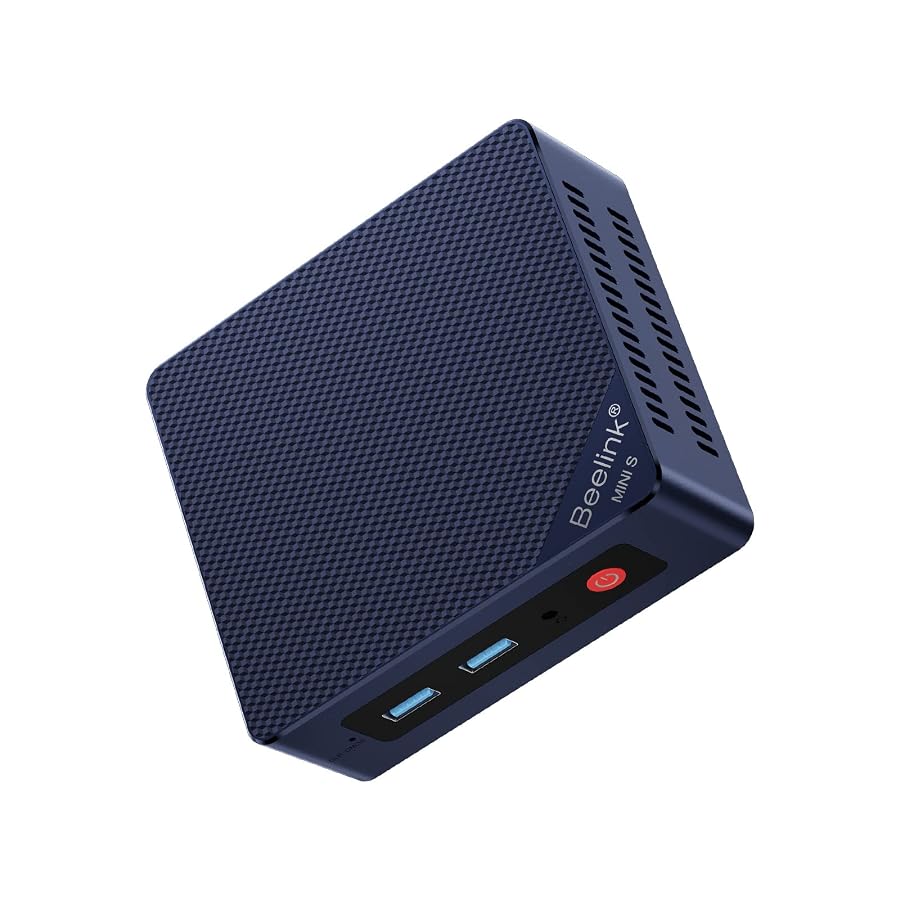
Finding an ultra-compact desktop that can reliably handle dedicated media playback, background rendering queues, or live dashboard management without occupying precious studio desk space is a common challenge for digital creators. The Beelink Mini S12 Pro targets this exact requirement by combining Intel Twin Lake N100 processing with 16GB of DDR4 memory and a 500GB solid-state drive in an exceptionally small 115 x 102 x 41mm footprint. Rather than attempting to replace an elaborate primary production workstation, this low-power mini PC is built to serve as an unobtrusive secondary workhorse capable of powering multiple screens, running office suites, managing web streams, and offloading peripheral creative tasks.
Whether you need a secondary monitor controller, a dedicated communication box for live streaming, or an efficient 24/7 background appliance, selecting the right machine comes down to understanding how its low-wattage hardware performs under real workloads. In this guide, we review the core capabilities of the Beelink Mini S12 Pro, detailing its port selection, cooling structure, dual-screen 4K capabilities, and practical limitations. We also evaluate the Beelink S12 Pro N100 specs across everyday creator environments to help you determine if this model fits your production space.

What You Get With the Beelink Mini S12 Pro
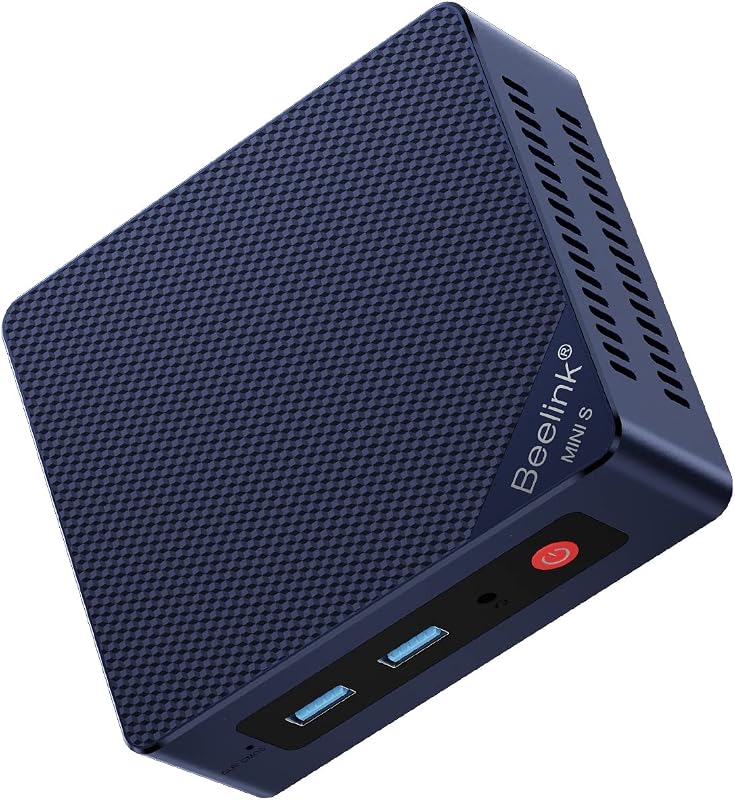
The manufacturer includes everything necessary inside the box to mount and power the desktop immediately, making it straightforward to connect to existing studio displays or hide behind a workspace monitor.
- 1 x Beelink Mini PC desktop unit featuring the Intel Twin Lake N100 quad-core processor
- 1 x Power adapter designed for continuous low-consumption electrical operation
- 1 x VESA mounting bracket with accompanying screws for monitor backplate installation
- 1 x User manual with setup guidance and technical specifications
- 1 x HDMI cable for digital video connection to monitors or televisions
- Four USB 3.2 Gen 2 ports delivering fast 10Gbps data throughput for external drives
- Two HDMI 2.0 video outputs capable of driving dual 4K monitors at 4096 x 2160 resolution
- Integrated cooling architecture with a fan, dedicated heat sink, and hard drive cooler
- Built-in WiFi 6 802.11ax dual-band wireless connectivity for high-speed network access
- System automation utilities including Wake On LAN, PXE Boot, RTC Wake, and Auto Power On
Key Specifications
| Hardware Component | Technical Specification |
|---|---|
| Brand and Series | Beelink MINIS |
| Processor Architecture | Intel Twin Lake N100 (4 Cores, 4 Threads, clock speeds up to 3.4GHz) |
| Graphics Processing Unit | Integrated Intel UHD Graphics |
| System Memory | 16 GB DDR4 RAM |
| Internal Solid-State Storage | 500 GB SSD |
| External Display Outputs | 2 x HDMI 2.0 (Dual 4K support at 4096 x 2160) |
| High-Speed USB Ports | 4 x USB 3.2 Gen 2 (10Gbps transfer speeds) |
| Wireless Connectivity | WiFi 6 (802.11ax) Dual-Band |
| Chassis Footprint | 115 x 102 x 41 mm |
| Operating System | Pre-configured OS |
| Daily Power Consumption | Rated under 1 kWh per day for energy-efficient operation |
Beelink S12 Pro Intel N100 Performance for Daily Workflows
At the center of this mini computer is the Intel Twin Lake N100 processor, offering four cores and four threads with a boost frequency reaching up to 3.4GHz. When examining the Beelink S12 Pro Intel N100 performance across typical desk tasks, the architecture delivers snappy responsiveness for productivity software, web navigation across dozens of browser tabs, Skype or Zoom calls, and photo editing suites like Adobe Photoshop. The inclusion of 16GB of DDR4 memory ensures sufficient room to keep communication software, audio playback apps, and reference documents open simultaneously without introducing severe stutter or interface lag.
For content creators investigating the Beelink Mini S12 Pro for video editing, clear expectations are necessary. The integrated Intel UHD Graphics provide hardware acceleration capable of fluid 4K media playback and light video clipping, but timeline editing with multiple 4K video layers, dense color grading, or heavy motion effects will exceed the thermal and computational headroom of a four-thread processor. Creative teams requiring heavy video encoding capabilities would be better served evaluating heavy-duty workstation setups such as the Intel Core i5-14500 vPro, which offers desktop-class multithreaded processing for serious rendering queues.
Where this compact machine shines is handling auxiliary duties that would otherwise tie up your primary production rig. Offloading podcast recording, audio routing, background file archiving, and standard document preparation to the N100 preserves the full horsepower of your main edit suite. The system provides a dependable, quiet computing environment that tackles everyday office and media tasks with minimal fuss and balanced thermal control.
Beelink S12 Pro Dual 4K Display Support and Creator Desk Setup
A major draw for vloggers, livestreamers, and multi-monitor hobbyists is the Beelink S12 Pro dual 4K display capability provided by twin HDMI 2.0 ports. Each port delivers output up to 4096 x 2160 resolution, allowing you to configure two high-resolution monitors side by side without needing external splitters or specialized display adapters. In a creator studio, this feature makes it easy to run a dedicated chat monitoring window alongside an OBS playback screen, or display long vertical reference documents beside a live video feed.
Data throughput and peripheral connectivity are well supported through four front- and rear-facing USB 3.2 Gen 2 ports, each rated for transfer speeds up to 10Gbps. This high-bandwidth interface allows fast read and write speeds when transferring raw camera footage or library assets to high-speed external solid-state drives. Unlike compact laptops that rely heavily on dongles, such as the Lenovo Legion Slim 5 Gen 9 laptop when used at a fixed desk, having dedicated full-sized ports on the mini PC chassis simplifies connecting capture cards, external audio mixers, card readers, and webcams simultaneously.
For creators who want an even more powerful graphics architecture inside a compact footprint, higher-tier units like the Beelink SER5 MAX mini PC provide greater multi-core horsepower for 3D modeling or gaming. However, for users whose primary requirement is clean dual-screen visual output for media reference, web management, and content organization, the dual HDMI 2.0 implementation on this N100 machine offers reliable video clarity without visual degradation.
Thermal Management and Always-On Efficiency for Media Desks
Managing heat and acoustic output is crucial when a mini computer sits inches away on an editing desk or mounts to the back of a studio monitor. The Beelink Mini S12 Pro utilizes an integrated internal cooling solution consisting of a silent cooling fan, an aluminum heat sink, and a specialized hard drive cooler. This multi-part cooling system channels airflow across both the processor package and internal drive bay, dissipating heat effectively during sustained file copying or continuous video playback while reducing long-term component wear.
Energy conservation is an equally compelling advantage of this low-power platform. The manufacturer highlights that the desktop uses less than 1 kWh of electricity in an entire day under normal operation, keeping operating power low while reducing your studio footprint. This efficiency makes the machine uniquely viable for continuous operation as a Beelink S12 Pro media streaming hub or background home server running media servers, download managers, or network storage utilities.
The inclusion of system management utilities such as Wake On LAN, PXE Boot, RTC Wake, and Auto Power On further reinforces its capability as an unattended headless node. If an unexpected power fluctuation occurs in your workspace, the Auto Power On feature ensures the mini PC reboots automatically without manual intervention, keeping your background servers, local backup schedules, and networked automation tasks online around the clock.
Chassis Footprint, Mounting, and Hardware Upgrade Considerations
The physical footprint of the Beelink Mini S12 Pro is remarkably unobtrusive, measuring 115 x 102 x 41mm. Its compact shell allows it to hide cleanly behind a primary editing monitor using the included VESA mount bracket and screws, completely eliminating desk clutter. The lightweight chassis design by European designers incorporates clean exterior vents that facilitate horizontal airflow while maintaining a sleek, modern desktop presentation.
When it comes to internal expandability, users often inquire about potential memory adjustments. The computer arrives from the factory configured with 16GB of DDR4 RAM and a 500GB solid-state drive, which provides plenty of headroom for daily creative software and operating system caches. Regarding a future Beelink Mini S12 Pro RAM upgrade, the listing confirms the pre-installed 16GB DDR4 capacity, but the listing does not specify whether there is a second memory slot available or what the maximum supported memory ceiling is. Internal storage expansion options beyond the included 500GB drive are also not detailed on the official specification sheet.
Completing the Beelink Mini S12 Pro setup is straightforward thanks to its plug-and-play accessories and pre-installed operating system environment. Users simply attach the included HDMI cable to their display, plug in the power supply, connect their keyboard and mouse to the USB ports, and link to the local network via built-in WiFi 6 802.11ax wireless. The streamlined installation process takes only minutes from unboxing to first boot, allowing creators to integrate the hardware into their production space without complex driver configurations.
Check Beelink Mini S12 Pro on Amazon
Is the Beelink Mini S12 Pro Worth It
Deciding whether the Beelink Mini S12 Pro is worth it comes down to matching its energy-efficient architecture with your workflow requirements. If you are seeking an accessible, whisper-quiet secondary machine to manage live stream dashboards, run office productivity software, manage file transfers over 10Gbps USB ports, or serve as a 24/7 media streaming box, this desktop provides tremendous utility. Its dual 4K monitor support, modern WiFi 6 connectivity, and 16GB memory baseline ensure smooth day-to-day multitasking at an exceptionally small footprint.
On the other hand, creative professionals seeking a primary video workstation to render complex multicam timelines, export visual effects, or process high-frame-rate RAW files will find the integrated Intel UHD Graphics and four-thread CPU limiting. In those scenarios, investing in a high-wattage desktop tower or a dedicated creator laptop is necessary to achieve acceptable export times and timeline scrubbing fluidities.
For creators, hobbyists, and home media enthusiasts who understand its intended role, the Beelink Mini S12 Pro represents a highly practical, low-wattage solution. It delivers reliable daily performance, robust connectivity, and minimal power consumption, making it an excellent utility machine to enhance any creative workspace.
FAQ
Can the Beelink Mini S12 Pro run dual 4K monitors at the same time?
Yes, the Beelink Mini S12 Pro features two HDMI 2.0 ports that support dual 4K ultra high definition displays at resolutions up to 4096 x 2160. This allows users to connect two separate monitors simultaneously for extended desktop productivity or dedicated media monitoring.
Can I use the Beelink Mini S12 Pro for video editing?
The Beelink Mini S12 Pro can manage lightweight video trimming, basic 1080p clips, and simple content cutting using its integrated Intel UHD graphics. However, it is not designed for heavy multi-track 4K video editing, complex 3D compositing, or demanding timeline effects, which require a more powerful multi-core processor and dedicated graphics hardware.
Is the Beelink Mini S12 Pro suitable for a 24/7 home server?
Yes, the system is exceptionally well suited for home server duties because it consumes less than 1 kWh of electricity per day and incorporates a comprehensive cooling system with a dedicated fan, heat sink, and hard drive cooler. Furthermore, it supports essential management functions such as Wake On LAN, PXE Boot, RTC Wake, and Auto Power On for uninterrupted remote operation.
What accessories are included in the box with the Beelink Mini S12 Pro?
The package includes the Beelink Mini PC unit, one power adapter, one VESA mounting bracket with matching screws, one HDMI cable, and an official user manual.
Does the Beelink Mini S12 Pro support wireless connectivity?
Yes, the mini PC includes built-in dual-band WiFi 6 (802.11ax) wireless networking, providing fast and stable wireless internet connectivity for streaming, web browsing, and local network file sharing without requiring an external wireless adapter.