
As Amazon Associates, we earn from qualifying purchases. This means we may receive a small commission at no extra cost to you if you click through and make a purchase.
As an Amazon Associate we earn from qualifying purchases. Links on this page are affiliate links.
Connectivity Explained for Embroidery Machines
Understanding connectivity explained helps you choose the right machine for your workflow. Modern embroidery machines offer two main ways to transfer designs. These methods affect how quickly you can start stitching and how flexible your setup is. Knowing the difference ensures you pick a device that fits your studio needs.
Wi-Fi connectivity allows wireless communication between your machine and other devices. This feature lets you send embroidery patterns directly from a computer or mobile app. You do not need physical cables to move files. This is useful if you work in a busy studio where cables might get in the way. It also enables remote monitoring in some models. Check the specifications to see if the machine supports direct file transfer or only basic notifications. Not all Wi-Fi features are equal. Some require a specific network setup. Others work with standard home routers. Read the details carefully before buying.
USB connectivity remains the standard for reliable file transfer. You connect a USB drive to the machine to load designs. This method is simple and universally supported. Most embroidery files come on USB sticks. You can buy pre-loaded drives or create your own. This option is ideal if you prefer a direct connection. It avoids potential wireless interference. USB is also faster for large files in many cases. You can carry multiple designs on one small stick. This is practical for traveling or working in areas with poor internet.
Many machines include both options. This gives you the best of both worlds. You can use Wi-Fi for convenience and USB for backup. Consider your primary use case. If you share designs frequently, wireless is key. If you rely on physical media, USB is essential. Always verify which ports and protocols are listed. This clarity helps you avoid surprises when setting up your workspace.
Wi-Fi vs USB Connectivity
Wi-Fi
Wi-Fi lets you send designs wirelessly to your embroidery machine. You connect the machine to your home network and transfer files from a computer or mobile device without cables. This setup keeps your workspace tidy and allows you to edit designs on a touchscreen before stitching. Machines like the Brother SE700 use this method for home beginners who value screen editing and compact design. The trade-off is that you need a stable network connection. If your Wi-Fi drops, you cannot send new files until the connection is restored. It is best for users who stitch frequently and want a streamlined workflow without managing physical drives.
USB
USB connectivity requires a physical flash drive to transfer design files. You save embroidery patterns onto a USB stick on your computer, then plug it into the machine. This method is reliable because it does not depend on network stability. Machines like the Brother PE545 support both Wi-Fi and USB, giving you flexibility. You can use USB when Wi-Fi is unavailable or when transferring large files that might time out wirelessly. The trade-off is the need to carry and manage physical drives. You must ensure the drive is formatted correctly for the machine. This option suits users who prefer direct, cable-based transfers or work in areas with poor wireless signals.
Is This Connectivity Worth It
Who needs it
You should prioritize this machine if your workflow demands flexibility and speed. The Wi-Fi connection allows you to send designs directly from your computer or mobile device without handling physical media. This wireless capability keeps your workspace tidy by eliminating cable clutter. You can edit files on one device and transfer them instantly to the machine. This is ideal for users who move between different workstations or who prefer managing their design library digitally. The USB port provides a reliable backup for transferring larger files when wireless signals are unstable. Having both options ensures you are never stuck due to a lost cable or a weak network signal. If you value a streamlined, modern setup where digital files flow seamlessly to the needle, these connectivity features are essential for your daily efficiency.
Who can skip it
You can skip this model if you prefer a simpler, dedicated workflow. Some users find that managing files via a single USB drive is faster and less prone to technical glitches than navigating wireless networks. If you do not own a smartphone or tablet, the Wi-Fi feature offers little benefit. You might prioritize higher stitch speed, a larger embroidery area, or more built-in designs instead of connectivity options. Basic USB connectivity is sufficient for most hobbyists who transfer designs occasionally. If your primary concern is mechanical reliability or stitch quality, spending extra for Wi-Fi may not improve your results. Focus on the machine's core stitching performance and ease of use rather than digital convenience. A straightforward USB connection often provides the stability needed for consistent stitching without the potential distractions of network settings.
Key Connectivity Terms
USB Flash Drive
A portable storage device that holds embroidery design files. You plug it into the machine’s USB port to load patterns directly for stitching.
Wi-Fi Connection
Wireless networking that allows the machine to receive design files from a computer or mobile app without physical cables. This keeps your workspace tidy.
Design File
A digital file containing stitch instructions for an embroidery pattern. Common formats include PES, DST, and EXP. You must convert designs to the correct format.
Embroidery Area
The maximum size of the hoop where the machine can stitch. Larger areas allow for bigger designs but may require re-hooping for very large projects.
Stitch Count
The total number of individual needle movements in a design. Higher counts often mean more detail and longer stitching times. Check this before starting.
Threading Path
The route the thread takes through the machine’s guides and tension discs. A clear path ensures consistent stitch quality and reduces thread breakage during operation.
Hooping Frame
A rigid frame that holds your fabric taut while stitching. Proper hooping prevents fabric distortion. Some machines include multiple frame sizes for different project scales.
| # | Product | Best for | Price |
|---|---|---|---|
| 1 | Brother Wireless Sewing and Embroidery Machine | home beginners needing wireless embroidery | |
| 2 | Brother 4×4 Wireless Embroidery Machine | small embroidery projects with wireless transfer | |
| 3 | Brother 5×7 Wireless Embroidery Machine | Home users needing large field embroidery | |
| 4 | Poolin 15-Needle Commercial Embroidery Machine | Small business hat and apparel production | |
| 5 | Brother SE2000 5×7 Sewing & Embroidery | Beginners needing Wi-Fi and a 5×7 embroidery area | |
| 6 | Poolin Large Hoop Embroidery Machine | Large home embroidery projects and small business use |

Brother Wireless Sewing and Embroidery Machine
Best for: home beginners needing wireless embroidery
- Connectivity
- Wi-Fi
- Embroidery Area
- 4" x 4"
- Display Size
- 3.7"
- Built-In Designs
- 135
- Intended Use
- Embroidery, Beginners
- Display Type
- Touchscreen
The Brother SE700 combines sewing and embroidery in one unit. It features Wi-Fi and USB connectivity for file transfers. The 4×4 inch embroidery area suits smaller projects. A 3.7-inch touchscreen allows on-screen editing. You get 135 built-in designs and 103 sewing stitches. This machine suits beginners who want wireless control and a compact footprint for home use.
- Wi-Fi and USB connectivity for file transfer
- 3.7-inch color touchscreen for editing
- 135 built-in embroidery designs and 10 fonts
- 103 built-in sewing stitches including buttonholes
- Automatic needle threader and drop-in bobbin
- 4×4 inch embroidery area limits project size
- 15.6 pound weight adds bulk to workspace
- Fewer built-in designs than commercial alternatives
- You need wireless file transfer for embroidery
- You want a single machine for sewing and stitching
- You prefer on-screen editing via touchscreen
- You require large format embroidery beyond 4×4 inches
- You need industrial speed or multi-head capability
- You prefer a dedicated sewing machine without embroidery
Verdict: The Brother SE700 Wireless Combo Machine offers reliable Wi-Fi connectivity and a manageable 4×4 inch hoop for home crafters. It fits beginners who value screen editing and compact design over large-scale production capacity.
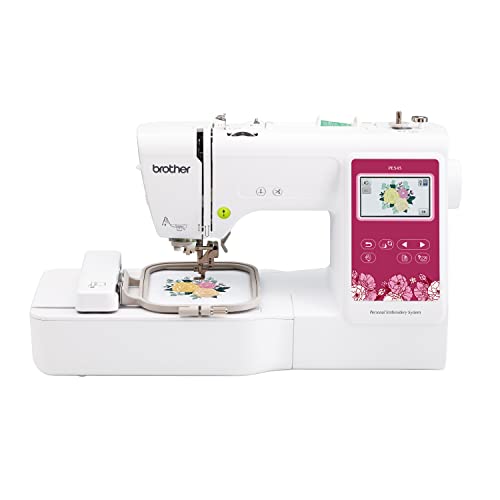
Brother 4×4 Wireless Embroidery Machine
Best for: small embroidery projects with wireless transfer
- Connectivity
- Wi-Fi
- Embroidery Area
- 4" x 4"
- Display Size
- 3.7"
- Built-In Designs
- 135
- Sewing Function
- Embroidery only
- Display Type
- Touchscreen
The Brother PE545 is a dedicated embroidery machine featuring Wi-Fi and USB connectivity for file transfer. It includes 135 built-in designs and offers a 4 x 4 inch embroidery field. The unit has a 3.7-inch color touchscreen for pattern editing. It weighs 14.1 pounds and measures 16.5 inches in length. This model suits users who want wireless design transfer without sewing capabilities.
- Wi-Fi and USB connectivity for file transfer
- 135 built-in embroidery designs
- 3.7-inch color touchscreen display
- ArtSpire mobile app support
- Includes 10 built-in fonts
- 4 x 4 inch embroidery field is smaller than the 5 x 7 inch or larger areas found in other list models
- Embroidery-only function prevents traditional sewing tasks
- 14.1 pound weight is comparable to other units but the 4 x 4 inch area limits large project scope
- You need wireless LAN connectivity for design transfer
- You require a dedicated embroidery-only machine
- You work primarily with small to medium sized embroidery projects
- You need to perform traditional sewing functions
- You require an embroidery field larger than 4 x 4 inches
- You prefer a machine with a larger built-in design library than 135 patterns
Verdict: The Brother PE545 Wireless Embroidery Machine fits users who need Wi-Fi connectivity and a compact 4 x 4 inch work area. It is a solid choice for small projects but not for large scale embroidery.
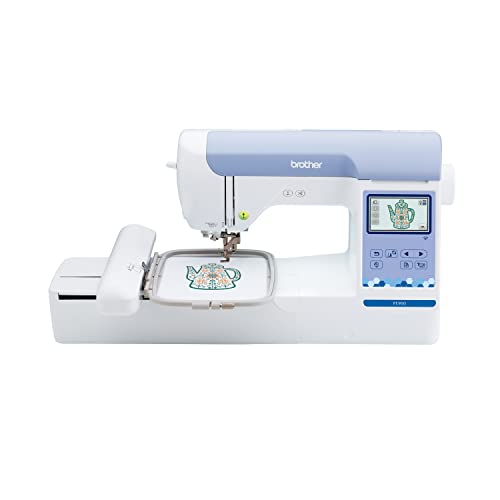
Brother 5×7 Wireless Embroidery Machine
Best for: Home users needing large field embroidery
- Connectivity
- Wi-Fi
- Embroidery Area
- 5" x 7"
- Display Size
- 3.7"
- Built-In Designs
- 193
- Sewing Function
- Embroidery only
- Dimensions
- 17.5 × 9.49 × 11.8 inches
The Brother PE900 is an embroidery-only machine featuring a 5 x 7 inch field and 3.7 inch touchscreen. It connects via Wi-Fi and USB, allowing you to transfer files wirelessly or through a cable. With 193 built-in designs and color sort functions, it handles larger projects efficiently. This model suits users who need a dedicated embroidery device with solid connectivity options for home use.
- 5 x 7 inch embroidery area for larger designs
- Wi-Fi and USB connectivity for file transfer
- 193 built-in designs with 13 lettering fonts
- 3.7 inch LCD touchscreen for on-screen editing
- Advanced Color Sort reduces thread changes
- Embroidery-only function excludes traditional sewing tasks
- 5 x 7 inch field is smaller than 11 x 7.9 inch options on this list
- 21 pound weight makes it less portable than lighter models
- You need a dedicated machine for large embroidery projects
- You want wireless file transfer from your computer
- You prefer a large touchscreen for design editing
- You require a machine that also sews
- You need the largest possible embroidery area available
- You prioritize a lightweight and portable unit
Verdict: Brother PE900 5×7 Wireless Embroidery Machine fits users who need a dedicated device with a generous 5 x 7 inch field and reliable wireless connectivity for home embroidery projects.

Poolin 15-Needle Commercial Embroidery Machine
Best for: Small business hat and apparel production
- Connectivity
- Wi-Fi, USB
- Needle Count
- 15
- Embroidery Area
- 14.2" x 9.5"
- Maximum Speed
- 1,200 SPM
- Display Size
- 9"
- Cap Support
- 270°
This Poolin EOM model is a 15-needle commercial embroidery machine designed for small businesses and growing studios. It features a large 14.2-inch by 9.5-inch embroidery area and supports Wi-Fi and USB connectivity for file transfers. The 9-inch touchscreen simplifies workflow, while the 270-degree cap support allows for detailed hat embroidery. It is built for users who need high-speed production and consistent placement for bulk orders.
- 15 needles reduce rethreading for multi-color designs
- 14.2 x 9.5 inch embroidery area handles large projects
- Wi-Fi and USB connectivity for easy file import
- 9-inch touchscreen with InStitch OS4 for clear workflow
- Built-in laser alignment ensures precise design placement
- Heavier build at 165 pounds compared to home models
- Larger footprint requires more workspace than standard machines
- Cap embroidery speed limited to 850 SPM versus flat speed
- You run a small embroidery business needing high-volume output
- You frequently embroider on structured and unstructured hats
- You need a large hoop area for uniforms and towels
- You have limited floor space for a 28.4-inch wide unit
- You only need basic home sewing without commercial speed
- You prefer lightweight machines for easy relocation
Verdict: Poolin EOM 15-Needle Commercial Embroidery Machine fits small business owners who need a dedicated, high-capacity system for hats and apparel. It suits those prioritizing production speed and large design areas over portability.

Brother SE2000 5×7 Sewing & Embroidery
Best for: Beginners needing Wi-Fi and a 5×7 embroidery area
- Connectivity
- Wi-Fi
- Embroidery Area
- 5" x 7"
- Built-In Designs
- 193
- Sewing Function
- 2-in-1 combo
- Intended Use
- Embroidery, Beginners
- Dimensions
- 17.6 × 9.49 × 11.8 inches
The Brother SE2000 is a 2-in-1 sewing and embroidery machine with Wi-Fi connectivity. It features a 5 by 7 inch embroidery field and 193 built-in designs. You get 241 sewing stitches and sideways sewing support. The unit weighs 20.5 pounds and measures 17.6 inches long. It suits beginners who want wireless design transfer and a large stitching area for varied projects.
- Wi-Fi connectivity for wireless design transfer
- 5 x 7 inch embroidery field
- 193 built-in embroidery designs
- 241 built-in sewing stitches
- Sideways sewing feature
- 5 x 7 inch embroidery area is smaller than the 14.2 x 9.5 inch field on the Poolin EOM 15
- 20.5 pound weight is heavier than the Brother PE545 and Brother SE700
- 193 built-in designs are fewer than the 50,000+ available via USB
- You need wireless connectivity for embroidery designs
- You want a large 5 x 7 inch embroidery area
- You are a beginner looking for a 2-in-1 combo machine
- You require a commercial multi-needle machine
- You need an embroidery area larger than 5 x 7 inches
- You prefer a lightweight machine under 15 pounds
Verdict: Brother SE2000 Wi-Fi 5×7 Embroidery fits beginners who value wireless connectivity and a spacious 5 by 7 inch embroidery field over raw design count or portability.

Poolin Large Hoop Embroidery Machine
Best for: Large home embroidery projects and small business use
- Connectivity
- Wi-Fi, USB
- Embroidery Area
- 11" x 7.9"
- Display Size
- 7"
- Built-In Designs
- 200
- Intended Use
- Embroidery, DIY
- Display Type
- Touchscreen
The Poolin EOC06 is a computerized embroidery machine featuring a 11 x 7.9 inch embroidery area. It connects via Wi-Fi and USB for file transfers. The unit includes a 7-inch color touchscreen for design editing. It comes with 200 built-in patterns and 8 fonts. This machine suits DIY projects and small business needs. It weighs 35 pounds and includes essential supplies.
- 11 x 7.9 inch maximum embroidery area
- 7-inch color touchscreen display
- Wi-Fi and USB connectivity options
- 200 built-in designs and 8 fonts
- 35 pounds weight makes it heavier than portable options
- 200 built-in designs is fewer than the 500+ on some competitors
- 11 x 7.9 inch area is smaller than the 14.2 x 9.5 inch commercial area
- You need a large hoop for bedding or towels
- You want wireless file transfer without cables
- You prefer a large touchscreen for editing
- You require a commercial 15-needle setup
- You need a 5 x 7 inch sewing area
- You want a lightweight portable machine
Verdict: Poolin EOC06 Large Hoop Embroidery Machine fits users who need a large 11 x 7.9 inch area for home crafts. It offers wireless connectivity and a large screen for easy design management. It is ideal for DIYers and small business owners starting out.
Specifications side by side
| Spec | Brother Wireless Sewing and Embroidery Machine | Brother 4×4 Wireless Embroidery Machine | Brother 5×7 Wireless Embroidery Machine | Poolin 15-Needle Commercial Embroidery Machine | Brother SE2000 5×7 Sewing & Embroidery | Poolin Large Hoop Embroidery Machine |
|---|---|---|---|---|---|---|
| Needle Count | – | – | – | 15 | – | – |
| Embroidery Area | 4" x 4" | 4" x 4" | 5" x 7" | 14.2" x 9.5" | 5" x 7" | 11" x 7.9" |
| Maximum Speed | – | – | – | 1,200 SPM | – | – |
| Display Size | 3.7" | 3.7" | 3.7" | 9" | – | 7" |
| Connectivity | Wi-Fi, USB | Wireless LAN, USB | Wi-Fi, USB | Wi-Fi, USB | Wireless | Wi-Fi, USB |
| Built-In Designs | 135 | 135 | 193 | – | 193 | 200 |
| Cap Support | – | – | – | 270° | – | – |
| Sewing Function | – | Embroidery only | Embroidery only | – | 2-in-1 combo | – |
| Intended Use | Embroidery, Beginners | Embroidery | Embroidery | Embroidery | Embroidery, Beginners | Embroidery, DIY |
| Display Type | Touchscreen | Touchscreen | – | Touchscreen | – | Touchscreen |
| Suitable For | – | – | – | Hats & Caps, Small Business | – | DIY Projects, Small Business |
| Application | – | – | – | Hats | – | – |
| Dimensions | 16.5 × 7.76 × 12.1 inches | 16.5 × 7.76 × 12.1 inches | 17.5 × 9.49 × 11.8 inches | 21.3 × 28.4 × 59 inches | 17.6 × 9.49 × 11.8 inches | 23 × 27 × 12.5 inches |
| Weight | 15.6 pounds | 14.1 pounds | 21 pounds | 165 pounds | 20.5 pounds | 35 pounds |
| Size | SE700 – Machine Only | PE545 Only | PE900 – Machine Only | EOM | SE2000 + Ultimate Embroidery Package | EOC06 |
| Color | White | White | White | EOM | White / Black | White |
| Model | SE700 | PE545 | PE900 | EOM-15 | SE2000 | EOC06 |
Frequently asked questions
Can I connect my embroidery machine to Wi-Fi?
Yes, most modern machines in this guide support wireless connections. The Brother SE700, PE545, PE900, SE2000, and Poolin models all feature built-in Wi-Fi. This allows you to transfer designs directly from your computer or mobile device without using cables. It helps keep your workspace tidy and simplifies the setup process for your projects.
Do I need a USB port for embroidery?
A USB port provides a reliable backup for transferring designs. The Brother PE545, Poolin EOM-15, and Poolin EOC06 include USB connectivity alongside Wi-Fi. You can plug a flash drive into the machine to load patterns directly. This method is useful if your wireless network is unstable or if you prefer using physical media.
Which machine has the best wireless range?
Specific wireless range specifications are not listed in the product data. However, all featured machines support standard Wi-Fi connections to your home network. You can send designs from nearby devices like computers or tablets. Ensure your router is within a reasonable distance of the machine for a stable connection during file transfers.
Can I edit designs on the machine screen?
Several models feature touchscreens that allow for on-machine editing. The Brother SE700, PE545, Poolin EOM-15, and Poolin EOC06 include touchscreen displays. These screens help you manage designs and make adjustments before stitching. The SE700 and EOC06 feature 7-inch touchscreens, providing a larger area for precise control and navigation of your embroidery files.
Is Wi-Fi faster than USB for embroidery?
Wireless transfers offer convenience by eliminating cables, but speed depends on your network. USB connections provide a direct, stable link for data transfer. Machines like the Poolin EOC06 and Brother PE545 support both methods. You can choose USB for large files or when Wi-Fi is unavailable. Both methods ensure your designs reach the machine accurately.
Do I need special software for Wi-Fi embroidery?
You typically need compatible design files and a network connection. The machines support standard embroidery formats transferred via Wi-Fi or USB. You can send designs from a computer or mobile device to the machine. The touchscreen interface helps you review and position designs before starting. No additional hardware is required beyond your existing network setup.


