As Amazon Associates, we earn from qualifying purchases. This means we may receive a small commission at no extra cost to you if you click through and make a purchase.
Choosing the right pocket photo printer comes down to balancing image durability, carrying weight, and a frictionless mobile printing workflow. If you are researching compact vintage-style options like the kodak mini printer gold or classic white variations, the Kodak Mini 2 Retro stands out as a focused solution engineered specifically for turning smartphone snapshots into physical keepsakes. Built around true thermal transfer technology rather than instant film chemistry, this unit addresses common mobile printing concerns like smudged ink, chemical fading, and messy paper alignment. Whether you want to embellish daily personal journals, paste quick visual memories into planners, or hand physical wallet prints to friends while traveling, this model is built to deliver credit-card sized 2.1 by 3.4-inch glossies straight from your pocket.
In this comprehensive evaluation, we examine the real-world performance, physical build, and mobile workflow of this compact device. We break down the genuine four-pass thermal mechanism, mobile app pairing process, ongoing cartridge handling, and practical day-to-day usability so you can determine if it earns a permanent place in your creative carry bag.

What You Get With the Kodak Mini 2 Retro
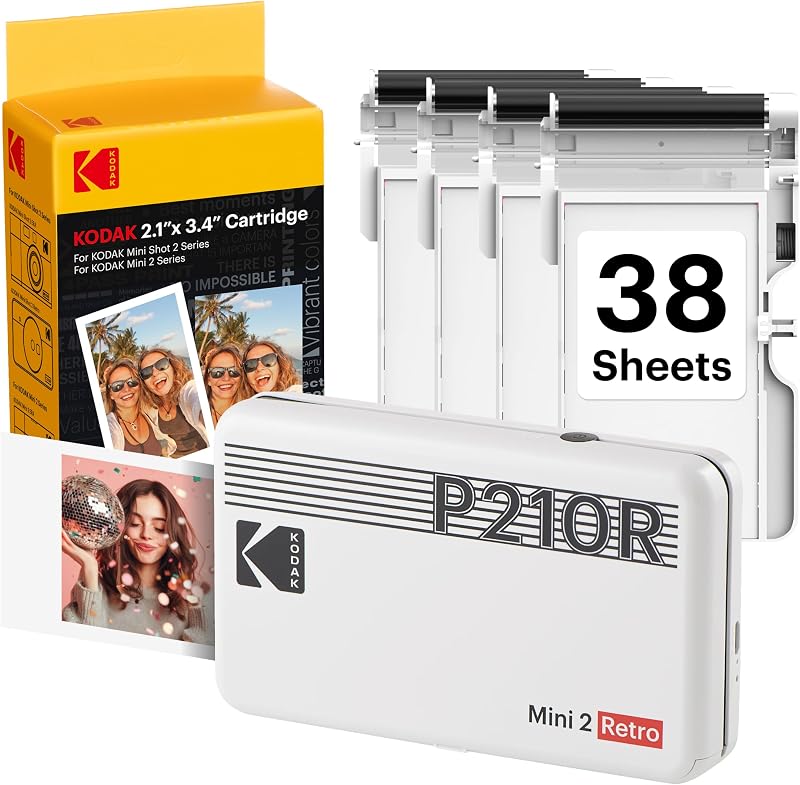
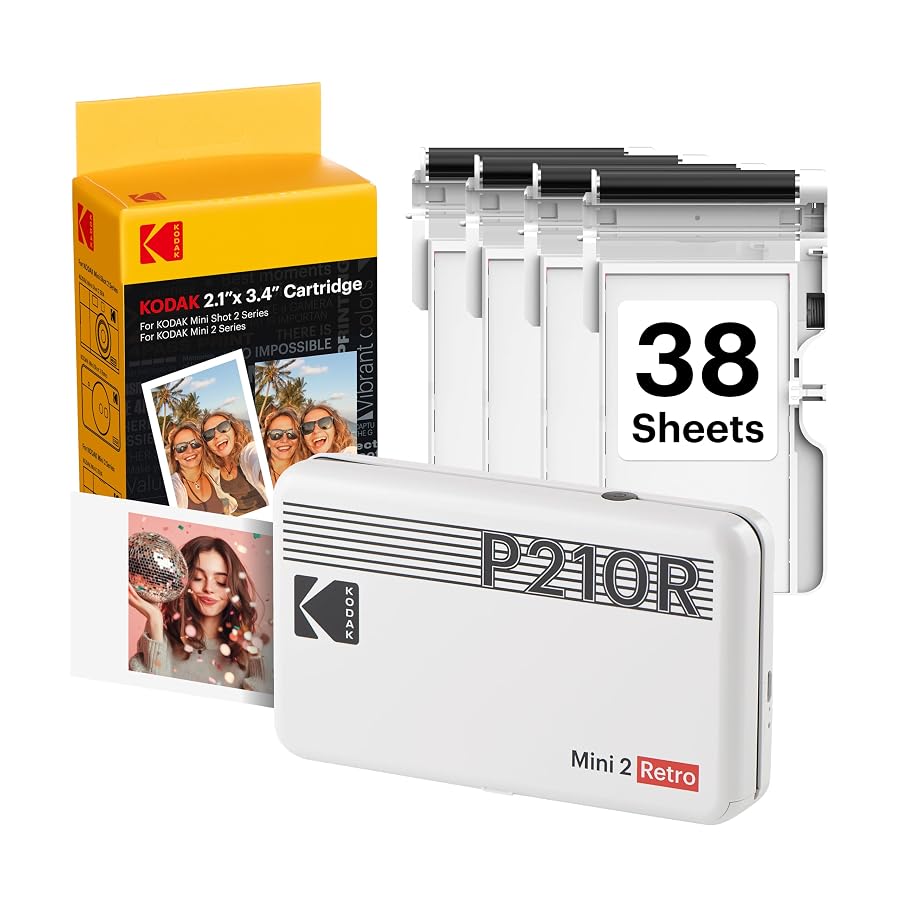
The Kodak Mini 2 Retro bundle comes prepared with all necessary components to start producing physical keepsakes straight out of the packaging without requiring separate supply purchases.
- Kodak Mini 2 Retro portable photo printer
- Four all-in-one print cartridges
- 38 total sheets of glossy photo paper
- USB Type-C charging and power cable
- User guide and initial configuration manual
- Genuine 4PASS dye-sublimation printing mechanism
- Dedicated support for 2.1 x 3.4-inch credit-card format media
Key Specifications
| Feature | Specification |
|---|---|
| Printer Type | Dye Sublimation (4PASS) |
| Print Output | Color (CMYK) |
| Print Resolution | 291 x 300 dpi |
| Maximum Media Size | 2.1 x 3.4 inches |
| Product Dimensions | 3.0″ D x 5.0″ W x 1.0″ H |
| Item Weight | 255 grams |
| Wireless Connectivity | Bluetooth |
| Supported Operating Systems | iOS and Android |
| Print Speed | Approximately 55 seconds per print |
| Maximum Sheet Capacity | 15 sheets |
| Protective Features | Waterproof, anti-fingerprint lamination layer |
Kodak 4PASS Dye Sublimation Print Quality and Durability
The standout technical element of this unit is its genuine kodak 4pass dye sublimation process. Unlike standard pocket options that rely on embedded thermal crystals inside special sheets, this system uses a ribbon mechanism to lay down yellow, magenta, and cyan color layers consecutively. The printer feeds the glossy card stock back and forth through its front slot four times in total. On each pass, heat transfers a specific pigment layer directly into the paper fibers before sealing everything beneath a final clear protective laminate. Watching the sheet travel in and out over roughly 55 seconds provides immediate visual confirmation of how the full-color image is constructed from base primary tones.
This distinct process directly shapes the kodak mini 2 retro print quality. Because the thermal elements fuse genuine dye rather than activating heat-sensitive paper, color gradients appear smooth across portraits, skies, and graphic illustrations. At a native resolution of 291 x 300 dpi, text and fine line work render cleanly enough for pocket scrapbooking, though extreme micro-details naturally soften compared to large stationary studio units. For creators exploring dedicated handheld printing rather than hybrid camera combinations like the kodak mini shot 2 retro, using a smartphone screen as the primary camera viewfinder guarantees that you only print sharp, properly focused captures.
The fourth lamination pass is critical for active mobile journalers and scrapbookers. This final layer creates a physical barrier that renders the finished print instantly dry, waterproof, and resistant to fingerprints right out of the ejection slot. You can immediately glue a newly created photo into an art journal or slip it inside a clear phone case without worrying about moisture damage or skin oil smears. Furthermore, the sealed topcoat shields the underlying dyes from ambient environmental fading, preserving family moments and travel highlights over extended periods.
Kodak Photo Printer App Workflow and Smartphone Setup
Getting started requires completing the simple kodak mini 2 retro setup via Bluetooth pairing. The physical device features minimal exterior clutter, relying primarily on a power button and basic status illumination. To initiate connection, you power on the unit, enable Bluetooth on your mobile device, and link directly within your smartphone operating system settings. The printer supports both modern iOS and Android smartphones, establishing a stable connection designed for spontaneous printing sessions at desks, coffee shops, or transit stops.
The companion kodak photo printer app workflow handles all processing, image adjustment, and transmission duties. Inside the software, users can navigate their mobile camera roll, adjust crops to match the 2.1 x 3.4-inch aspect ratio, apply color filters, and add graphic borders or decorative text overlays before printing. Preparing your image inside the application ensures that important visual subjects are not clipped by the physical edges of the glossy photo paper. The interface also displays device connectivity and operational prompts during each stage of the print cycle.
Operational stability remains dependable as long as your phone stays within reasonable proximity during the four-pass printing sequence. Because the image data must be buffered across Bluetooth before mechanical printing commences, sending higher-resolution mobile camera files takes just a few moments of initial processing. Once the printer accepts the file data, it executes the mechanical passes independently, leaving your smartphone free to queue additional edits or return to standard camera tasks.
Real-World Portability and On-the-Go Journaling Practicality
Physical dimensions play a huge role in whether a creator actually carries mobile gear consistently. Measuring just 3 inches deep, 5 inches wide, and 1 inch thick with a total weight of 255 grams, this unit functions as a genuinely portable 2×3 photo printer. It slides easily into jacket pockets, sling bags, or dedicated craft pouches alongside pens and notebooks. The vintage-inspired exterior casing provides a solid gripping surface, making it comfortable to operate handheld when resting space is unavailable at crowded gatherings or outdoor locations.
For creative hobbyists, using the kodak mini 2 retro for journaling transforms how visual documentation occurs. Instead of waiting until you return home to a full-sized desktop workstation or ordering remote lab prints, you can capture a scene on your phone, edit it immediately, and paste the finished 2.1 x 3.4-inch glossy directly onto planner pages while the memory is fresh. Creators who prioritize ultra-compact mobility often weigh dedicated pocket units against alternatives like the fujifilm instax pal digital camera and mini link 3 printer bundle, blue, but the Mini 2 Retro offers an exceptionally straightforward workflow focused solely on turning your existing phone gallery into tangible prints.
Power management is streamlined through the included modern USB Type-C charging cable, allowing you to top off the internal battery using standard power banks, laptop ports, or mobile wall adapters. This eliminates the need for proprietary charging bricks while traveling. When planning extensive outdoor crafting meetups, packing a standard external battery pack ensures uninterrupted printing through multiple cartridge packs.
Managing Cartridge Replacement and Ongoing Printing Logistics
Handling ongoing supply changes is straightforward due to Kodak’s integrated all-in-one cassette design. The kodak mini printer cartridge replacement system houses both the continuous color ink ribbon and the stack of glossy paper within a single self-contained housing. Rather than aligning delicate paper sheets manually and threading separate ink ribbons, you simply open the side access door, pull out the spent cassette, and slide a fresh one into the chamber until it clicks firmly into position.
The physical cartridge tray holds a maximum sheet capacity of 15 sheets at a time. The starter bundle included with this specific package features four individual cartridges containing 38 total sheets of photo paper, providing an ample supply of materials to document multiple events before requiring supply reorders. Because the ribbon and paper counts are precisely matched within each cartridge, you never run out of ink while sheets remain, eliminating half-printed errors or wasted blank cards.
Maintaining print cleanliness is simplified because the cassette enclosure shields fresh paper from airborne dust, pet hair, and pocket lint prior to feeding. Creators working in outdoor environments should still take care to keep the front ejection slot clear of obstructions during the back-and-forth passes. Storing backup cartridges flat inside protective pencil cases or organizing pouches prevents mechanical warping and keeps the sensitive dye ribbon ready for immediate deployment.
Check Kodak Mini 2 Retro on Amazon
Is the Kodak Mini 2 Retro Worth It
Determining whether the Kodak Mini 2 Retro fits your routine depends largely on your format preferences and mobile workflow goals. If you are a travel journaler, memory keeper, or casual photographer who values instant physical keepsakes that resist water, smudges, and fingerprints, this device delivers remarkable utility. The genuine four-pass dye-sublimation engineering provides a tangible upgrade in color consistency and archival durability compared to crystal-based instant print alternatives.
However, users seeking large gallery prints or high-volume batch production will find natural constraints here. The physical print size is fixed at credit-card dimensions of 2.1 by 3.4 inches, and the 55-second mechanical pass time means printing dozens of photos back-to-back requires patience. Creators who primarily produce expansive 4×6 desktop albums may prefer exploring stationary home units like the kodak dock plus for tabletop usage, whereas those who need true pocket freedom will appreciate the Mini 2 Retro’s grab-and-go convenience.
Ultimately, this retro-styled printer hits a sweet spot for everyday smartphone creators who want physical prints without complicated technical maintenance. Its lightweight 255-gram profile, intuitive Bluetooth app connectivity, and mess-free all-in-one cartridge mechanism make it a dependable and fun creative companion for on-the-go memory keeping.
FAQ
How long does the Kodak Mini 2 Retro take to print a photo?
The printer takes approximately 55 seconds to complete a single print. During this time, the paper passes back and forth through the unit four times to apply yellow, magenta, and cyan dye layers, followed by a clear protective lamination coat.
Are prints from the Kodak Mini 2 Retro waterproof?
Yes, the final stage of the 4PASS dye-sublimation process applies a clear protective topcoat over the image. This lamination layer makes the finished print waterproof, fingerprint-resistant, and shielded against moisture damage immediately upon ejection.
What size photo does this printer produce?
The Kodak Mini 2 Retro produces credit-card sized prints measuring 2.1 by 3.4 inches on glossy photo paper. This compact footprint is well suited for wallets, daily planners, bullet journals, scrapbooks, and small keepsake displays.
How do I replace the ink and paper in the printer?
The device uses an all-in-one cartridge system that combines both the ink ribbon and photo paper into a single cartridge. To replace it, open the printer side compartment, pull out the empty cartridge, and slide a new one in until it clicks into place.
Which devices are compatible with the Kodak Mini 2 Retro?
The printer connects via wireless Bluetooth to compatible iOS and Android smartphones. Users download the free KODAK Photo Printer app to crop, edit, customize, and transmit photos directly from their mobile camera roll.