
As Amazon Associates, we earn from qualifying purchases. This means we may receive a small commission at no extra cost to you if you click through and make a purchase.
Creative professionals handling demanding video timelines, heavy 3D rendering, and complex machine learning projects frequently struggle with mobile workstations that throttle under sustained load. The Apple MacBook Pro 16 (M5 Max) directly addresses these intensive workflows by pairing an 18-core CPU, a 40-core GPU, and 48GB of unified memory inside a single high-performance chassis. For video editors working with multitrack camera media, evaluating whether this configuration offers enough graphic processing headroom and overall compute throughput is essential before committing to a major hardware transition. This machine is engineered specifically for specialists who require uncompromised rendering speed whether operating at a studio desk or working remotely on location.
In this detailed review, we examine every key aspect of this mobile workstation, covering graphics capabilities, real-world data throughput, and workflow reliability. We outline what arrives in the packaging, provide a verified hardware specification breakdown, and analyze display fidelity, port bandwidth, and thermal stability under heavy production stress. Whether you are considering an upgrade from older silicon or comparing hardware tiers like a m4 pro 48gb configuration, this guide explains how the machine performs across demanding creative environments.
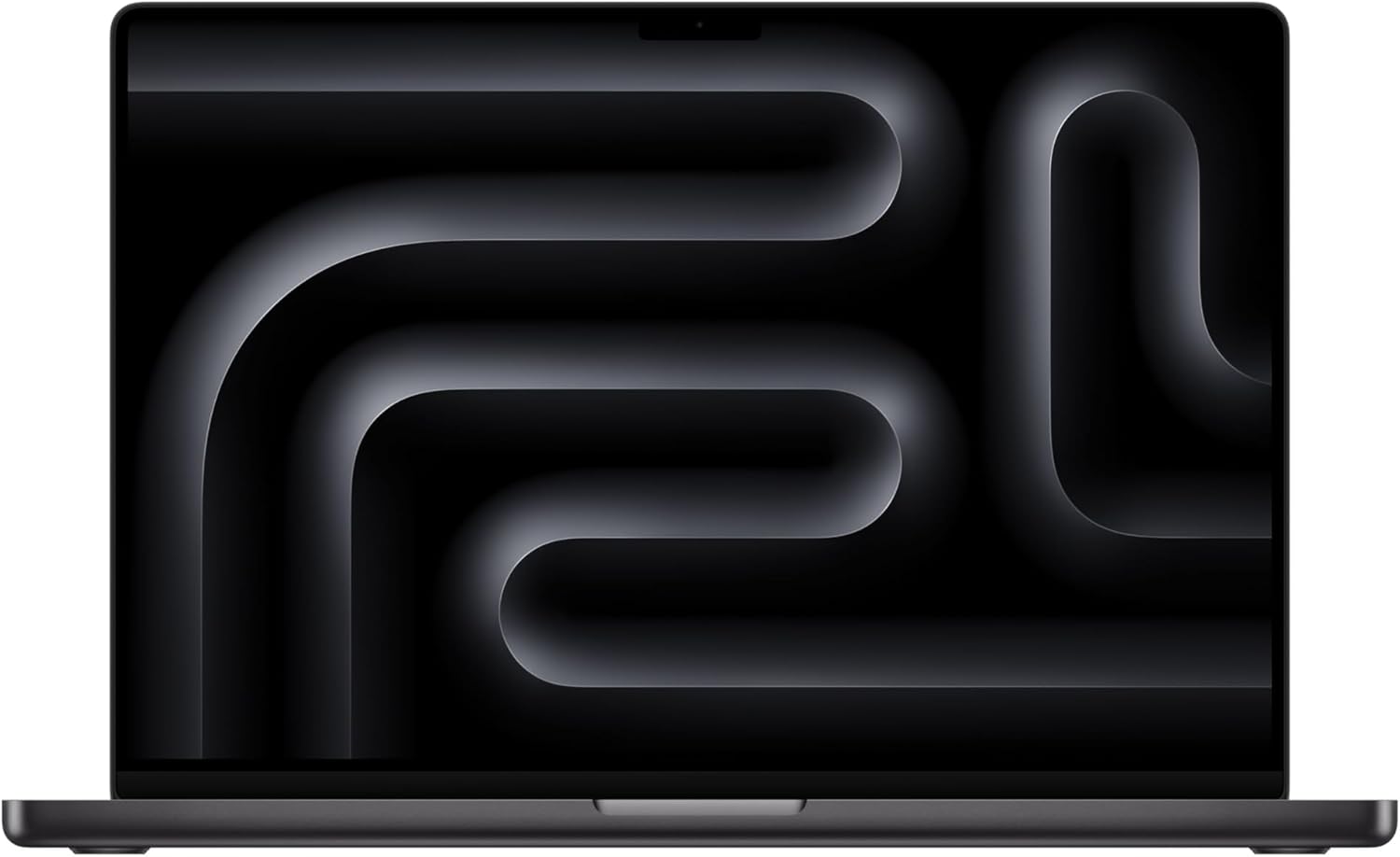
What You Get With the Apple MacBook Pro 16 (M5 Max)

The laptop package delivers a complete desktop-replacement workstation out of the box, combining high-speed internal hardware with dedicated power and audio-visual accessories. The product listing specifies the following components and core features:
- 16.2-inch Apple MacBook Pro laptop powered by the Apple M5 Max chip with an 18-core CPU and 40-core GPU in Space Black
- Installed memory of 48GB unified memory paired with a 2TB solid-state drive
- 16.2-inch Liquid Retina XDR display with extreme dynamic range support
- Lithium polymer rechargeable battery designed for all-day runtime
- 12MP Center Stage front camera supporting automatic subject framing
- Six-speaker audio sound system with Spatial Audio and Dolby Atmos playback
- Three-microphone studio-quality array featuring directional beamforming
- Backlit keyboard and integrated fingerprint reader
- Three Thunderbolt 5 connectivity ports and a MagSafe 3 charging interface
- Dedicated physical expansion slots including an SDXC card slot, HDMI output, and headphone jack
- Apple N1 wireless networking chip supporting Wi-Fi 7, Bluetooth 6, and Thread
Key Specifications
| Attribute | Detail |
|---|---|
| Processor Model | Apple M5 Max chip with 18-core CPU and 40-core GPU |
| Installed System Memory | 48GB Unified Memory |
| Storage Capacity | 2TB SSD (up to 2x faster performance) |
| Screen Hardware | 16.2-inch Liquid Retina XDR (1600 nits peak, 1000 nits sustained, 1,000,000:1 contrast) |
| External Display Capacity | Up to 4 external displays simultaneously |
| Dimensions | 9.77 x 0.66 x 14.01 inches |
| Weight | 4.73 pounds |
| I/O Ports | 3x Thunderbolt 5, MagSafe 3, SDXC card slot, HDMI, headphone jack |
| Wireless Connectivity | Apple N1 chip, Wi-Fi 7 (802.11be), Bluetooth 6, Thread technology |
| Model Identifier | MGEE4LL/A in Space Black finish |
Graphics Throughput and On-Device Artificial Intelligence
The primary motivation for investing in the m5 max macbook pro 16 centers on its graphic processing and hardware-accelerated computation. Apple built the M5 Max with a 40-core GPU and embedded a dedicated Neural Accelerator directly into each graphics core. This design enhances parallel compute routines, speeding up traditional 3D rendering as well as complex machine learning operations. When executing m5 max on-device ai workloads, including local large language model inference, real-time image upscaling, and automatic background separation, the GPU calculates tensors locally without offloading private assets to external cloud networks.
A major contributor to apple m5 max performance is the unified memory architecture. Because the CPU, GPU, and Neural Accelerators tap into the same 48GB memory pool, heavy media assets and neural weights require no bus duplication between system RAM and discrete video buffers. Reviewing the macbook pro 16 m5 max specs underscores this advantage; applications run with zero memory duplication lag. When contrasted with an apple macbook pro 16 m4 max, the per-core Neural Accelerators provide a measurable advantage for automated video tracking, speech transcription, and generative image rendering passes.
Sustained reliability under load is another key capability of this silicon. Many mobile workstations scale back processing clock speeds drastically once disconnected from AC power, but the M5 Max maintains consistent throughput whether running on battery or plugged into a wall outlet. For creators working on remote shoots, this electrical efficiency guarantees that exports, batch color passes, and asset rendering run at full speed without thermal throttling or performance drops.
Liquid Retina XDR Fidelity for High-Resolution Video Editing
For cinematographers, colorists, and digital technicians, display precision dictates final output quality. The macbook pro 16 liquid retina xdr display provides an expansive 16.2-inch workspace that comfortably presents native 4K media alongside complex multitrack timelines and color scopes. The panel delivers 1000 nits of sustained full-screen luminance, surging to 1600 nits of peak brightness when rendering extreme highlights. Paired with a 1,000,000:1 contrast ratio, this screen enables creators to grade high dynamic range masters in Dolby Vision, HDR10+, and HLG without relying immediately on an external reference monitor.
Using the macbook pro 16 m5 max for video editing yields smooth playback across demanding professional formats. The built-in media engine provides hardware-accelerated decoding and encoding for HEVC, H.264, AV1, and Apple ProRes. Video editors can scrub multitrack 8K camera footage or grade high-bitrate AV1 streams smoothly without creating offline proxies or waiting on cache rendering. In practical editing environments, this immediate responsiveness saves hours across project turnovers.
Audio and video recording hardware integrated into the display housing further optimizes production tasks. The 12MP Center Stage camera automatically keeps you centered during video calls with clients or remote post-production collaborators. Complementing the video feed is a three-microphone studio-quality array designed with directional beamforming to reduce room reverberation. The six-speaker sound system with Spatial Audio and Dolby Atmos playback provides clean acoustic separation, allowing editors to check stereo balance and dialogue clarity straight from the laptop.
Thunderbolt 5 Bandwidth and Studio Connectivity
Modern studio workflows rely heavily on high-speed external storage arrays, capture peripherals, and multi-monitor setups. Integrating the thunderbolt 5 macbook pro 16 port architecture provides three times the bandwidth of prior Thunderbolt connections, dramatically accelerating transfer speeds. When moving multi-terabyte raw camera archives from fast NVMe drives, this increased data transfer bandwidth minimizes production downtime and speeds up daily ingest cycles.
Multi-display flexibility is another significant strength of the M5 Max chip. While baseline models and M5 Pro chips support up to three external screens, the M5 Max supports up to four external monitors simultaneously. This allows visual effects artists, video editors, and audio mixers to set up comprehensive studio layouts featuring dedicated timeline views, full-screen color grading scopes, and script documentation across distinct physical monitors without needing specialized display splitters.
Physical I/O convenience extends well beyond the three Thunderbolt 5 ports. The integrated SDXC card slot allows photographers and camera operators to ingest field media directly into the machine without carrying external card readers. A full-size HDMI port connects immediately to studio televisions, while the 3.5mm headphone jack drives professional studio headphones. Wireless connectivity is driven by the Apple N1 chip, incorporating Wi-Fi 7, Bluetooth 6, and Thread networking for high-speed local file transfers and dependable peripheral connections.
Chassis Ergonomics, Weight, and Real-World Portability
Although the 16.2-inch display offers exceptional screen real estate, creators must consider the physical footprint of the laptop. Measuring 9.77 x 0.66 x 14.01 inches and weighing 4.73 pounds, this is an uncompromising, heavy machine. Traveling creators who frequently work in cramped airplane seating or rely on lightweight shoulder bags will notice the extra weight across a long travel day. The Space Black finish minimizes visible fingerprints, but the substantial aluminum structure demands proper backpack support.
The trade-off for this physical mass is an exceptional thermal and ergonomic work surface. The spacious deck accommodates a full-sized backlit keyboard along with a fingerprint reader for quick, secure system access. Typing feels responsive during prolonged scripting or detailed editing sessions. Crucially, the internal lithium polymer battery delivers all-day battery life, freeing editors from hunting for electrical outlets during location shoots, client reviews, or remote production days.
Apple ecosystem features further enhance everyday workflow efficiency. Through macOS iPhone Mirroring, creators can control mobile applications, transfer quick reference media, and respond to communications directly from the laptop screen without reaching for their phone. For creators evaluating this setup alongside the broader macbook pro m5 max lineup, the roomy display, durable chassis, and consistent battery efficiency make the physical weight well worth managing.
Check Apple MacBook Pro 16 (M5 Max) on Amazon
Is the Apple MacBook Pro 16 (M5 Max) Worth It
Determining whether the macbook pro 16 m5 max for creators represents a sensible upgrade depends entirely on workload severity. For creators whose daily work consists of editing standard 4K YouTube videos, processing light batches of raw photographs, or producing standard graphic design layouts, the 40-core GPU and specialized Neural Accelerators provide more compute power than those applications can realistically utilize. For such casual or hobbyist tasks, lighter and less expensive machines handle the work easily without the added physical weight.
However, for commercial video editors, 3D animators, colorists, and developers working with local AI models, the machine represents an indispensable mobile workstation. Deciding if the MacBook Pro 16 M5 Max is worth it becomes straightforward when considering that the macbook pro 16 48gb unified memory architecture combined with the 2TB SSD removes timeline lag, handles massive render caches, and enables fluid multi-stream editing. With three Thunderbolt 5 ports and support for four external monitors, the system functions equally well in the field or docked as the central brain of a post-production studio.
In the end, this workstation justifies its position by saving time and eliminating workflow friction. If dropped frames, prolonged rendering queues, and slow external file offloads impede your professional output, this machine resolves those bottlenecks decisively. For creative professionals whose turnaround times directly impact business productivity, the Apple MacBook Pro 16 (M5 Max) delivers exceptional performance, reliability, and long-term utility.
FAQ
Does the Apple MacBook Pro 16 (M5 Max) slow down when running on battery power?
No. Apple silicon is engineered to maintain identical processing and graphical performance whether the laptop is connected to wall power or running on its internal lithium polymer battery, ensuring exports and rendering finish on schedule anywhere.
How many external displays can you connect to the M5 Max configuration?
The M5 Max configuration can power up to four external displays simultaneously. By comparison, the M5 Pro chip supports up to three displays, making the M5 Max the better choice for expansive multi-monitor studio setups.
Can you upgrade the unified memory or solid-state drive after purchase?
No. The 48GB unified memory and 2TB SSD are integrated directly into the system hardware. Because neither component can be upgraded after purchase, buyers should verify that this memory and storage tier meets their long-term production requirements.
Which professional video codecs feature native hardware acceleration on this chip?
The hardware media engine includes dedicated acceleration for HEVC, H.264, AV1, and multiple ProRes streams. It also supports high dynamic range playback including Dolby Vision, HDR10+, HDR10, and HLG without burdening the CPU.
What wireless connectivity standards does the Apple N1 chip provide?
The Apple-designed N1 wireless networking chip provides support for Wi-Fi 7 (802.11be), Bluetooth 6, and Thread networking technology, ensuring rapid network transfer speeds and stable wireless connections to external creative peripherals.


