As Amazon Associates, we earn from qualifying purchases. This means we may receive a small commission at no extra cost to you if you click through and make a purchase.
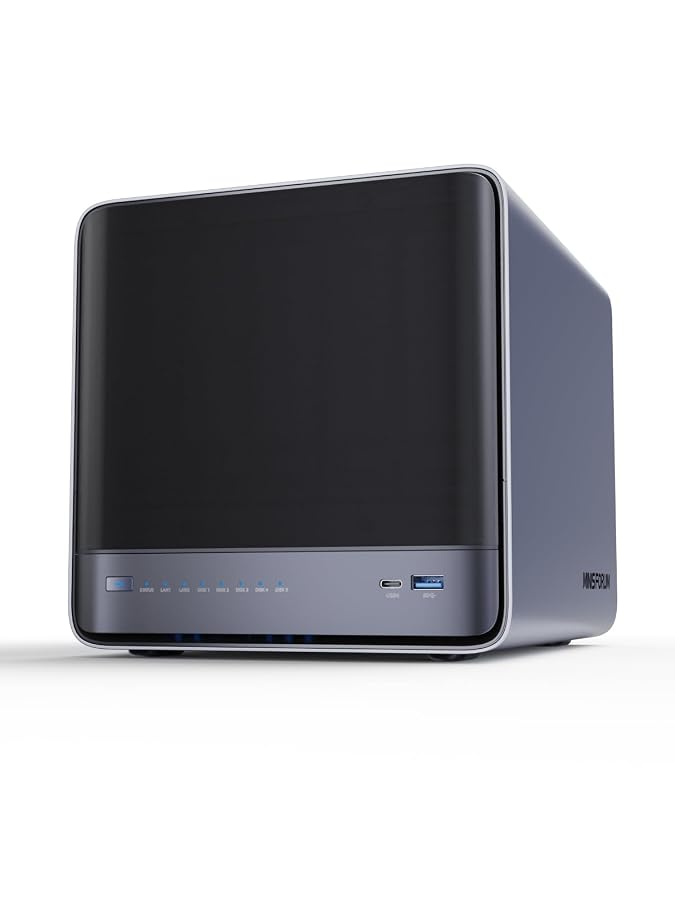
Evaluating network-attached storage for multimedia production requires a careful look at sustained network throughput, local drive bandwidth, and compute capability. The Minisforum N5 Air targets creators and creative teams who need faster multi-user access than conventional consumer enclosures provide. Outfitted with an AMD Ryzen 7 255 processor, native 10GbE networking, and an OCuLink expansion port, this model functions as both a centralized archive and an active collaborative workspace for raw video footage. If you need a compact storage server capable of handling direct editing over high-bandwidth networking without requiring custom rackmount assembly, this hardware package delivers the necessary building blocks straight out of the box.
Choosing the right enclosure often comes down to internal bus limits, memory ceiling, and software adaptability. In this comprehensive minisforum n5 nas review, we examine how the unit handles real-world creative demands, from multi-stream timelines to continuous pool backups. The following breakdown covers what comes included with the unit, the core hardware specifications, network throughput over 10GbE and 5GbE, five-bay mechanical drive capacities, PCIe and OCuLink peripheral scaling, chassis thermal behavior, and software capabilities under MinisCloud OS.
What You Get With the Minisforum N5 Air
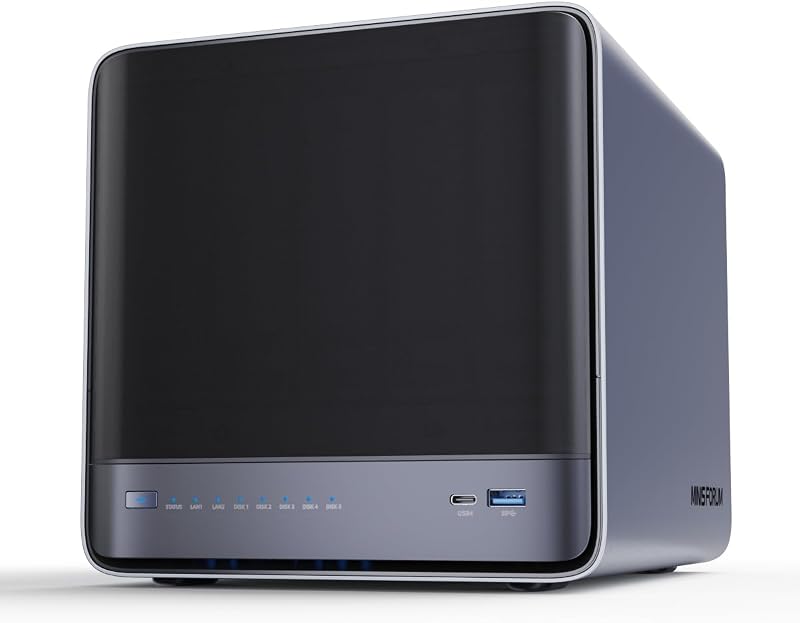
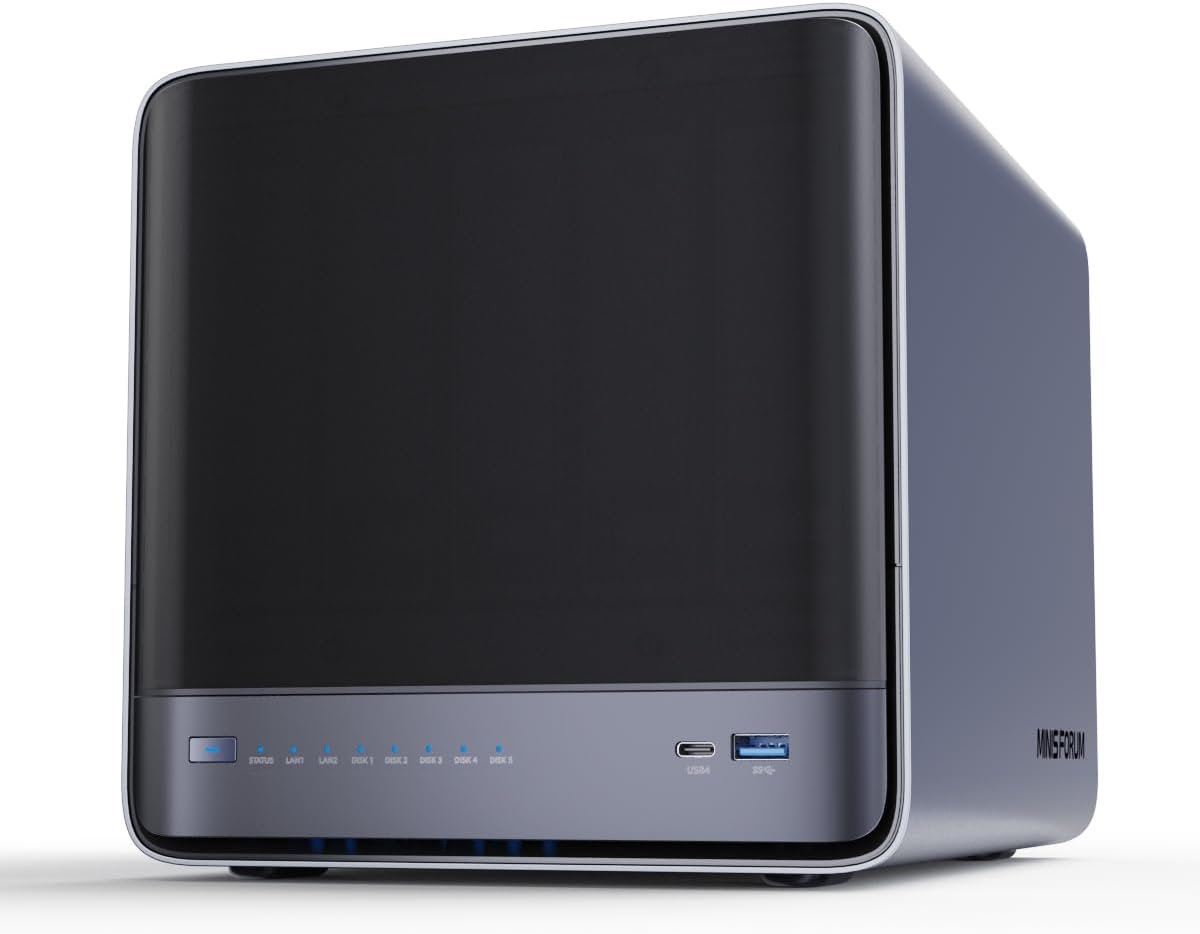
The Minisforum N5 Air arrives as a compact Mini-ITX desktop appliance configured to minimize setup friction for local network deployment. The package includes the foundational hardware and power infrastructure required to get the server online immediately, though mechanical storage drives and supplemental memory must be supplied based on your project requirements.
- Minisforum N5 Air five-bay desktop enclosure with slide-out motherboard tray
- Pre-installed 64GB M.2 system SSD with MinisCloud OS
- High-output external power adapter and regional power cable
- Hardware installation guide with drive mounting instructions
- Integrated AMD Ryzen 7 255 processor with AMD Radeon 780M graphics
- Dual 9025 axial cooling fans pre-mounted behind the drive cage
- Internal USB port for secondary operating system deployment
Key Specifications
Before planning your storage pool or network architecture, reviewing the minisforum n5 nas specs reveals how the internal lanes and hardware connectivity are mapped out across the chassis.
| Hardware Attribute | Specification Detail |
|---|---|
| Processor | AMD Ryzen 7 255 (8 Cores, 16 Threads, up to 4.9GHz) |
| Integrated Graphics | AMD Radeon 780M (12 Compute Cores at 2600MHz) |
| Memory Support | Dual DDR5 SO-DIMM Slots (Up to 96GB, 48GB per slot) |
| Mechanical Drive Bays | 5x 3.5-inch SATA HDD Slots (Up to 174TB Total) |
| Solid-State Storage | 3x M.2 Slots (One occupied by 64GB MinisCloud OS SSD) |
| Network Interfaces | 1x 10GbE Port and 1x 5GbE Port (Link Aggregation up to 15Gbps) |
| High-Speed Expansion | Native OCuLink (PCIe 4.0 x4, 64Gbps) and PCIe x16 Slot |
| Display Output | 1x HDMI (8K@60Hz/4K@144Hz) and 2x USB4 (8K@60Hz/4K@144Hz, 20Gbps) |
| Chassis Dimensions | 199mm x 202mm x 252mm (Mini-ITX Desktop Footprint) |
| Cooling System | Dual 9025 Axial Fans for Active Drive Bay Ventilation |
Network Speeds and Video Editing Workflow Over 10GbE
Video editors managing multi-stream 4K or 6K timelines face strict bandwidth bottlenecks when working over standard gigabit infrastructure. The minisforum n5 air 10gbe nas directly resolves this limitation by integrating an onboard 10-gigabit Ethernet port alongside a 5-gigabit Ethernet interface. When connected to a managed multi-gigabit switch, these ports support link aggregation to unlock combined theoretical transfer speeds reaching up to 15Gbps. For video editors who pair their editing stations with compact studio desktops like the minisforum um760 slim, having an uncompromised 10GbE pipeline makes remote timeline scrubbing feel practically indistinguishable from working off local NVMe scratch drives.
Handling multi-camera video streams requires not only raw throughput but also steady, low-latency file retrieval. The onboard AMD Ryzen 7 255 processor features 8 cores and 16 threads, which easily manages multi-client access when multiple workstations pull large ProRes, REDCODE RAW, or Blackmagic RAW media files at the same time. The high processing ceiling ensures that background operations, such as metadata indexing or audio waveform generation, do not choke active video playback. Utilizing the minisforum n5 nas for video editing enables collaborative post-production teams to eliminate file version mismatches by keeping project databases and shared assets organized in a central, high-speed repository.
Beyond raw file transfers, the processing architecture incorporates integrated AMD Radeon 780M graphics with 12 execution units clocked at 2600MHz. This GPU configuration delivers ultra-high-speed hardware video decoding across common production codecs. If you run background ingest queues or transcode high-bitrate camera originals into lightweight editing proxies, the internal graphics engine offloads video processing tasks directly on the appliance. This keeps connected editing machines completely unburdened and preserves local desktop workstation resources for primary color grading and VFX rendering.
Drive Configuration and ZFS Storage Setup
Reliable media production demands both high total capacity and strict parity protection to guard against unexpected mechanical failures. The minisforum n5 5 bay storage setup accommodates up to five 3.5-inch SATA hard disk drives, supporting massive capacities up to 174TB across the primary bays. Having five drive slots provides a substantial strategic advantage over conventional two-bay or four-bay enclosures, enabling users to establish balanced RAID configurations without sacrificing a disproportionate percentage of total disk volume to parity overhead.
Data integrity is managed via MinisCloud OS, which incorporates native support for Raid0, Raid1, and Raid5 or RaidZ1 disk pools. Implementing a minisforum n5 zfs workflow provides major operational benefits for content creators who cannot afford undetected data bit-rot. ZFS pool management delivers continuous checksum verification, dynamic LZ4 compression, and instantaneous point-in-time ZFS snapshots. These automated snapshot routines safeguard video libraries against accidental file deletions, corrupted project files, and unauthorized file modifications, allowing editors to roll back to earlier file revisions within seconds.
For caching and high-velocity storage tiers, the chassis provides three internal M.2 NVMe slots. Out of the box, the pre-installed 64GB system disk occupies one of these M.2 slots to run the operating system, leaving two slots available for high-speed NVMe read and write caching. This hybrid storage architecture allows users to configure mechanical drive arrays for broad sequential storage while routing real-time caching and application metadata through NVMe tiers. If an editor requires access to all three M.2 slots for dedicated storage volumes, the listing notes that you can uninstall the system disk and boot an alternative operating system via a USB flash drive plugged into the internal chassis USB port.
Expansion Potential With OCuLink and PCIe Connectivity
Where most pre-built consumer network enclosures lock users into a rigid, non-upgradable hardware framework, this appliance provides extensive peripheral bus routing. The system features a native OCuLink port operating over a dedicated PCIe 4.0 x4 connection, delivering up to 64Gbps of direct interface throughput. Looking at real-world minisforum n5 oculink performance, this bus delivers four times the transfer bandwidth of legacy external interfaces, making it possible to attach external graphics cards or specialized AI accelerator hardware without internal lane starvation. However, prospective users must note that the OCuLink standard on this platform does not support hot plugging, meaning peripheral hardware must be securely cabled before powering up the unit.
In addition to the OCuLink port, the motherboard hosts a standard PCIe x16 slot, providing direct internal expansion for specialized enterprise hardware. Content production environments running multi-gigabit fiber networks can install auxiliary high-speed network interface cards, while rendering houses can leverage internal hardware accelerators to power distributed rendering nodes. For studios exploring compact AI computing rigs alongside workstations like the minisforum ai x1, the pairing of an external accelerator via OCuLink alongside the PCIe slot transforms this storage enclosure into an active edge-compute appliance.
Peripheral connectivity is further reinforced by dual USB4 ports capable of transfer rates up to 20Gbps, along with a dedicated HDMI video port. Together, these connections support triple 8K video output configurations (8K at 60Hz or 4K at 144Hz) driven by the Radeon 780M graphics core. This unique display flexibility allows the enclosure to function as a standalone desktop workstation when paired with standard peripherals. Creative hobbyists can inspect renders directly on high-resolution studio monitors without passing video streams through intermediate network hops.
Thermal Management and Modular Chassis Design
Operating five spinning hard drives alongside high-wattage NVMe storage within a desktop form factor introduces serious thermal considerations. The Minisforum N5 Air measures 199mm by 202mm by 252mm, maintaining an exceptionally tight Mini-ITX desktop footprint. To keep drive temperatures well within safe operating limits, the chassis incorporates dual 9025 large axial fans positioned behind the main hard drive cage. These active fans draw ambient air across the drive sleds, ensuring that prolonged RAID rebuilds and high-volume backup transfers do not induce thermal throttling across mechanical drive controllers.
Physical accessibility is streamlined through a slide-out motherboard tray design. In contrast to soldered hardware designs that force full device replacement for basic upgrades, this modular layout enables quick access to both DDR5 SO-DIMM slots and the M.2 NVMe storage positions. Users can expand the platform up to 96GB of DDR5 memory (utilizing up to 48GB per module), providing ample headroom for memory-intensive ZFS caching, Docker microservices, and multi-user isolation pools. This serviceability mirrors the accessible design philosophy seen on desktop units like the minisforum g1 pro, ensuring that routine memory upgrades or drive additions require minimal downtime.
System security and user segregation are embedded directly into the software stack. MinisCloud OS incorporates multi-user isolation, password protection, and one-click remote access across Windows, macOS, iOS, and Android platforms. Creative teams can assign granular directory permissions to remote freelance editors while restricting administrative management to the local network administrator. Furthermore, built-in containerized Docker support enables creators to deploy self-hosted synchronization apps, content repositories, and AI-driven photo albums without installing external virtualization layers.
Check Minisforum N5 Air on Amazon
Is the Minisforum N5 Air Worth It
Deciding if this platform aligns with your production environment comes down to your bandwidth requirements and comfort with expandable hardware platforms. When evaluating the minisforum n5 vs diy nas approaches, building a custom Mini-ITX server with 10GbE, dual USB4, OCuLink expansion, and five hot-swap SATA bays usually requires custom metal fabrication, expensive riser cards, and extensive power supply planning. The Minisforum N5 Air condenses this high-grade hardware ecosystem into a unified desktop package that functions immediately out of the box with zero custom wiring needed.
For independent video editors, small production agencies, and studio hobbyists, the minisforum n5 ryzen 7 255 configuration provides an ideal balance of processing speed and storage capacity. Direct timeline editing over 10GbE eliminates the constant chore of transferring media clips between external portable drives. Furthermore, the 96GB DDR5 memory ceiling and native ZFS snapshot tools give growing teams enterprise-grade data protection without enterprise rack installation complexities.
So, is minisforum n5 nas worth it for your specific setup? If your workflow relies on standard 1-gigabit networks and basic media backups, the 10GbE ports and OCuLink expansion may offer more bandwidth than you currently need. However, if your video production setup requires high-throughput shared storage, seamless 4K timeline playback across multi-user environments, and flexible hardware expansion via external accelerators or high-capacity SATA arrays, this enclosure provides exceptional engineering value and forward-looking capabilities.
FAQ
Can the Minisforum N5 Air edit 4K video directly over the network?
Yes. The onboard 10GbE network interface delivers enough sustained throughput for direct multi-stream 4K editing when connected to a compatible 10-gigabit switch and workstation. By using high-speed SATA drives in RAID or pairing mechanical storage with M.2 NVMe cache drives, editors can scrub and playback high-bitrate video formats without moving assets to local storage.
How many M.2 NVMe SSDs can be installed in the Minisforum N5 Air?
The motherboard features three M.2 SSD slots. However, the pre-installed 64GB SSD holding MinisCloud OS occupies one slot out of the box, leaving two slots open for storage or cache drives. If you want to use all three M.2 slots for storage, the system SSD can be removed and an alternative operating system can be installed via a flash drive using the internal USB port.
What is the maximum storage capacity supported by the Minisforum N5 Air?
The five 3.5-inch SATA mechanical drive bays support up to 174TB of total raw storage capacity. Users can configure these drives in Raid0, Raid1, or Raid5/RaidZ1 configurations depending on whether speed or data redundancy is prioritized.
Does the OCuLink port on the Minisforum N5 Air support hot plugging?
No. The listing explicitly states that the native OCuLink interface does not support hot plugging. Any external PCI Express devices, such as external graphics cards or specialized AI processing units, must be securely connected while the NAS appliance is completely powered down.
Can the Minisforum N5 Air be used as a standalone desktop PC?
Yes. The enclosure includes one HDMI port and two USB4 ports capable of driving up to three displays at 8K@60Hz or 4K@144Hz. Driven by the AMD Ryzen 7 255 processor and integrated Radeon 780M graphics, the device can execute desktop tasks and media management directly when connected to standard peripherals.