
As Amazon Associates, we earn from qualifying purchases. This means we may receive a small commission at no extra cost to you if you click through and make a purchase.
Selecting an ultraportable computer for creative workflows requires balancing processing throughput, display color fidelity, and physical portability. The Acer Swift Go 14 enters the market as an AI-ready clamshell machine built around the AMD Ryzen 7 8845HS processor, paired with 16GB of onboard LPDDR5X memory and a generous 1TB PCIe Gen 4 solid-state drive. For mobile vloggers, digital audio producers, and traveling visual artists, this specific model (SFG14-63T-R1F4) represents an appealing package designed to manage complex media tasks without burdening your gear bag.
While mainstream everyday portables like the acer aspire 14 target baseline office documents and basic browsing, content creators require higher memory bandwidth, faster scratch disk storage, and dependable color representation. This detailed review evaluates the real-world processing capability, the visual precision of the touchscreen panel, connectivity options, and chassis engineering to help you determine if this machine fits your creative lifestyle.
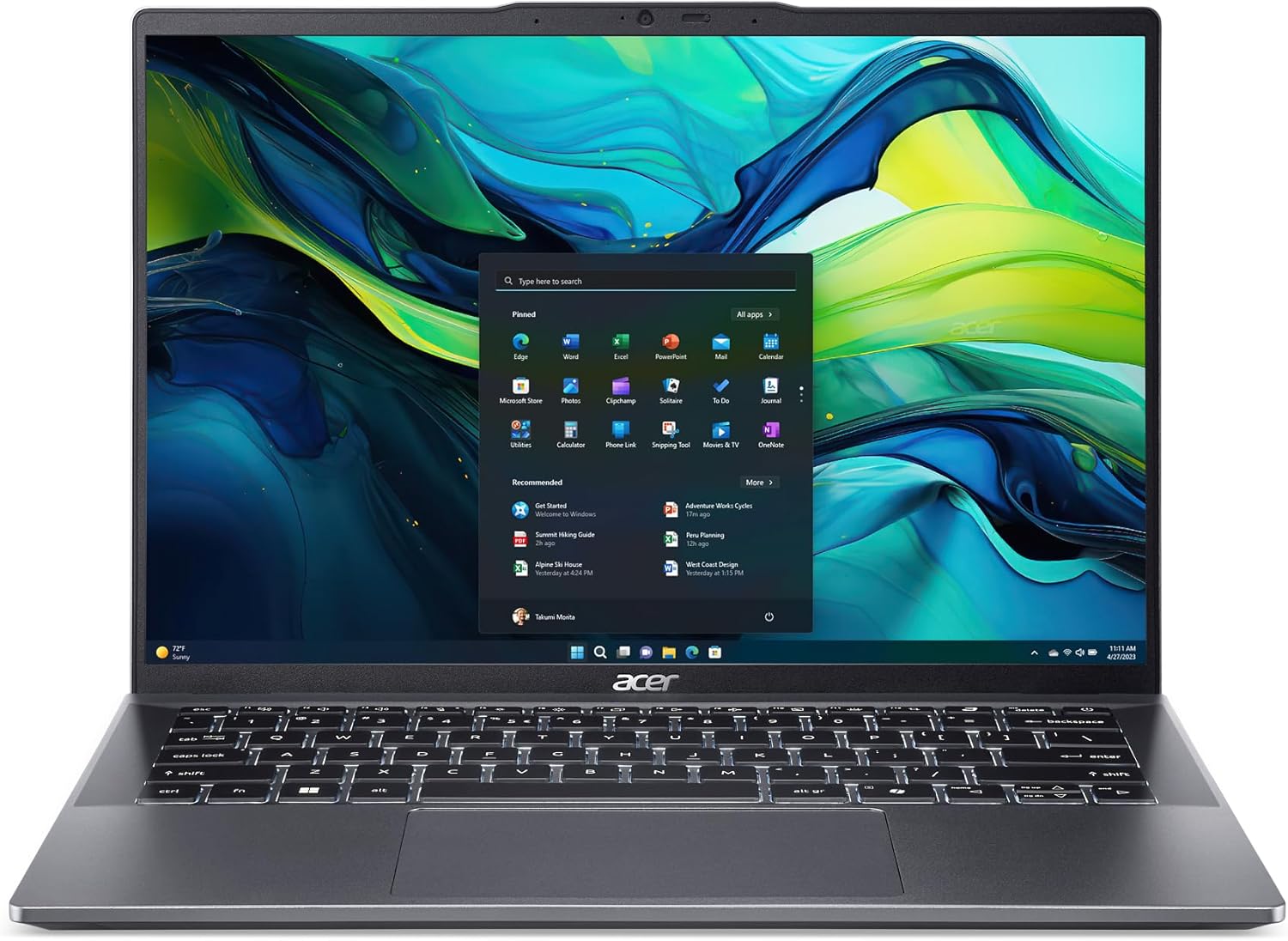
What You Get With the Acer Swift Go 14

The Acer Swift Go 14 is equipped from the factory with a focused set of hardware features geared toward productivity, content handling, and modern AI tasks.
- AMD Ryzen 7 8845HS octa-core processor with integrated Ryzen AI acceleration
- Built-in AMD Radeon 780M integrated graphics
- 14-inch WUXGA 1920 x 1200 touchscreen display with 16:10 aspect ratio and 100% sRGB color gamut
- 16GB onboard high-speed LPDDR5X system memory
- 1TB PCIe Gen 4 solid-state drive
- 1440p QHD webcam featuring physical privacy shutter, Acer PurifiedVoice, and Acer PurifiedView AI tools
- Dual USB4 Type-C ports supporting 40 Gbps transfer speeds, DisplayPort video output, and 100W Power Delivery
- Dual USB 3.2 Gen 1 Type-A ports, full-size HDMI 2.1 port, 3.5mm combo audio jack, and microSD card reader
- Fast wireless connectivity via Wi-Fi 6E and Bluetooth 5.3 with LE Audio support
- Lightweight aluminum chassis with OceanGlass touchpad and integrated fingerprint reader on the power button
- Windows 11 Home operating system featuring dedicated Copilot hardware key
Key Specifications
| Attribute | Detail |
|---|---|
| Processor | AMD Ryzen 7 8845HS (8 cores, 16 threads, Ryzen AI capable) |
| Graphics | AMD Radeon 780M (Integrated, Shared Memory) |
| Display | 14-inch Touchscreen WUXGA (1920 x 1200), 16:10, 100% sRGB |
| Memory | 16GB Onboard LPDDR5X |
| Storage | 1TB PCIe Gen 4 SSD |
| Chassis Dimensions & Weight | 0.59 inches thin, 2.76 pounds (2.8 pounds listed item weight) |
| Webcam | 1440p QHD with privacy shutter, PurifiedVoice AI noise reduction |
| Wireless Connectivity | Wi-Fi 6E (2×2 MU-MIMO), Bluetooth 5.3 or above, LE Audio |
| Port Selection | 2x USB4 Type-C, 2x USB 3.2 Gen 1 Type-A, 1x HDMI 2.1, microSD, 3.5mm audio |
| Biometrics & OS | Fingerprint Reader with Windows Hello, Windows 11 Home |
Processing Performance and AI Workflow Capability
Demanding mobile editing tasks require a CPU capable of sustained compute power. The acer swift go 14 ryzen 7 8845hs engine delivers impressive multithreaded capabilities, housing eight full performance cores and sixteen processing threads. For vloggers assembling multiple video clips or photographers rendering multi-exposure composites, this architecture powers through batch exports and timeline generation smoothly. The integrated AMD Ryzen AI engine offloads specialized background workloads, allowing native Windows 11 AI utilities and supported creative applications to process intelligent subject selections and audio isolation without bogging down primary CPU cores.
Graphics rendering on the machine relies on the AMD Radeon 780M integrated graphics. Dedicated graphical powerhouses like the acer nitro v 15.6 utilize heavy discrete GPUs for intensive 3D modeling, but the Radeon 780M stands among the most capable integrated options available in slim laptops. It offers hardware-accelerated video decoding for modern codecs, facilitating smooth playback while navigating video timelines. However, because this graphics coprocessor shares the 16GB of onboard LPDDR5X system RAM, working with high-resolution textures or multilayered visual effects will partition that memory between application logic and video caching.
Evaluating the acer swift go 14 performance across creative suites reveals swift responsiveness, assisted by the rapid 1TB PCIe Gen 4 SSD. Transferring heavy raw B-roll libraries, importing multi-gigabyte audio sessions, or writing scratch files happens without disk bottlenecks. When testing the acer swift go 14 for video editing across standard 1080p and compressed 4K projects, scrubbing remains responsive as long as complex effects chains are kept within reasonable memory limits. The 16GB onboard memory is non-upgradable, meaning high-end multi-stream 4K editing may eventually require generating proxy media to keep timeline playback completely fluid.
Color Accuracy and Daily Touchscreen Utility
Visual precision is critical when color-grading footage or balancing skin tones in editorial photography. The acer swift go 14 100 srgb display provides reliable visual fidelity across standard digital workflows. With complete coverage of the sRGB color space, images and web videos maintain the exact hues, saturation, and contrast intended for social platforms and streaming services. The 1920 x 1200 WUXGA resolution creates crisp image detail on a 14-inch diagonal canvas, while the taller 16:10 aspect ratio provides crucial vertical screen space for multi-track video timelines, audio mixer channels, and tool palettes.
The panel features intuitive touchscreen functionality, expanding how you interact with creative software on the go. While traditional editors lean heavily on physical mice or editing consoles, touch controls offer intuitive scrubbing through clip bins, rapid panning across detailed digital illustrations, and instant gesture-based zooming on preview canvases. The display provides rich color depth and deep contrast levels, ensuring blacks appear well-defined rather than washed out during evening editing sessions.
Creators cross-shopping lightweight laptops such as the acer swift air 14 often prioritize screen quality above all else. This configuration of the Swift Go 14 gives visual artists confidence when outputting projects intended for online viewing. While high-end broadcast projects destined for cinematic projection or print media may require wider DCI-P3 or Adobe RGB external monitors, this panel is calibrated well for standard digital creation, eliminating the guesswork when fine-tuning exposure and grading YouTube content.
Port Selection and Studio Peripheral Connectivity
Mobile creatives frequently interface with card readers, audio interfaces, external SSDs, and client displays. Fortunately, the acer swift go 14 ports array is one of the most generous found on any compact laptop today. Dual USB Type-C ports feature USB4 technology, supporting blazing transfer speeds up to 40 Gbps. These ports also handle DisplayPort alternate mode for driving external creative monitors and accommodate up to 100W Power Delivery, allowing you to charge the machine using standard universal USB-C travel chargers or powered desktop docks.
In addition to advanced USB4 connections, the machine incorporates two legacy USB 3.2 Gen 1 Type-A ports. One of these ports includes power-off charging functionality, allowing you to recharge wireless microphone transmitters, smart devices, or action camera batteries directly from the laptop while it rests inside your gear pack. A full-size HDMI 2.1 port with HDCP support eliminates the need to carry dongles when hooking up to conference room projectors, external televisions, or dedicated client preview monitors during on-site shoots.
Field audio recording and data ingest are reinforced by a 3.5mm combo headphone and microphone jack alongside an integrated microSD card reader. Drone pilots, action camera users, and portable audio recorder operators can slide their memory cards straight into the chassis for rapid footage backup. Shooters relying on full-size SD cards or specialized CFexpress cards will still need an external USB card reader, but having native microSD connectivity reduces peripheral clutter when clearing storage cards in the field.
Chassis Portability and Field Reliability
Field creators require a machine that endures frequent travel without becoming an unbearable physical burden. The Acer Swift Go 14 is constructed within an aluminum chassis measuring just 0.59 inches thick, with an ultraportable carry weight of 2.76 pounds (listed on the specification sheet at 2.8 pounds). This slim profile slides effortlessly into camera backpacks, messenger bags, or carry-on luggage, making it a reliable travel companion for travel vloggers and mobile podcasters. Acer complements the metallic build with an eco-conscious OceanGlass touchpad, delivering smooth finger tracking and tactile click feedback.
Evaluating acer swift go 14 battery life considerations involves understanding the power requirements of modern Zen 4 silicon. The listing confirms a Lithium-Ion battery setup supporting 230-volt charging, though the manufacturer does not specify the exact watt-hour capacity or a standardized runtime score. Everyday productivity tasks like web research, word processing, and scriptwriting benefit from the efficient idle power scaling of the AMD processor, whereas intensive tasks such as continuous video rendering or live audio processing will draw more power. The ability to replenish the battery rapidly via 100W USB-C Power Delivery ensures that short stops near wall outlets provide substantial runtime boosts.
Security and virtual production needs are fully addressed for on-the-go professionals. The power button features an integrated fingerprint reader with Windows Hello certification, securing your footage and personal accounts against unauthorized access in busy co-working spaces. For remote client meetings, interviews, or live streaming, the 1440p QHD webcam offers noticeably sharper visual capture than conventional 720p or 1080p sensors. The camera setup is enhanced by a physical privacy shutter, Acer PurifiedVoice with AI noise reduction to clean up background audio, and Acer PurifiedView providing automatic framing, background blur, and gaze correction.
Check Acer Swift Go 14 on Amazon
Is the Acer Swift Go 14 Worth It
When deciding whether this machine aligns with your daily production demands, the answer depends heavily on project scope and portability needs. For mobile vloggers, podcast editors, graphic designers, and students needing an agile acer swift go 14 creator laptop, this model delivers tremendous utility. Combining the octa-core Ryzen 7 8845HS processor, a fast 1TB PCIe Gen 4 SSD, versatile USB4 connectivity, and a sharp 100% sRGB touch panel provides everything required for agile media generation.
However, users managing heavy commercial workflows must weigh the hardware limitations carefully. Because the 16GB of high-speed LPDDR5X memory is soldered onboard, it cannot be expanded in the future. Creators working with multi-stream 8K RAW cinema footage, complex 3D VFX rendering, or dense virtual instrument orchestrations will find 16GB of shared RAM restrictive. If your workloads fall into those heavy categories, a dedicated desktop replacement or a mobile workstation with expandable memory will serve you better.
For independent creators seeking a balanced, highly portable clamshell that effortlessly manages 1080p and standard 4K timelines, photography grading, and daily content distribution, the machine is well-engineered. If you value a sharp QHD webcam, dual USB4 ports, and a color-accurate 16:10 touchscreen in an aluminum chassis weighing under three pounds, the investment will serve your mobile studio effectively.
FAQ
Can the Acer Swift Go 14 handle 4K video editing?
Yes, the AMD Ryzen 7 8845HS processor and integrated AMD Radeon 780M graphics handle standard 4K timeline navigation and compressed video playback efficiently. For heavily graded multi-camera projects or footage using complex temporal effects, utilizing proxy media is recommended to maintain smooth timeline performance within the 16GB shared memory limit.
Is the display on the Acer Swift Go 14 accurate enough for color grading?
The 14-inch WUXGA touchscreen provides 100% sRGB color gamut coverage and a 16:10 aspect ratio. This level of color precision is suitable for web-bound content, YouTube production, and digital photography. Commercial workflows requiring wider color spaces like DCI-P3 or Adobe RGB will still benefit from an external color-calibrated monitor.
Can the system memory be upgraded after purchasing?
No, the acer swift go 14 laptop specs indicate that the 16GB LPDDR5X RAM is onboard memory soldered directly to the motherboard. It cannot be upgraded or expanded later, so buyers should ensure 16GB aligns with their long-term multitasking and media caching needs.
What display connectivity options are available?
The laptop offers multiple video output paths. You can connect directly to external displays via the built-in HDMI 2.1 port with HDCP support, or utilize either of the two USB4 Type-C ports, both of which support DisplayPort output over USB-C for connecting high-resolution external monitors.
Does the laptop feature a full-size SD card slot?
No, the chassis includes a built-in microSD card slot rather than a full-size SD slot. Creators who record media using full-size SD cards or CFexpress cards will need an external USB card reader connected to one of the USB-A or USB-C ports.
What audio and video features are included for video conferencing?
The laptop features a 1440p QHD webcam with a physical privacy shutter. It integrates Acer PurifiedVoice with AI noise reduction to filter ambient microphone noise, alongside Acer PurifiedView software that provides automated framing, background blur, and gaze correction.


