As Amazon Associates, we earn from qualifying purchases. This means we may receive a small commission at no extra cost to you if you click through and make a purchase.
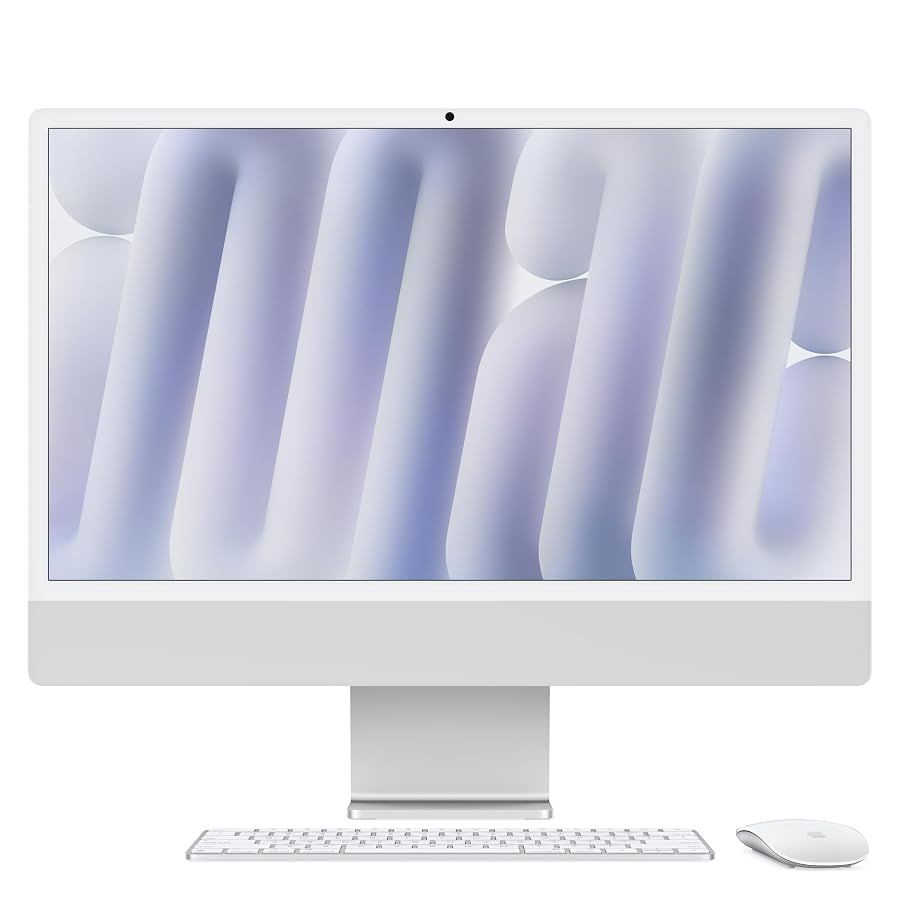
Choosing the right studio computer comes down to balancing raw computational power, display fidelity, and physical footprint. The Apple iMac M4 in its entry-level configuration pairs an 8-core CPU and an 8-core GPU with an upgraded baseline of 16GB of unified memory. For vloggers, independent content creators, podcasters, and creative hobbyists, this machine promises an immediate, clutter-free workstation straight out of the box. Rather than navigating separate tower setups, cable nests, and standalone monitor calibrations, you get an all-in-one desktop driven by Apple Silicon designed to tackle daily multimedia demands while occupying minimal desk real estate.
This review examines whether this base configuration delivers sufficient graphics capability and long-term operating headroom for serious video workflows and photo cataloging. We analyze how the 8-core M4 architecture behaves under sustained export operations, how the 24-inch 4.5K Retina screen supports color-critical editing, how the port layout impacts peripheral expansion, and how the factory storage allocation fits modern digital asset libraries. By looking closely at the hardware capabilities, real-world creative bottlenecks, and workspace ergonomics, you will discover whether this streamlined machine fits your production routine or if your workflow demands higher-tier modular alternatives.

What You Get With the Apple iMac M4
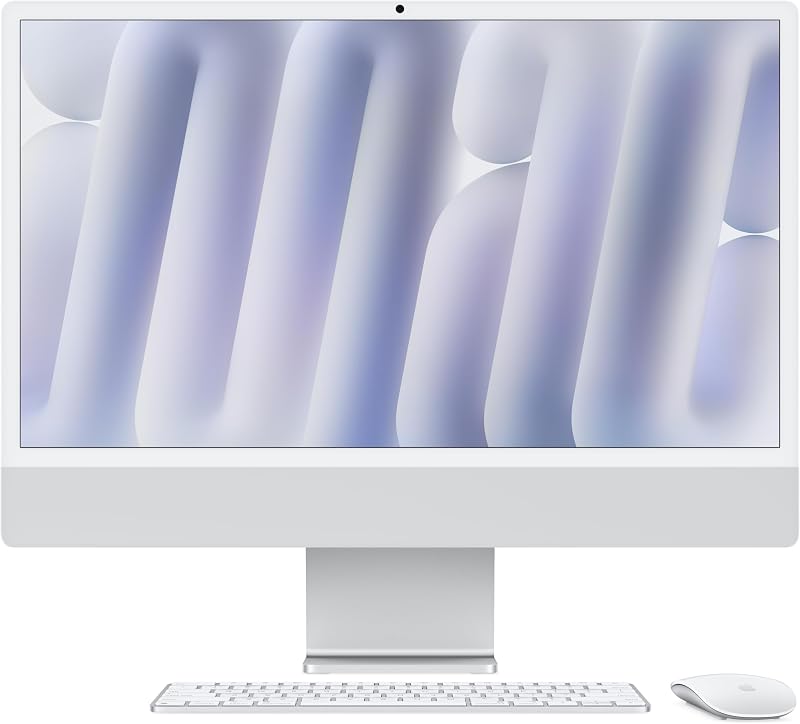
The retail package delivers a self-contained production environment that requires a single power cord to begin operating. Inside the box, you receive the integrated desktop unit alongside matching color-coordinated wireless accessories that run on three included lithium-ion batteries.
- All-in-one desktop housing an Apple M4 chip with an 8-core CPU and an 8-core integrated GPU
- Built-in 24-inch 4.5K Retina display offering 500 nits of peak brightness and wide color support
- 16GB of unified memory with system support configurable up to 24GB at purchase
- 256GB solid-state drive with factory upgrade tiers reaching 512GB or 1TB
- Upgraded 12MP Center Stage video camera featuring Desk View and 1080p HD video capture
- Six-speaker audio system supporting Spatial Audio paired with a studio-quality three-microphone array
- High-bandwidth Thunderbolt 4 connectivity along with Wi-Fi 6E and Bluetooth 5.3 wireless standards
- Support for connecting up to two external 6K displays alongside the integrated panel
- Native support for Apple Intelligence features and integrated macOS continuity tools like iPhone Mirroring
- Three included Lithium Ion batteries powering the bundled peripheral controllers
Key Specifications
| Hardware Component | Factory Specification |
|---|---|
| Processor Model | Apple M4 (3.2 GHz clock speed) |
| Core Configuration | 8-core CPU and 8-core integrated GPU |
| System Memory | 16GB unified memory (configurable to 24GB) |
| Internal Storage | 256GB SSD (configurable to 512GB or 1TB) |
| Built-In Display | 24-inch 4.5K Retina display (500 nits brightness, 1 billion colors) |
| Camera System | 12MP Center Stage camera with Desk View and 1080p HD recording |
| Audio Hardware | Six-speaker sound system with Spatial Audio, three studio-quality mics |
| Connectivity Standards | Thunderbolt 4, Wi-Fi 6E, Bluetooth 5.3 |
| Dimensions | 21.54 x 5.79 x 18.15 inches |
| Total System Weight | 9.72 pounds |
| Item Model Number | MWUC3LL/A |
Real-World Processing Headroom for Video and Content Creation
Assessing the apple imac m4 8-core performance requires looking directly at how modern media engines handle high-bitrate video streams. The Apple M4 silicon integrates dedicated hardware encoders and decoders that accelerate standard H.264, HEVC, and ProRes media formats. When cutting together multi-camera vlog sequences or editing talking-head YouTube episodes, the 8-core CPU handles timeline scrubbing and frame dropping without perceptible hesitation. Background render tasks in applications like Adobe Creative Cloud and Final Cut Pro complete smoothly because the architectural efficiency per clock cycle provides rapid execution even under sustained exports.
For hobbyists exploring an apple imac m4 for video editing, the machine presents a noticeable step forward over older entry-tier desktop chips. Applying digital color grades, noise reduction profiles, and dynamic title overlays across standard 4K timelines operates within the comfortable bounds of the 8-core integrated GPU. If you are comparing desktop designs, an alternative path like the apple mac mini (m4 2024) offers similar processing options without a built-in screen, but the iMac combines that processing capacity with a dedicated visual panel that saves desk configuration effort entirely.
Where you encounter operational boundaries is during dense multi-layer compositing, heavy 3D motion graphic construction, or uncompressed 8K RAW rendering. Because this entry-tier silicon utilizes an 8-core GPU rather than higher-count configurations, complex visual effects chains will naturally take longer to export. For vloggers assembling weekly narrative videos, podcasts, and social media cutdowns, however, the processing throughput remains snappy, quiet, and responsive throughout long rendering sessions.
Memory Bandwidth and Local Storage Management in Studio Workflows
A significant operational advantage on this model is the baseline allocation of imac m4 16gb unified memory. In earlier desktop generations, entry configurations were often limited to 8GB of memory, which caused aggressive disk swapping whenever an editor opened an image catalog alongside web research tabs and media encoders. With 16GB standard, memory pressure drops dramatically. You can keep photo editing suites, digital audio workstations, and graphic design software open simultaneously without stuttering during application transitions or timeline playback.
This memory ceiling also directly benefits modern system services and background processing. The machine is engineered around an apple intelligence imac workflow, using on-device machine learning models to accelerate writing tools, automated image organization, and system transcription tasks. The shared memory architecture ensures that both the CPU and GPU access local data pools instantly, preventing latency spikes while intelligent utilities execute silent background passes on your incoming media bins.
The primary constraint on this specific model is the 256GB solid-state storage drive. For a creator shooting high-definition video, a single afternoon of shooting can easily exceed 50GB of raw footage. Operating system files, local cache databases, and standard software suites quickly claim a sizable portion of that initial capacity. To build a functional long-term editing environment, users must integrate high-speed external Thunderbolt drives or portable solid-state media to house primary asset libraries and working project directories.
Display Precision and External Monitor Capabilities
Visual fidelity remains the defining asset of the apple imac 24 inch retina display. Boasting a 4.5K native resolution, 500 nits of brightness, and support for up to 1 billion colors, this panel delivers exceptional sharpness for text, graphic illustrations, and photographic retouching. Creators working in color spaces that demand wide spectrum accuracy benefit from the factory calibration, ensuring skin tones and color grades rendered on screen align accurately with modern consumer mobile devices and high-end television standards.
A frequent constraint on earlier compact all-in-one workstations was display expandability, but the apple imac m4 external display support changes that dynamic. The system allows you to drive up to two external 6K displays alongside the primary 24-inch Retina screen. This means a video editor can position their timeline across the main 4.5K desktop while driving dedicated external monitors for full-screen playback canvases and color scopes. For professionals working on massive enterprise compositions who might look at the mac studio m4 max 128gb, the iMac provides a more approachable footprint while still granting multi-monitor flexibility.
The 24-inch physical diagonal is an ergonomic middle ground. It provides ample working area for split-screen document review, audio track layout, and photo culling, while preventing your workspace from being overwhelmed by oversized hardware. In compact home studios or dedicated editing corners, this display scale maintains a modest profile while offering pixel density that eliminates visible raster lines or soft text rendering.
Audio-Visual Fidelity for Streaming and Remote Production
Communicating with remote production teams and recording studio podcasts requires dedicated peripheral hardware on most standard desktop platforms. The imac m4 center stage camera elevates remote capture by utilizing a 12MP sensor combined with an advanced image signal processor and computational video algorithms. The Center Stage tracking feature keeps you centered in the video frame as you shift positions at your desk, while the Desk View capability allows you to present physical sketching pads or studio hardware directly to viewers without shifting the computer.
Audio recording and reproduction follow a similar high-standard integration. The three-microphone array uses directional beamforming to reduce ambient room reverberation, making it suitable for scratch voiceovers, live streaming, and client conference calls without setting up an external microphone immediately. Meanwhile, the six-speaker array delivers expansive sound output with support for Spatial Audio, providing rich bass and clear stereo imaging that allows creators to check audio balance, dialogue clarity, and background music mix levels directly from the desktop.
This self-contained acoustic and visual setup transforms the imac m4 for creators who need an uncluttered workspace. When compared against full-sized desktop alternatives like the hp omni desktop computer, the iMac’s complete consolidation of high-resolution video capture, beamforming audio input, and balanced acoustic output reduces the cable clutter and peripheral budget required to produce clean, broadcast-ready digital content.
Is the Apple iMac M4 Worth It
Determining if the apple imac m4 worth it comes down to matching your production demands with the physical and architectural design of the machine. For lifestyle vloggers, independent podcast hosts, digital illustrators, and hobbyist photographers, this desktop delivers an unbeatable blend of color accuracy, silent thermal efficiency, and baseline memory capacity. The move to 16GB of unified memory as standard removes the primary operational compromise that affected previous entry-level models, making everyday multitasking effortless.
However, power users managing commercial video agencies, 3D character animation pipelines, or uncompressed multi-stream RAW workflows will encounter the boundaries of the 8-core GPU and the 256GB internal drive. While external Thunderbolt storage easily solves capacity limits, users who require massive internal drives or higher GPU core counts should consider stepping up to configurable silicon tiers or modular systems designed for sustained high-wattage computing.
For the vast majority of creative enthusiasts, home studio producers, and daily content creators, the base iMac M4 represents an exceptional computing experience. It handles demanding photo suites, smooth 4K editing timelines, and modern intelligent productivity tools while keeping power consumption minimal and eliminating desktop clutter with its singular power cord construction.
FAQ
Can the Apple iMac M4 handle 4K video editing smoothly?
Yes, the 8-core CPU and 8-core GPU feature dedicated hardware media engines that easily process standard H.264, HEVC, and ProRes 4K video files. Vloggers and content creators can scrub timelines, trim clips, and apply standard color adjustments without experiencing stuttering or dropped frames during normal editing operations.
How many external monitors does the Apple iMac M4 support?
The system supports up to two external 6K displays while simultaneously powering its integrated 24-inch 4.5K Retina screen. This allows creative users to establish an expansive multi-display editing studio utilizing high-bandwidth Thunderbolt 4 connections.
Is 16GB of unified memory enough for creative applications?
The standard 16GB of unified memory provides plenty of headroom for editing high-resolution photos in Lightroom, running 4K timelines in Final Cut Pro, and multitasking across browser tabs and design tools simultaneously. The shared memory architecture ensures low-latency execution across creative software suites.
Can the internal SSD storage on the Apple iMac M4 be upgraded later?
No, the internal storage is integrated directly into the system architecture and cannot be upgraded after purchase. Creative professionals working with large video assets will want to connect external high-speed solid-state drives using the Thunderbolt 4 ports to manage project libraries and asset caches.
How does the 12MP Center Stage camera improve creator workflows?
The 12MP Center Stage camera dynamically pans and zooms to keep you centered in the frame during live streams, client meetings, or interviews. Additionally, the Desk View feature lets you share a top-down view of your physical desk surface, making it easy to showcase equipment, notes, or physical sketches during live presentations.