As Amazon Associates, we earn from qualifying purchases. This means we may receive a small commission at no extra cost to you if you click through and make a purchase.
Finding a desktop computer that balances a minimal physical footprint with multi-display capability and hardware expansion can challenge any digital creator or workstation builder. The KAMRUI Pinova P1 answers this demand directly by pairing an AMD Ryzen 4300U processor with 16GB of DDR4 system memory and an internal 256GB M.2 solid-state drive. Built specifically for desks where clutter must remain low, this compact unit provides immediate multi-screen capability right out of the box while leaving a clear path open for internal drive and memory expansions.
Whether you need a compact hub for video assembly, dedicated audio tracking, or an around-the-clock home media server, understanding the boundaries of this hardware is essential before setting up your workstation. This editorial evaluation covers the real-world processing limits of the quad-core architecture, thermal design, multi-monitor display routing, and internal dual-slot storage architecture to help you decide if it matches your production requirements.

What You Get With the KAMRUI Pinova P1

The system is packaged as an all-in-one small-form-factor desktop designed for fast integration into an existing monitor and peripheral layout. The listing specifies the following primary hardware features and bundled attributes:
- AMD Ryzen 4300U quad-core processor with 4 threads, a 2.7GHz base clock, and a 3.7GHz boost frequency
- Integrated AMD Radeon graphics engine operating at 1.4GHz
- 16GB of factory-installed DDR4 RAM with dual-channel upgrade support up to 64GB
- 256GB M.2 solid-state drive installed in one of two internal 2280 slots
- Secondary M.2 2280 slot supporting SATA and NVMe PCIe 3.0 x2 drives
- Simultaneous triple 4K display capability via HDMI 2.0, DisplayPort 1.4, and USB-C DisplayPort Alt Mode
- Six full-sized USB 3.2 ports for high-bandwidth peripheral connections
- Single Gigabit Ethernet port alongside dual-band Wi-Fi 5 reaching up to 1750Mbps
- 3.5mm analog audio combination jack for headphones or desktop speakers
- Integrated firmware support for Auto Power-On, RTC Wake, and Wake-on-LAN
- Pre-installed OS Pro operating system
- Standard North American Type A 2-pin power connection
Key Specifications
| Component | Specification Details |
|---|---|
| Processor | AMD Ryzen 4300U (4 Cores, 4 Threads) |
| Clock Speeds | 2.7GHz Base Clock, 3.7GHz Maximum Boost Clock |
| Graphics Coprocessor | Integrated AMD Radeon Graphics (1.4GHz) |
| Installed Memory | 16GB DDR4 (Expandable to 64GB DDR4-3200) |
| Storage Configuration | 256GB M.2 SSD (Dual M.2 2280 Slots, Up to 4TB Total) |
| Video Output Ports | 1x HDMI 2.0, 1x DisplayPort 1.4, 1x USB-C (DP Alt Mode) |
| Peripheral Interfaces | 6x USB 3.2, 1x USB-C, 1x 3.5mm Audio Jack |
| Network Connectivity | Gigabit Ethernet, Dual-Band Wi-Fi 5 (Up to 1750Mbps) |
| Chassis Dimensions | 5.04 x 5.04 x 2.05 inches |
| Operating System | OS Pro |
Multi-Monitor Video Editing and Creator Workflow
For video producers, vloggers, and digital creators, screen workspace is often the primary bottleneck when cutting timelines or organizing assets. The kamrui pinova p1 creator workflow benefits significantly from native triple-display video output without requiring specialized external docks or display-link adapters. By utilizing the HDMI 2.0 port, the DisplayPort 1.4 connection, and the multi-function USB-C port equipped with DisplayPort Alternate Mode, you can drive three separate 4K displays simultaneously. This allows you to arrange a full-screen video playback preview on one monitor, a sprawling multitrack timeline on the primary display, and dedicated asset folders, web references, or chat panels on the third screen.
Under the hood, the kamrui pinova p1 ryzen 4300u configuration utilizes four dedicated Zen 2 physical processor cores operating at a base frequency of 2.7GHz and pushing up to a 3.7GHz boost clock. Paired with an integrated AMD Radeon graphics processor running at 1.4GHz, this setup yields substantial improvements over standard entry-level chips like the Intel Celeron N-series or Core i3-10110U. For everyday creative work, this means smooth responsiveness during 1080p and light 4K timeline navigation, basic color grading, audio track mastering, and entry-level 3D model rendering. When considering the kamrui pinova p1 for video editing, creators working with heavy multilayered 4K footage or raw cinema files should expect longer export times compared to multi-thousand-dollar workstations, but simple narrative cuts and hobbyist vlog workflows run cleanly.
Creators transitioning from massive tower builds often find that small-footprint computers free up desk space for audio interfaces, macro pads, and drawing tablets. While heavy-industry studios requiring raw neural processing might lean toward advanced enterprise solutions like the bosgame m5 mini pc amd ryzen ai max 395 128gb ram 2tb ssd wifi 7, the Pinova P1 presents an exceptionally practical balance for independent content creators who prioritize low power draw and efficient triple-panel screen management for daily media duties.
Memory Upgrades and Dual M.2 Storage Flexibility
A frequent limitation of entry-level compact desktops is soldered hardware that prevents future upgrades as media projects expand. The internal layout of this chassis avoids that trap by providing comprehensive expansion opportunities. The base model ships with 16GB of DDR4 memory, but the motherboard features dual memory channels that allow an easy kamrui pinova p1 ram upgrade up to 64GB of DDR4-3200 across two 32GB sticks. Increasing system RAM ensures that heavy memory footprints, such as opening dozens of browser tabs while simultaneously rendering vector artwork or scrubbing large audio sample libraries, remain responsive without paging to disk.
Internal drive storage is equally versatile thanks to the kamrui pinova p1 dual m2 ssd architecture. Inside the enclosure are two distinct M.2 2280 slots: a primary PCIe 3.0 x4 NVMe slot populated by the standard 256GB boot drive, and a secondary slot compatible with both SATA and NVMe PCIe 3.0 x2 protocols. Combined, these storage bays support up to 4TB of high-speed local capacity. This arrangement allows creators to preserve the original 256GB drive strictly for the operating system and creative applications, while populating the second slot with a high-capacity drive dedicated to project scratch disks, raw video footage, and final render archives.
Having dedicated dual internal drives eliminates the clutter of hanging loose portable SSDs off external cables. Creators accustomed to mobile platforms, such as the hp 15.6 inch fhd ips touch windows 11 laptop amd ryzen 7 7730u 16gb ram 512gb ssd natural silver, will appreciate the long-term utility of a stationary mini desktop where storage components can be swapped or expanded in minutes with a standard screwdriver as data storage requirements multiply.
Continuous Operation as a Media Server and Network Hub
Beyond active creative work, this system is engineered for longevity in background network tasks. The listing indicates that the hardware has undergone rigorous durability testing to ensure stable 24/7 continuous operation. Coupled with a low-noise internal air-cooling system that keeps operating temperatures steady under prolonged computing loads, the unit operates efficiently as a dedicated kamrui pinova p1 media server, local backup node, or digital signage engine. Its compact design allows it to run quietly inside an entertainment cabinet, office closet, or equipment shelf without interrupting quiet room environments.
Peripheral connectivity is unusually generous for a computer measuring barely five inches across. The chassis sports six USB 3.2 Type-A ports alongside the dedicated USB-C interface. This abundance of ports allows users to hook up external mass-storage hard drive enclosures, audio capture cards, dedicated webcams, mice, keyboards, and flash drives without depending on finicky USB splitters. Network tasks are anchored by a reliable Gigabit Ethernet port for hardwired file transfers, while wireless tasks are supported by dual-band Wi-Fi 5 capable of theoretical throughput up to 1750Mbps for smooth home network streaming and fast video uploads.
For headless home servers and digital office workstations, remote power management is crucial. The onboard BIOS firmware integrates RTC Wake scheduling, Wake-on-LAN support, and Auto Power-On after an unexpected electrical power loss. Unlike general-purpose mobile units like the lenovo v14 g4 14 fhd laptop | amd ryzen 5 7520u | 8gb ram | 256gb ssd | windows 11 pro that require manual lid opening and button presses, this mini PC can automatically resume server processes, local NAS backups, and media library synchronization immediately after power restoration.
Physical Footprint and Workspace Portability
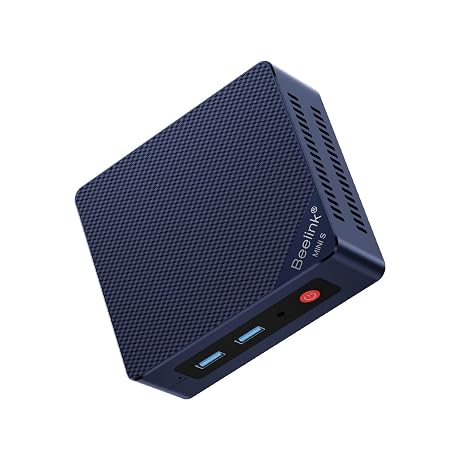
The physical footprint of the desktop measures just 5.04 inches wide, 5.04 inches long, and 2.05 inches tall. Finished in a discreet matte black chassis, it takes up less desk surface area than a standard paper notebook. This microscopic footprint makes it an exceptional choice for micro-studios, podcast desks, or tight workshop environments where every square inch of surface space is needed for audio mixers, condenser microphones, or camera gear. It can sit flat beneath a monitor riser or tuck neatly to the side of your workspace without drawing visual attention.
Because the unit relies on an internal active air cooler rather than an oversized desktop heatsink array, it expels heat efficiently through dedicated side ventilation slats while keeping fan pitch low under baseline operational tasks. The system utilizes a standard Type A 2-pin North American power connection, making cable routing simple without requiring heavy power distribution units. It interfaces smoothly with standard desktop computer peripherals, including external keyboards, mice, flat-panel monitors, high-definition televisions, analog headphones, and digital projectors.
Check KAMRUI Pinova P1 on Amazon
Is the KAMRUI Pinova P1 Worth It
Determining whether the kamrui pinova p1 is worth it comes down to matching your performance expectations with your workspace constraints. For everyday content creators, podcast producers, and multi-tasking office users, the combination of a dependable AMD Ryzen 4300U processor, expansive six-port USB 3.2 array, and triple 4K output provides immense practical value. It completely removes the need for bulky tower cases while delivering the flexibility of dual internal M.2 SSD bays and socketed DDR4 RAM that can grow alongside your project archive.
However, users needing raw computing power for complex 3D ray tracing, cinema-grade 8K color workflows, or high-frame-rate modern gaming should consider higher-tier hardware with dedicated discrete graphics. The integrated AMD Radeon graphics processor excels at user-interface fluidity, video decoding, and light creative editing, but it shares system memory and is not tailored for heavy visual effects computing. If your primary goal is an organized desk with triple monitors, massive local storage potential up to 4TB, and reliable 24/7 media hosting, the Pinova P1 fulfills those requirements admirably.
FAQ
Can the KAMRUI Pinova P1 output to three 4K monitors simultaneously?
Yes. The system features three independent video outputs: one HDMI 2.0 port, one DisplayPort 1.4 connection, and one USB-C port supporting DisplayPort Alternate Mode. You can connect three distinct 4K displays at the same time to build an expansive, multi-monitor productivity desktop.
What are the storage expansion capabilities of the dual M.2 slots?
The unit features two internal M.2 2280 slots. The primary bay holds the factory-installed 256GB PCIe 3.0 x4 NVMe SSD, while the secondary slot accepts either SATA or NVMe PCIe 3.0 x2 solid-state drives. Together, these internal slots support total storage expansion up to 4TB.
Can I upgrade the system memory on this mini PC?
Yes. While the desktop comes equipped with 16GB of DDR4 RAM, the internal motherboard supports dual-channel DDR4-3200 memory configurations up to a maximum capacity of 64GB using two 32GB SODIMM modules.
Is the AMD Ryzen 4300U capable of handling video editing?
The quad-core AMD Ryzen 4300U processor and its integrated 1.4GHz Radeon GPU handle 1080p timeline editing, audio production, and basic 4K video cuts smoothly. However, complex visual effects rendering and high-bitrate raw formats will require patience during final rendering due to the lack of a discrete GPU.
Does this desktop support automated power and remote startup?
Yes. The motherboard BIOS includes native firmware support for Auto Power-On after power interruptions, RTC Wake for scheduled power cycles, and Wake-on-LAN for remote network activation, making it well-suited for round-the-clock home server and digital signage tasks.