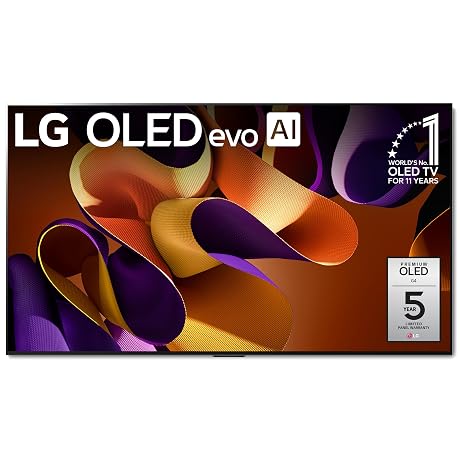
As Amazon Associates, we earn from qualifying purchases. This means we may receive a small commission at no extra cost to you if you click through and make a purchase.
Creators and video editors seeking a high-performance studio display often face a difficult compromise between standard desktop monitors with limited contrast and oversized commercial mastering panels. The LG G4 55-Inch OLED enters this space as an uncompromising visual solution, delivering high-end panel luminance, pure black levels, and precise tone curve reproduction for demanding post-production environments. For filmmakers, visual effects artists, and digital creators who require an exacting client review screen or a reliable playback canvas, this 55-inch display bridges the gap between consumer accessibility and high-end studio performance.
Evaluating this screen requires looking beyond casual entertainment to understand how its luminance architecture, processing hardware, and mounting design integrate into a creative production workflow. This review explores the technical capabilities of the panel, analyzing its color fidelity, video processing speed, multi-source viewing features, and installation requirements. Whether you are grading logarithmic footage or configuring a hybrid editing and playback environment, this guide details what to expect from the display in real-world creative use.

What You Get With the LG G4 55-Inch OLED

The display package is tailored around LG’s premium gallery aesthetic, centering on ultra-flush wall installation and dedicated picture processing hardware designed for high-fidelity rendering.
- LG OLED evo G4 55-inch panel with self-luminous pixel architecture
- a11 AI Processor 4K dedicated to intelligent image upscaling and color tone processing
- Brightness Booster Max hardware and algorithm configuration
- One Wall Design flush mounting system leaving virtually no gap against the wall
- Magic Remote control with voice assistance functionality
- Dolby Vision, HDR10, and HLG dynamic range format support
- Filmmaker Mode calibration preset for source-accurate video playback
- Multi View capability supporting up to four independent display feeds
- webOS 24 interface with the webOS Re:New Program providing five years of system updates
Key Specifications
| Attribute | Detail |
|---|---|
| Screen Size and Aspect Ratio | 55 inches, 16:9 widescreen format |
| Display Technology | Flat OLED with self-lit pixels and pixel-level dimming |
| Native Resolution | 4K Ultra HD (3840 x 2160) |
| Refresh Rate | 120 Hz native with OLED Motion technology |
| Response Time | 0.1 milliseconds |
| HDR Compatibility | Dolby Vision, HDR10, and Hybrid Log-Gamma (HLG) |
| Image Processing Engine | a11 AI Processor 4K |
| Off-Axis Viewing Angle | 170 degrees |
| Physical Dimensions | 48.11 inches wide by 27.68 inches high by 10.4 inches deep with stand |
| Product Weight | 39.5 pounds without stand, 49.6 pounds with stand |
Color Fidelity and Studio Video Editing Performance
For editors working on color-critical timelines, the foundation of any reference display is its underlying pixel control. The LG G4 OLED for video editing relies on more than eight million self-lit pixels that illuminate and extinguish individually. Because each pixel acts as its own light source without a shared backlight, black levels are absolute. This eliminates the edge bleed, haloing, and blooming artifacts that plague standard LCD mastering monitors, allowing editors to accurately evaluate shadow roll-off, subtle gradient ramps, and micro-contrast in low-key scenes.
Color rendition on this panel is engineered to satisfy strict visual production demands. The listing data confirms 100% Color Volume and 100% Color Fidelity, ensuring that hues retain their saturation, luminance values, and tonal nuances regardless of scene brightness. When evaluating skin tones, subtle clothing textures, or complex natural lighting, the LG G4 color accuracy prevents the desaturation often observed on high-brightness displays. Editors upgrading their evaluation setups from legacy gear like the lg c6 oled 55 inch tv will notice immediate improvements in highlight retention and chromatic stability across varying grading environments.
The panel also features a dedicated Filmmaker Mode, which disables aggressive motion smoothing, sharpness artificialities, and automated framing adjustments. By enforcing proper aspect ratios, native frame rates, and director-intended color profiles, the display allows video editors and post-production supervisors to view raw timeline renders without unwanted consumer video enhancement altering their editorial judgment.
Luminance Control with Brightness Booster Max
Historically, standard OLED displays struggled to maintain high overall brightness in brightly lit grading rooms or client viewing areas. The LG G4 Brightness Booster Max technology directly addresses this limitation by magnifying the luminance output of each individual pixel. According to the manufacturer data, this system produces up to 150% brighter images compared to traditional baseline OLED designs, giving the panel significant headroom when mastering modern high dynamic range formats.
This increased luminance headroom transforms the HDR mastering and playback pipeline. When working with Dolby Vision, HDR10, or broadcast-standard HLG footage, the display renders intense specular highlights—such as direct sunlight reflections, explosions, and practical studio lighting—without crushing surrounding midtone data. The localized brightness boost allows visual effects artists and grading professionals to spot highlight clipping and digital noise that standard SDR monitors completely mask.
Equally critical is the display’s behavior during prolonged bright sequences. While aggressive automatic brightness limiters on older displays often dim the screen unpredictably during high average picture level scenes, the advanced thermal and pixel management on this unit maintains consistent luminance levels. This stability is essential when balancing multi-camera interview setups or commercial footage across daylight exteriors where consistent luminance is mandatory for visual matching.
Hardware Acceleration and Studio Multitasking
Image processing in demanding workflows requires serious computational power, which is handled by the onboard LG G4 a11 AI Processor. This dedicated 4K engine runs AI Picture Pro and AI Super Upscaling algorithms to refine incoming signals in real time. For content creators handling archival footage, lower-resolution proxies, or compressed client review files, the processor intelligently clarifies line definition, reduces digital compression artifacts, and restores textural details without inducing edge halos or unnatural digital sharpening.
Beyond image upscaling, the a11 chip powers AI Director Processing, which analyzes the tonal balance of individual scenes to ensure that high-contrast transitions maintain natural dynamic range. The processor also delivers swift, responsive menu navigation. When moving quickly between source inputs, color spaces, or sound configurations during active studio sessions, the interface switches without lag, keeping client presentations and editing sessions moving smoothly.
For multifaceted creator workspaces, the display includes an expansive Multi View feature capable of dividing the screen into four separate display sections. A creator can simultaneously monitor an active video timeline, reference a secondary color grade feed, review incoming streaming chat, and track system audio meters on a single 55-inch canvas. This multi-source flexibility rivals larger production setups, and studios exploring multi-screen suites often cross-reference this configuration against massive displays such as the lg g4 83 to determine appropriate viewing distances.
Studio Wall Mount Workflow and Ergonomics
Physical studio integration is a vital consideration when introducing a 55-inch display into an editing bay. The LG G4 wall mount workflow centers on the manufacturer’s One Wall Design, an architectural mounting profile that allows the flat screen to hang flush against the wall with virtually no gap. By eliminating protruding brackets and bulky rear components, the screen integrates seamlessly into client viewing walls or behind primary editing desks without encroaching on valuable studio workspace.
Weight and structural demands must be factored into your installation planning. The display weighs 39.5 pounds without a stand and expands to 49.6 pounds when attached to a desktop mount. When wall mounted, the screen frees up desktop surface area that would otherwise be occupied by a base measuring 10.4 inches deep. The ultra-wide 170-degree viewing angle further ensures that clients, directors, and collaborative team members seated off-axis view identical contrast and color saturation without shifts.
When evaluating the LG G4 vs C4 55 inch design options, the physical footprint is a primary differentiator. While standard C-series panels are oriented around traditional desktop bases, the G-series is engineered specifically for clean architectural wall mounting and incorporates superior heat dissipation to support sustained brightness boosts. Additionally, when creative sessions conclude, the G4’s integrated gallery mode allows studios to showcase still photography, reference art, and project stills, blending the display effortlessly into a creative working environment.
Gaming Display Responsiveness and Latency
Modern content creation frequently intersects with real-time 3D rendering, virtual production, and game development. The LG G4 55 inch gaming display functions as a high-tier interactive canvas thanks to its native 120 Hz refresh rate and near-instantaneous 0.1-millisecond response time. Rapid camera pans and complex particle effects render without ghosting, smearing, or temporal motion blur, allowing developers and game capture artists to evaluate assets with razor-sharp clarity.
Real-time input responsiveness is reinforced by low latency processing. The minimal LG OLED evo G4 input lag ensures that controller movements, mouse inputs, and timeline scrubbing respond instantaneously. For streamers and esports video creators who require split-second synchronization between their live inputs and on-screen rendering, the panel’s responsive hardware eliminates the sluggishness historically associated with large-format televisions.
The screen incorporates OLED Motion enhancement alongside its 120 Hz refresh rate, ensuring that fast-moving 60 frames per second and 120 frames per second material remains fluid. While large production houses sometimes explore oversized staging panels like the lg 77 oled evo or upcoming flagship panels such as the lg g5 77 inch oled tv for commercial screening rooms, the 55-inch form factor remains the practical sweet spot for desktop-adjacent interactive development and gaming content authoring.
Check LG G4 55-Inch OLED on Amazon
Is the LG G4 55-Inch OLED Worth It
Determining whether the display fits your setup requires weighing its advanced mastering capabilities against your specific production requirements. When examining the core LG G4 55 inch OLED TV specs, the combination of 100% Color Volume, Brightness Booster Max, zero-gap wall mounting, and the a11 AI Processor establishes this unit as a premier visual instrument. For independent filmmakers, colorists, and commercial video editors who need a dedicated Dolby Vision client playback display that doubles as an accurate editing screen, it delivers exceptional return on workflow efficiency.
For hybrid creators who divide their time between high-end video mastering, live streaming, and fast-paced interactive game development, the 0.1-millisecond response time and 120 Hz refresh rate provide immense versatility. Having a single screen that accurately renders wide-gamut log footage during working hours and transitions into an ultra-responsive gaming display after hours eliminates the need to maintain redundant displays in tight studio spaces.
However, if your creative workflow is restricted to standard web graphics or basic SDR timeline assembly that does not require HDR luminance, the high-end processing and gallery hardware may exceed your baseline needs. Furthermore, creators who require a traditional desktop stand must account for the panel’s substantial 10.4-inch stand depth and 49.6-pound combined weight. But for professionals who prioritize master-grade black levels, expansive viewing angles, and flush architectural mounting, this display stands out as an elite creative asset.
FAQ
Does the LG G4 55-Inch OLED support true 4K resolution at 120 Hz?
Yes, the display natively supports 4K resolution at a 120 Hz refresh rate. The panel utilizes self-lit pixels and OLED Motion technology to maintain sharp, fluid playback without motion smearing during high-frame-rate rendering, editing playback, or gaming sessions.
Can the display handle multiple studio video sources at the same time?
Yes, the screen includes a Multi View feature that allows you to split the display into up to four independent screens. This enables creators to monitor an active editing timeline, preview secondary camera angles, review reference art, or track system feeds simultaneously on one 55-inch surface.
What HDR formats are supported for color grading and video review?
The display supports Dolby Vision, HDR10, and Hybrid Log-Gamma (HLG). This broad standard compatibility makes it practical for evaluating high dynamic range cinema masters, commercial streaming projects, and broadcast-ready television content.
How does the One Wall Design benefit a small editing suite?
The One Wall Design allows the display to be hung flush against the wall, leaving virtually no gap. In compact creative suites, this eliminates the need for deep desktop stands, reclaiming over ten inches of desk depth while positioning the screen at an optimal viewing distance for client presentations.
What software updates and longevity support does LG provide for the G4?
The panel runs on webOS 24 and is supported by the webOS Re:New Program, which guarantees software updates and feature refreshes for five years. This extended operating system lifecycle ensures long-term application compatibility and performance stability across studio workflows.