As Amazon Associates, we earn from qualifying purchases. This means we may receive a small commission at no extra cost to you if you click through and make a purchase.
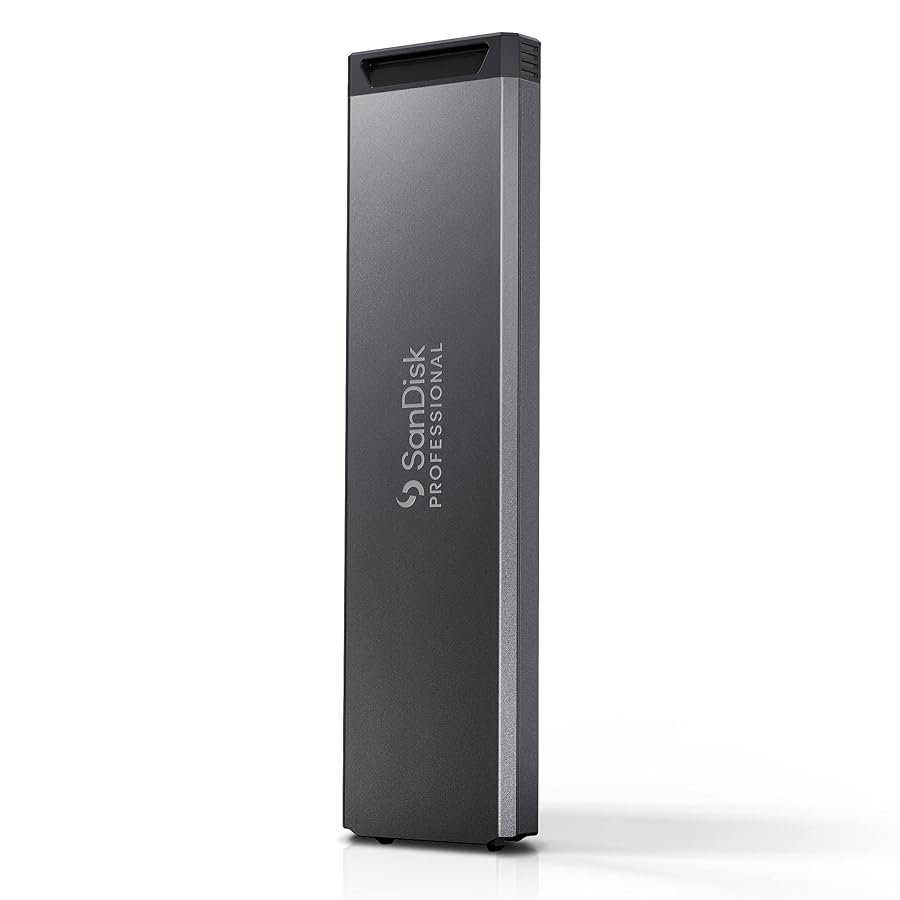
High-volume digital video production demands fast offloading and dense media management, making the SanDisk PRO-Blade SSD Mag a distinctive option for videographers and production crews. Instead of relying on conventional external drives that each carry their own integrated controller and bridge housing, this system relies on swappable bare media magazines designed to slide into dedicated reader hardware. If you are evaluating whether to invest in this modular NVMe architecture, the choice comes down to whether your shooting volume benefits from carrying compact cartridges rather than packing multiple self-contained portable drives.
Opting for the 2TB capacity delivers a practical balance of substantial recording room and physical media segmentation, allowing you to separate project cards across individual drives without overloading your gear bag. When inserted into compatible reader hardware, you can expect read speeds reaching up to 2000MB/s on single-bay mobile sleds or up to 3000MB/s in multi-bay desktop docks. This review examines the sandisk pro blade specs, field durability, enclosure requirements, real-world transfer performance, and overall utility to help you determine if this modular storage ecosystem fits your production setup.

What You Get With the SanDisk PRO-Blade SSD Mag
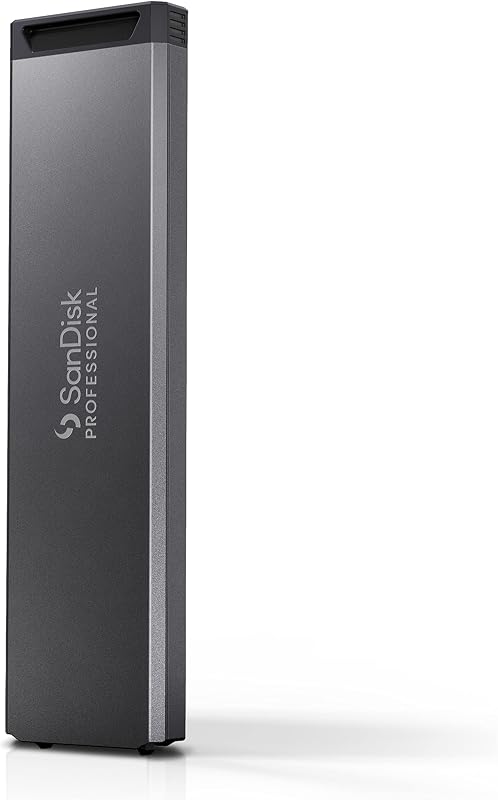
The packaging for this solid-state magazine is streamlined and focused strictly on the cartridge hardware rather than bundling redundant cables or interface adapters.
- One 2TB SanDisk PRO-Blade SSD Mag solid-state storage cartridge
- Heavy-duty aluminum exterior shell engineered for drop and crush defense
- Proprietary PCIe connector interface designed for multi-insertion docking
- Quick start documentation and regulatory safety disclosures
Key Specifications
| Specification | Detail |
|---|---|
| Storage Capacity | 2 TB |
| Hardware Interface | PCIe Gen 3 x4 |
| Form Factor | PRO-Blade SSD Mag (2.5-inch class modular media) |
| Item Weight | 1.6 ounces |
| Maximum Read Transfer Speed | Up to 3000 MB/s (with PRO-Blade Station) / Up to 2000 MB/s (with PRO-Blade Transport) |
| Crush Resistance | Up to 4000 lbs. (on carpeted concrete floor) |
| Drop Protection | Up to 3 meters (on carpeted concrete floor) |
| Operating System Compatibility | macOS and Windows PC (via compatible reader) |
| Compatible Ecosystem Devices | PRO-Blade Transport enclosure and PRO-Blade Station desktop enclosure |
Field Durability and Rugged Enclosure Engineering
Operating on location exposes gear to dust, heavy equipment cases, and accidental drops, making physical resilience a primary buying consideration. The pro blade durability ratings are substantial, featuring crush resistance capable of withstanding up to 4000 pounds and impact survival from drops up to 3 meters on a carpeted concrete floor. The external casing consists of an aluminum chassis that shields the internal flash storage and PCIe x4 components from structural deflection, ensuring that pressure inside a tightly packed production case will not crush the sensitive electronics inside.
Weighing merely 1.6 ounces, each individual magazine is substantially smaller and lighter than standard all-in-one rugged drives. Many field shooters frequently pack an extreme portable ssd for day-to-day shooting due to its light frame and pocketable footprint. However, when an extended commercial or multi-day documentary shoot requires carrying six or eight separate backup targets, traditional external drives quickly fill accessory compartments with unnecessary housing bulk and redundant cables. The modular format eliminates that excess mass by isolating the storage medium into a compact cartridge that takes up minimal space in a field pouch.
While the exterior shell handles drops and heavy compression effortlessly, users must account for the exposed connection terminal at the base of the magazine. Because the drive relies on high-speed pin interfaces to establish its direct PCIe link, the connector opening must remain clean of loose sand, lint, and moisture during field transit. Storing unused cartridges inside protective cases or sealed organizer slots prevents particulate buildup that might otherwise interfere with clean reader seating.
Hardware Dependencies and Enclosure Requirements
The core concept of the sandisk professional modular ssd platform is that the magazine itself does not function as a standalone plug-and-play drive. Unlike conventional external storage that incorporates a built-in USB controller and external Type-C port, the magazine relies entirely on specialized hardware interfaces. To mount this 2TB magazine to your laptop or camera rig, you must slide it into a dedicated mobile reader known as the sandisk pro blade transport. Without this mobile sled or a multi-bay desktop dock, you cannot interface the bare magazine with a computer.
This hardware dependency changes how you assess your production investment. If you only require one external drive for basic project offloads, buying into a proprietary ecosystem introduces an extra hardware layer you might not need. A creator seeking a straightforward, single-drive workstation solution might find comparable stand-alone convenience in a dedicated drive like the sandisk extreme pro 4tb, which connects straight to any computer via a standard USB-C cable without requiring an intermediate dock. But as your project library grows, the economics shift in favor of the modular ecosystem because you only purchase the interface sled once and expand your kit using bare magazines.
Connecting the transport enclosure to your host computer relies on a USB 3.2 Gen 2×2 interface capable of 20Gbps theoretical bandwidth. While the hardware remains backwards compatible with standard USB-C and Thunderbolt ports at reduced rates, reaching top speeds requires a host machine that natively supports 20Gbps USB signaling. Planning your reader and cable setup ensures that you do not introduce unnecessary interface bottlenecks during tight production turnaround windows.
Sustained Speeds and Real-World Video Editing
Evaluating the sandisk pro blade for video editing involves reviewing how the host enclosure impacts usable transfer rates. When loaded into the mobile transport sled, the pro blade transfer speed maxes out at up to 2000MB/s read performance over a 20Gbps USB pipeline. When loaded into the four-bay PRO-Blade Station desktop enclosure connected over a 40Gbps interface, the magazine can reach read rates up to 3000MB/s. These transfer rates give video editors sufficient bandwidth to scrub, cut, and composite high-bitrate raw video files directly off the media without generating intermediate proxy files.
Thermal regulation is critical during extended offloads, as continuous multi-hundred-gigabyte data ingest can cause smaller drives to throttle speeds to protect their controllers. Video professionals who manage heavy video files on drives like the samsung t9 portable ssd 1tb recognize that effective passive cooling makes the difference between consistent offload times and thermal slowdowns. In this modular system, the aluminum exterior of the magazine couples thermally with the aluminum body of the transport enclosure, acting as an extended heat sink that maintains steady write speeds through large folder ingests.
In post-production applications such as Premiere Pro, DaVinci Resolve, and Final Cut Pro, editing directly from the magazine feels smooth and responsive. Multicam playback with multiple 4K streams runs without dropped frames or timeline buffering, provided your host port supplies adequate interface bandwidth. The 2TB capacity provides ample breathing room for multi-day documentary shoots, complex audio-visual timelines, and heavy visual effects caching.
Streamlining the Creator Workflow on Location
The biggest day-to-day advantage of adopting the sandisk pro blade creator workflow lies in simplifying field logistics. In fast-paced production settings where multiple cameras shoot simultaneously, digital imaging technicians must continuously offload cards and return cleared media to camera operators. With traditional portable drives, every swap involves unmounting the volume, disconnecting cables, securing the drive, untangling another cable, and plugging in a fresh unit. With this modular system, the sandisk pro blade ssd mag operates just like a large camera card: you dismount the drive, slide the bare cartridge out of the transport sled, pop in a fresh 2TB magazine, and begin offloading immediately.
This design also improves crew handoffs between production departments. Camera assistants and production runners can transport lightweight magazines between the set and the offload station inside compact cases without dragging heavy enclosures and power bricks around. Because each cartridge weighs only 1.6 ounces, carrying several terabytes of footage adds almost zero weight to a technician pouch. In addition, the flat metal exterior of each magazine provides an ideal surface for labeling media by shoot day, camera angle, or project roll using standard camera tape.
Once principal photography wraps and work moves to the edit suite, the ecosystem transitions seamlessly onto the desktop. Loading up to four magazines into the PRO-Blade Station gives editors access to up to 16TB of total poolable capacity across four high-speed bays. This eliminates the need for sprawling USB hubs and multiple power bricks cluttering your editing desk, resulting in a cleaner, more reliable workstation setup.
Check SanDisk PRO-Blade SSD Mag on Amazon
Is the SanDisk PRO-Blade SSD Mag Worth It
Deciding whether is sandisk pro blade worth it comes down to the volume of footage you manage and the complexity of your shooting routine. If you are a solo content creator, everyday vlogger, or hobbyist photographer handling moderate file counts, the requirement to buy both the media magazine and a separate transport sled adds unnecessary complexity to your kit. Standard portable solid-state drives that connect directly via an included USB cable are simpler and more economical for casual or single-drive use.
For professional videographers, commercial studios, and production teams managing high-capacity media pipelines, the PRO-Blade SSD Mag provides distinct workflow benefits. The ability to carry multiple terabytes of storage in ultra-compact 1.6-ounce aluminum magazines, backed by 4000-pound crush resistance and read speeds scaling up to 3000MB/s, simplifies physical media management on demanding shoots. Swapping bare media instead of managing tangled cables and bulky enclosures saves time when offload schedules are tight.
Ultimately, this modular platform makes the most sense when viewed as a scalable production standard rather than an isolated drive purchase. If your creative operations require rapid media swaps, robust physical durability, and a clean transition from mobile field offloads to high-capacity desktop editing, this modular solid-state system delivers dependable, professional-grade media performance.
FAQ
Can you connect the SanDisk PRO-Blade SSD Mag directly to a computer without an enclosure?
No, the magazine lacks an integrated USB port or bridge controller and relies on direct PCIe pins. You must dock the magazine into a compatible device, such as the single-bay PRO-Blade Transport or the four-bay PRO-Blade Station desktop dock, to mount it to a Mac or PC.
What read transfer speeds does the magazine deliver?
Transfer speeds depend on the host hardware you use. Inside the portable PRO-Blade Transport enclosure over a 20Gbps USB connection, read speeds reach up to 2000MB/s. Inside the PRO-Blade Station desktop dock over a 40Gbps Thunderbolt connection, read speeds can reach up to 3000MB/s.
Is the SanDisk PRO-Blade SSD Mag durable enough for harsh field environments?
Yes, the magazine features an aluminum body rated to survive drops from up to 3 meters and crush pressure up to 4000 pounds on a carpeted concrete floor. However, users should keep the exposed interface connector slot clean and free from sand or grit during transport.
Can you record video directly to the magazine from a camera?
You can record directly to the magazine only if your camera supports recording to external USB-C storage and the magazine is seated inside a PRO-Blade Transport enclosure. The bare magazine cannot connect straight into a camera body on its own.
How do you expand storage using this system?
Storage expansion is modular: once you own a reader enclosure, you simply purchase additional 2TB PRO-Blade SSD Mag cartridges as needed. In a studio environment, you can also load up to four magazines into the PRO-Blade Station to create up to 16TB of simultaneous desktop storage.