As Amazon Associates, we earn from qualifying purchases. This means we may receive a small commission at no extra cost to you if you click through and make a purchase.
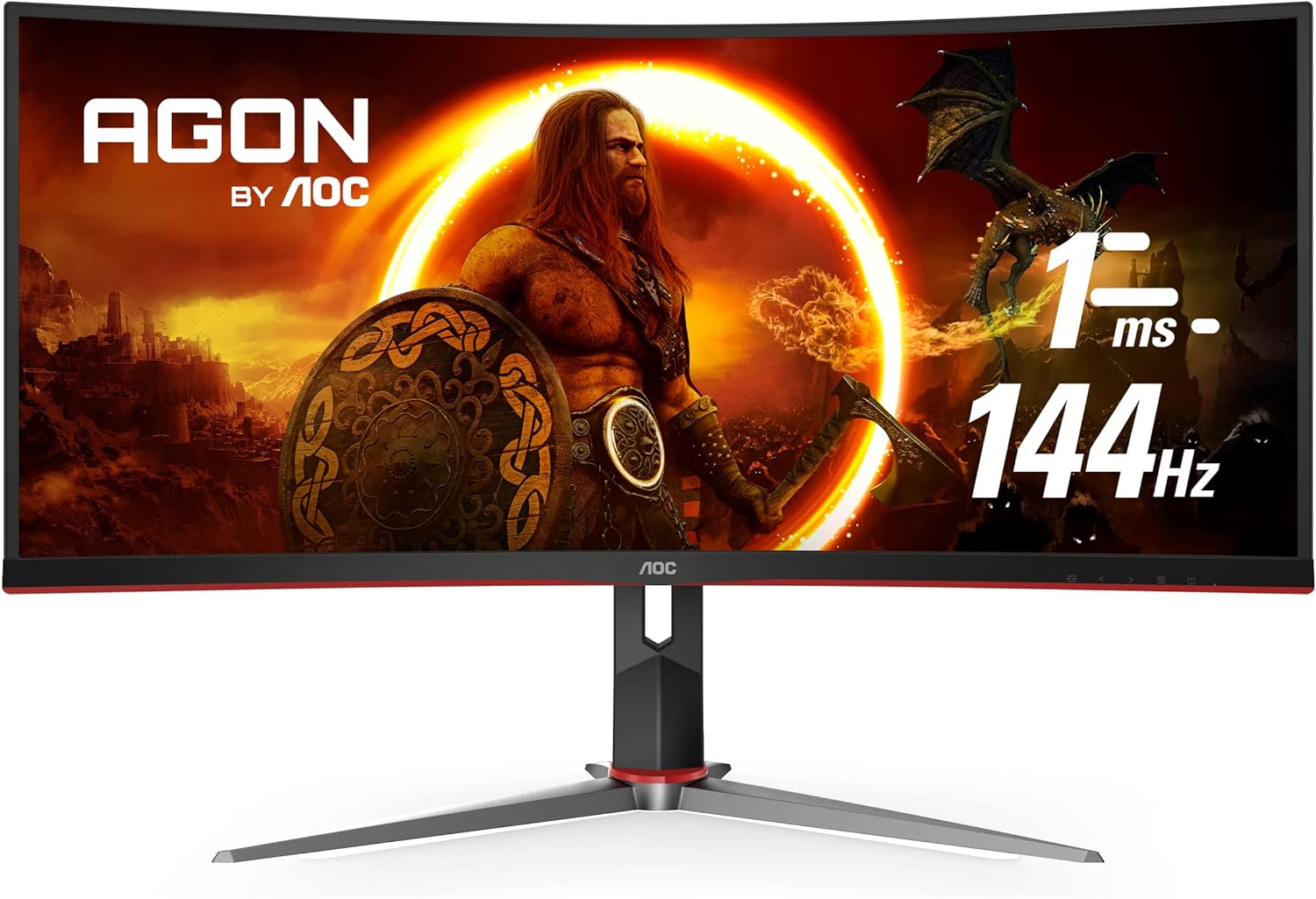
Finding a single monitor that bridges the gap between creative timeline management and responsive gaming often leads video editors, streamers, and vloggers to wide-aspect displays. The AOC CU34G2X 34 curved frameless monitor enters this conversation by pairing a panoramic 21:9 visual field with high-performance refresh speeds, presenting an attractive option for users seeking extensive desktop real estate without resorting to cumbersome dual-display arrangements. While built under a gaming moniker, its broad resolution and stated color coverage make it a compelling candidate for multi-track editing software, audio mixing panels, and daily creative tasks.
To help you decide if this display aligns with your desk environment, this review examines its panel performance, resolution scaling, real-world productivity capabilities, motion fluidity, and ergonomic adjustability. We assess how the curved profile influences timeline navigation and color-critical choices, while detailing where the hardware excels and where its specific display technology requires practical compromises.
What You Get With the AOC CU34G2X

Unboxing the display reveals a package built around an ultra-wide form factor and dedicated support hardware designed for quick desk deployment.
- AOC CU34G2X 34-inch class ultra-wide curved monitor panel
- Height-adjustable stand with tilt and swivel ergonomics
- Aggressive 1500R curvature profile for wraparound visibility
- Adaptive-Sync variable refresh rate integration
- AOC Re-Spawned warranty featuring 3-year zero-bright-dot coverage
- 3-year advance replacement support
- 1-year one-time accidental damage protection
Key Specifications
Understanding the hardware foundation helps contextualize how the monitor behaves across demanding creative software suites and high-speed motion tasks.
| Feature | Specification |
|---|---|
| Screen Size and Aspect Ratio | 34 inches (34-inch viewable), 21:9 ultrawide |
| Native Resolution | UltraWide QHD 3440 x 1440 pixels |
| Display Panel Type | VA (Vertical Alignment) LCD |
| Curve Radius | 1500mm (1500R) |
| Refresh Rate | 144Hz |
| Response Time | 1ms (MPRT) |
| Color Gamut Coverage | Over 115% sRGB, 98% Adobe RGB area coverage |
| Viewing Angles | 160 degrees |
| Dynamic Contrast Ratio | 80,000,000:1 |
| Power Consumption | 37 Watts |
| Physical Dimensions and Weight | 31.82″ W x 20.79″ H x 9.34″ D, 4.7 kg |
Desktop Space and Real-World Productivity
The primary draw of an ultrawide canvas lies in uncluttered software arrangement, and deploying the AOC CU34G2X for video editing completely transforms your workspace. Operating at a native 3440 x 1440 resolution across a 34-inch diagonal gives editors roughly thirty-three percent more horizontal space than a standard 16:9 Quad HD panel. In non-linear editing programs such as DaVinci Resolve or Adobe Premiere Pro, this allows you to stretch an entire twenty-minute timeline horizontally without constantly zooming or dragging scroll bars, while still keeping bin structures, audio track meters, and color wheels open in dedicated utility docks.
For day-to-day office coordination and web production, AOC CU34G2X productivity shines when managing side-by-side browser windows, full-size spreadsheets, and communication panels simultaneously. Creators handling script drafting alongside asset libraries can place three distinct standard-width documents on the screen without horizontal clipping. Unlike dual-monitor setups that force a plastic bezel seam directly into your central line of sight, this continuous ultrawide workspace provides seamless lateral transitions. If your desk cannot accommodate the sheer width of a 34-inch curve, standard 16:9 screens such as the AOC Gaming Q27G41ZE provide a more compact footprint, though you trade away the continuous multi-panel timeline layout.
The pixel pitch of 0.23175 mm delivers crisp typography and UI scaling, ensuring that fine digital audio workstation tracks, small plugin knobs, and project bin labels remain legible without requiring OS-level interface scaling. Having high information density without UI blurriness means you can keep preview playback windows scaled up while maintaining instant visual access to timeline markers and cut points, streamlining the entire post-production pass.
Visual Performance and Color Fidelity for Creators
Color presentation on the AOC CU34G2X VA panel is anchored by an expansive gamut range, rated at over 115% sRGB and 98% Adobe RGB area coverage. For digital creators publishing content directly to YouTube, Vimeo, or standard web platforms, full sRGB coverage ensures that videos, thumbnails, and graphic elements retain accurate tone and saturation levels across viewing devices. The deep blacks characteristic of vertical alignment engineering provide substantial contrast depth, enabling editors to spot shadow noise, uneven black levels, and ambient lighting flaws in footage that often wash out on traditional entry-level panels.
While the AOC CU34G2X color accuracy metrics show solid wide-gamut coverage on paper, the physical nature of VA architecture introduces distinct creative considerations. Vertical alignment crystals can exhibit subtle gamma and saturation shifts when viewed off-axis, reflected in the monitor’s 160-degree viewing angle specification. The integrated 1500R curve helps counteract this behavior by angling the outer edges of the screen directly toward your eyes, keeping colors uniform across the central viewing sweet spot. However, if multiple clients or collaborators sit beside you to review color grades, those viewing the panel from extreme angles may perceive slight variations in shadow depth and midtone warmth.
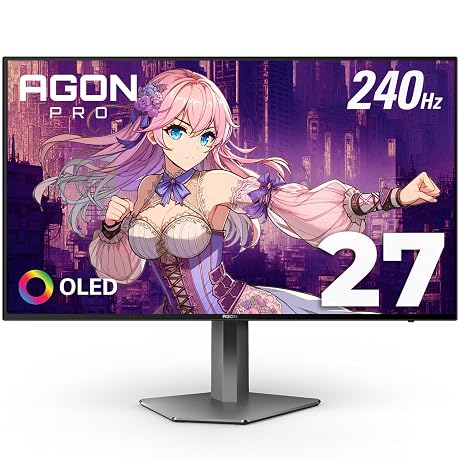
Built-in firmware tools including Game Color, Shadow Control, and Color Enhancement can be adjusted through the on-screen display to dial in visibility. Creators should note that dynamic settings intended for competitive gaming visibility can artificially lift black values or oversaturate midtones, so keeping these enhancements turned off or neutrally balanced is essential when cutting footage or processing stills. Those demanding reference-grade color stability across wide angles often consider flat or specialized OLED options like the AOC AGON PRO AG276QZD, but for standard social video production, this ultrawide panel provides dependable visual fidelity once properly dialed in.
High Refresh Rate and Motion Handling Across Applications
Motion performance is an area where this hybrid monitor excels, combining an AOC CU34G2X 144Hz ultrawide refresh rate with a rapid 1ms MPRT response time. In standard creative workflows, the benefits of a 144Hz refresh rate are immediately evident in interface smoothness. Panning across intricate vector artwork, dragging high-resolution video clips across timeline layers, and moving dense audio clips across digital audio mixer tracks feels exceptionally responsive. This high frame throughput eliminates cursor judder and window trailing, reducing visual fatigue during long late-night editing sessions.
Adaptive-Sync integration ensures the display synchronizes smoothly with your graphics card output, preventing frame tearing and stutter. When previewing 60 frames-per-second project timelines, gameplay recordings, or high-frame-rate b-roll captures, the fluid motion allows editors to evaluate motion blur, frame drops, and stabilization artifacts with acute precision. There is no distracting judder introduced by the display itself, ensuring that what you see during timeline playback accurately mirrors your rendered output.
When the editing day finishes, these high-speed specifications make the monitor equally capable for competitive and immersive gaming. Titles rendered in 21:9 wrap around your peripheral vision, while 144Hz pacing and Adaptive-Sync maintain tearing-free visuals during high-speed action. For hobbyist creators who produce gameplay walk-throughs, capture internal b-roll, or simply unwind with immersive simulators, having 144Hz speed built into a wide editing canvas eliminates the need for separate displays dedicated to productivity and play.
Workspace Setup and Physical Integration
Planning an efficient AOC CU34G2X workflow setup requires considering the physical dimensions of an expansive 34-inch chassis. Measuring 31.82 inches wide and 20.79 inches tall with a depth of 9.34 inches on its stand, the monitor demands an intentional desk footprint. The 1500R curvature pulls the horizontal perimeter closer to the operator, which actually reduces the desk width needed compared to a completely flat 34-inch monitor. This curvature also minimizes excessive neck rotation, letting you scan from the primary preview monitor on the left to secondary bin panels on the far right with simple eye movements.
The included stand features dedicated height adjustability, allowing you to align the upper third of the screen with your natural eye line to support upright posture during long cutting sessions. Tilt and swivel mechanisms provide fine adjustments to manage room reflections, especially given the screen’s glossy finish. Weighing 4.7 kg, the panel is light enough to mount securely to standard aftermarket monitor arms if you wish to reclaim desk surface space underneath the chassis for audio interfaces, macro pads, or color grading control surfaces.
Aesthetically, the display utilizes a 3-sided frameless bezel design accented with subtle black and red detailing. The slim borders maximize available visual space, making the screen blend cleanly into modern studio desks. For users working with even larger spatial footprints, alternatives like the ASUS ROG Strix XG32WCS offer alternative curved configurations, but this AOC model strikes a balanced middle ground between expansive horizontal coverage and practical desktop management with its modest 37-watt power consumption.
Is the AOC CU34G2X Worth It
Evaluating whether the AOC CU34G2X is worth it comes down to how your daily computer time is divided between timeline production and interactive entertainment. For video editors, vloggers, podcasters, and productivity-focused professionals, the combination of a 3440 x 1440 resolution, vast 21:9 timeline breadth, and 98% Adobe RGB color gamut coverage provides immense utility. It effectively replaces messy dual-screen setups with a unified, high-refresh display that streamlines multi-tasking across complex post-production suites.
However, users whose work revolves entirely around high-end broadcast color grading, print publishing, or multi-seat studio reviews should weigh the panel characteristics carefully. The 160-degree viewing angle of the VA panel means critical color evaluation must always be conducted from directly in front of the screen to avoid subtle contrast and tone shifts. If your workflow requires extreme off-axis viewing consistency, an IPS display or a premium OLED alternative like the LG UltraGear 39 OLED curved gaming monitor may prove more appropriate despite differences in physical footprint and panel care requirements.
For independent creators, hybrid remote workers, and gaming hobbyists who want an expansive, fluid, and immersive workspace, this monitor hits a sweet spot of functional utility. Backed by solid warranty protection—including three years of zero-bright-dot coverage and a year of accidental damage protection—it stands as a capable and reliable cornerstone for any dynamic content creation desk.
FAQ
Is the AOC CU34G2X suitable for professional video editing?
Yes, the AOC CU34G2X for video editing performs admirably thanks to its 3440 x 1440 resolution and ultrawide 21:9 aspect ratio. The broad horizontal canvas allows editors to keep extended timelines, audio tracks, and source bins open simultaneously without window crowding or constant zooming.
What color spaces does the AOC CU34G2X cover?
According to the official manufacturer specifications, the AOC CU34G2X color accuracy is supported by over 115% sRGB gamut coverage and 98% Adobe RGB area coverage, making it well-suited for web-based video production, photography, and standard digital content creation.
How does the 1500R curvature affect timeline work?
The 1500R curve matches the natural arc of human peripheral vision, bringing the outer corners of the 31.82-inch wide screen equidistant to your eyes. This enhances immersive focus and reduces the neck strain typically associated with scanning across flat ultrawide monitors.
Does the 144Hz refresh rate benefit non-gaming creative tasks?
Yes, running the AOC CU34G2X 144Hz ultrawide refresh rate provides noticeable fluidity across daily desktop operations. Timeline scrubbing, high-frame-rate video preview playback, and rapid window navigation exhibit zero judder, contributing to lower eye fatigue during extensive editing workflows.
Can I adjust the physical height of the monitor on its standard stand?
The included stand features height adjustability along with tilt and swivel settings. This allows users to position the display at an ergonomic eye level without requiring an immediate aftermarket mounting arm.
What is the warranty coverage provided with this monitor?
The display includes AOC’s Re-Spawned warranty package, which provides 3-year zero-bright-dot coverage, 3-year advance replacement support, and a 1-year one-time accidental damage protection guarantee.