As Amazon Associates, we earn from qualifying purchases. This means we may receive a small commission at no extra cost to you if you click through and make a purchase.
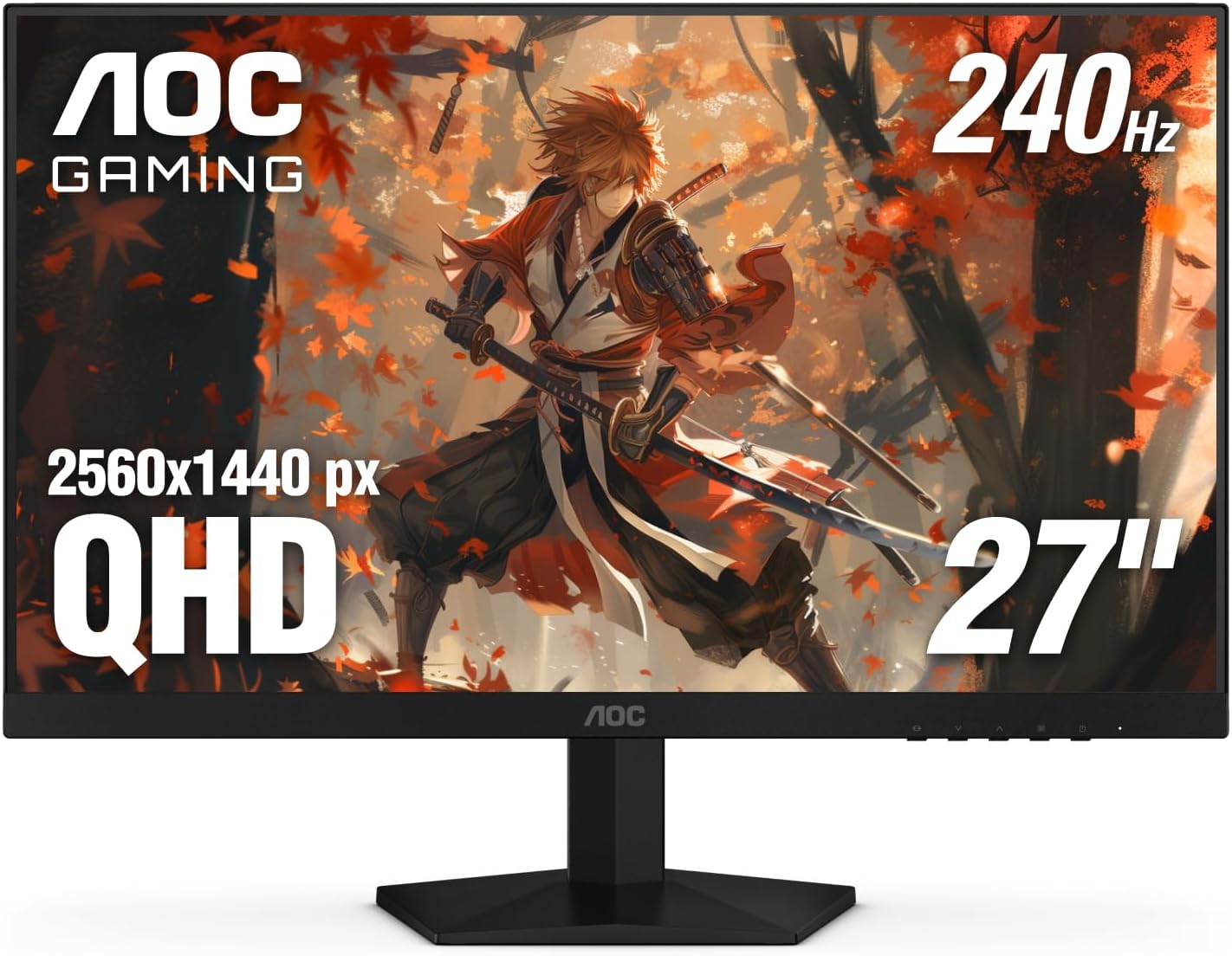
Choosing the right desktop display often forces creative professionals and competitive gamers to pick sides between fluid responsiveness and reliable image reproduction. The AOC Q27G41ZE addresses this split by combining a 2560×1440 Quad HD resolution with an ultrafast 240Hz refresh rate on a 27-inch IPS panel. For creators who produce video content by day and grind competitive multiplayer shooters by night, this display targets the sweet spot where high pixel clarity meets tournament-level speed. You get the crisp detail necessary to manipulate complex multi-track timelines alongside the instant motion response required to track fast targets without distracting motion blur.
In this in-depth review, we evaluate whether this gaming monitor truly satisfies the rigorous demands of a modern creator workflow. We will explore the technical capabilities of the panel, examine its color rendering and brightness limits, break down the 240Hz motion handling, and assess how its physical stand and port layout fit into your editing desk. By looking closely at the hardware specifications, everyday usability, and real functional compromises, this guide helps you determine whether this monitor delivers the speed and precision your workstation requires.
What You Get With the AOC Q27G41ZE
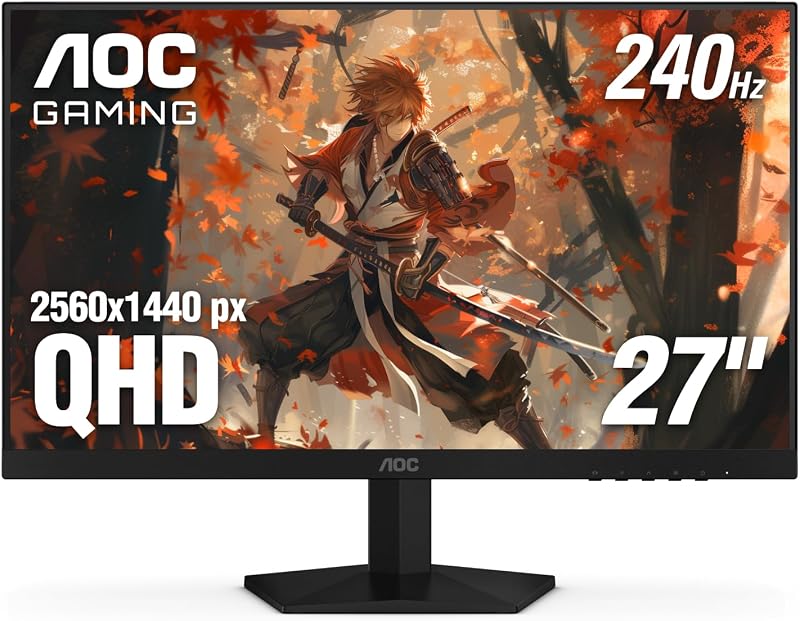
The AOC Q27G41ZE arrives with an esports-inspired package focused on high-speed visual output, wide-angle viewing consistency, and essential desktop integration. AOC equips this display with a dedicated feature set that balances gaming optimization with day-to-day visual clarity, giving users direct control over their picture settings right out of the box.
- 27-inch QHD display delivering 2560×1440 Quad HD native resolution on an IPS panel with wide viewing angles
- Fast 240Hz refresh rate via DisplayPort 1.4 connection, alongside a 260Hz overclocked mode noted in the listing
- Ultra-responsive 0.3ms MPRT response time engineered to suppress visual trailing and ghosting in fast action
- Adaptive-Sync support compatible with both NVIDIA and AMD graphics hardware to prevent screen tearing and stutter
- Tilt-adjustable mounting stand offering an angle adjustment range from -3 degrees to +21 degrees
- Integrated image tools including Shadow Control, Game Mode presets, and an intuitive graphical on-screen display menu
- Visual comfort technologies including a hardware Blue Light Filter and Flicker-Free backlight technology for prolonged sessions
- Versatile input suite featuring one DisplayPort 1.4 port, two HDMI 2.0 connections, and an integrated audio output jack
- Three-sided frameless chassis styling sporting a modern textured black and red gaming exterior finish
Key Specifications
| Specification Attribute | Hardware Detail |
|---|---|
| Screen Size and Aspect Ratio | 27 inches, 16:9 widescreen format |
| Native Resolution | 2560 x 1440 pixels (Quad HD) |
| Display Panel Technology | In-Plane Switching (IPS) LED backlight |
| Screen Surface Finish | Glossy |
| Native Refresh Rate | 240 Hz (via DisplayPort) |
| Response Time | 0.3 ms MPRT |
| Static Contrast Ratio | 1000:1 |
| Peak Brightness | 300 cd/m² |
| Physical Video Connectivity | 1x DisplayPort 1.4, 2x HDMI 2.0, 3.5mm audio out |
| Physical Dimensions and Weight | 7.46 inches D x 24.17 inches W x 17.7 inches H, 6.15 kg |
Visual Fidelity and Color Accuracy in Daily Editing
For video editors, vloggers, and digital graphic artists, the baseline requirement of any display is clean pixel structure and stable viewing geometry. The 2560×1440 resolution spread across a 27-inch screen size yields approximately 108 pixels per inch, which hits an optimal balance between desktop real estate and sharpness without requiring heavy operating system interface scaling. In a production suite like Adobe Premiere Pro or DaVinci Resolve, this canvas size lets you keep multiple audio tracks, scopes, and preview windows open comfortably without crowding your timeline. The aoc q27g41ze ips panel maintains consistent chromatic saturation and luminance even when viewing the screen off-axis, preventing the color shifting that often plagues standard VA or TN panels during collaborative client reviews.
Evaluating aoc q27g41ze color accuracy requires understanding its targeted standard dynamic range output. The manufacturer specifications cite a standard 1000:1 static contrast ratio paired with a 300-nit maximum brightness level, delivering punchy SDR performance for standard web and social video workflows. While it does not offer the deep ink-like black depths seen on high-end self-emissive displays like the aoc agon pro ag276qzd, its IPS architecture avoids the aggressive automatic brightness limiting and pixel burn-in hazards that require constant babysitting during static editing sessions. The listing notes a glossy screen finish, which helps colors pop and preserves perceived clarity, though it requires intentional room lighting placement to manage ambient reflections in bright studio spaces.
Using the aoc q27g41ze for video editing gives creators direct control over their canvas through the graphical on-screen display menu. AOC incorporates quick-access settings and customizable picture modes, enabling users to calibrate saturation, contrast, and black-level reproduction to match their specific export targets. The inclusion of Shadow Control allows editors working on dark footage to selectively lift shadow information during the cutting stage without washing out mid-tones, making it easier to spot clipping or noise in dark grading scenarios before applying final color balance.
High-Refresh Speed and Gaming Performance
When work concludes and competitive gaming begins, the aoc q27g41ze 240hz performance elevates your gameplay to tournament-grade smoothness. Refreshing four times faster than a standard 60Hz office monitor, the 240Hz ceiling dramatically reduces frame latency and transforms pointer and camera movements into seamless fluid sweeps. The aoc q27g41ze response time is rated at a remarkable 0.3 milliseconds MPRT, which practically eliminates the trailing ghost artifacts that often blur fast-moving opponents during rapid flick shots in first-person shooters. Gamers transitioning from 144Hz setups will immediately perceive the heightened tracking precision in titles like Apex Legends, Counter-Strike 2, or Valorant.
To ensure this exceptional speed remains clean under shifting frame rates, the display integrates robust Adaptive-Sync support designed to cooperate seamlessly with both AMD FreeSync and NVIDIA graphics environments. Screen tearing and frame stuttering occur when your graphics card outputs frames out of lockstep with the monitor’s refresh cycles, but Adaptive-Sync synchronizes both components dynamically across the refresh window. While ultrawide alternatives such as the aoc cu34g2x 34 curved frameless provide greater horizontal peripheral vision for simulation titles, the standard 16:9 QHD format of this model avoids fish-eye distortion and keeps high-refresh rendering accessible to a broader range of midrange gaming graphics cards.
AOC reinforces the gaming capabilities of this monitor with low input lag processing and dedicated hardware Game Mode presets tailored for first-person shooters, racing, and real-time strategy games. Switching between presets allows players to instantly favor fast response profiles, adjust black equalization via Shadow Control to reveal players hiding in dark corners, and toggle on-screen reticles. This makes the aoc gaming q27g41ze gaming monitor a formidable esports tool that does not sacrifice everyday visual resolution to achieve its competitive edge.
Ergonomic Adjustments and Workspace Integration
Desktop ergonomic flexibility is a vital consideration for creators who spend ten to twelve continuous hours sitting in front of their workstation. The included stand of the AOC Q27G41ZE features tilt adjustment ranging from -3 degrees downward to +21 degrees upward, allowing you to angle the screen surface toward your natural eye level. However, a significant functional trade-off in the stock hardware is the absence of height adjustment, swivel rotation, or vertical pivot capabilities. Users who require extensive height changes to achieve optimal posture will need to rely on a desktop riser or separate mounting hardware.
Aesthetically, the monitor showcases a sleek three-sided frameless design complemented by a textured black and red finish that lends an aggressive modern style to any creator desk. The slim bezels make this display particularly attractive for side-by-side dual monitor configurations, minimizing the visual seam when placing two displays together to span editing timelines and communication apps. If you demand extensive out-of-the-box ergonomic adaptability like height and pivot alongside top-tier display hardware, alternatives such as the samsung odyssey g6 oled offer more comprehensive multi-axis stands, though they cater to different design priorities and panel classes.
Long editing sessions and extended gaming marathons also place sustained stress on vision, which is addressed through integrated eye-care features. The monitor incorporates certified Flicker-Free backlighting to eliminate imperceptible high-frequency flickering that causes subconscious eye fatigue and tension headaches. Combined with an integrated Blue Light Filter that reduces harsh high-energy blue wavelengths during late-night production runs, the screen supports sustained visual comfort without introducing drastic color distortion during general computing tasks.
Display Connectivity and Hardware Compatibility
Connecting your production and entertainment gear to the monitor is straightforward, thanks to its versatile rear input layout. The panel provides one DisplayPort 1.4 input and two HDMI 2.0 ports, allowing you to link your primary video editing PC and secondary devices such as a gaming console or a streaming capture rig simultaneously. It is important to note that achieving the maximum 240Hz refresh rate at 2560×1440 native resolution requires connecting via DisplayPort 1.4, as HDMI 2.0 bandwidth caps high-refresh output at lower frequencies or compressed color subsampling. A 3.5mm audio out port is also provided to route digital audio from your HDMI or DisplayPort stream directly to powered desktop speakers or studio monitors.
In multi-system studios where creators switch between a dedicated editing workstation and a personal laptop, the triple video input array simplifies cable management and reduces the need for external switchers. While modern creator displays sometimes include USB-C power delivery or built-in USB hubs, the listing does not specify any onboard USB hub functionality or Type-C video input on this specific model. Consequently, mobile creators using laptops will need to connect using standard HDMI or DisplayPort cables or utilize an appropriate docking station to interface with the display at full bandwidth.
Is the AOC Q27G41ZE Worth It
When deciding if the display fits your specific creative and entertainment requirements, your primary focus should be on your performance balance. This aoc gaming q27g41ze review highlights an outstanding hardware solution for users who actively split their time between high-definition content creation and competitive fast-twitch multiplayer gaming. Delivering 1440p resolution alongside a blistering 240Hz refresh rate and a responsive IPS panel, it eliminates the need to maintain two separate monitors for work and play. The visual clarity and color stability provided by the IPS matrix handle YouTube video production, graphic asset design, and photo manipulation with dependable confidence.
At the same time, potential buyers should recognize where this monitor makes hardware compromises. If your daily workflow is heavily centered on high-end HDR mastering, cinema grading, or broadcast color verification, the 300-nit peak brightness and 1000:1 contrast ratio will not replace a dedicated professional reference grading monitor. Furthermore, the stock stand’s limitation to tilt-only movement means ergonomic enthusiasts will likely want to budget for an aftermarket monitor arm to achieve full height and rotation flexibility. Evaluating the comprehensive aoc q27g41ze specs reveals that AOC invested heavily in core visual speed and panel clarity rather than unnecessary chassis luxuries.
Ultimately, determining whether the is aoc q27g41ze worth it comes down to versatility and execution. For esports enthusiasts who create gaming content, live stream their matches, or edit high-action videos, this monitor combines tournament-tier responsiveness with a clean, color-stable Quad HD canvas. It provides an exceptional hybrid foundation that maximizes productivity during the workday and dominates the competition when game night arrives.
FAQ
Does the AOC Q27G41ZE support 240Hz over HDMI?
The AOC Q27G41ZE reaches its full native 240Hz refresh rate at 2560×1440 resolution primarily through its DisplayPort 1.4 connection. The two HDMI 2.0 ports provide broad compatibility for secondary PCs and gaming consoles, but the HDMI 2.0 standard does not carry enough bandwidth to push uncompressed 1440p resolution at 240Hz. For competitive gaming at maximum refresh speeds, you should always connect your graphics card using the DisplayPort cable.
Can the AOC Q27G41ZE be used for color-accurate video editing?
Yes, the display is well suited for standard digital video editing, web media production, and online content workflows. Its IPS panel technology ensures consistent color rendering across wide viewing angles without gamma shifting, while the 2560×1440 Quad HD resolution provides ample desktop space for editing timelines. However, because it features a standard 1000:1 contrast ratio and 300 nits of brightness, high-end professional HDR color grading will require specialized mastering equipment.
Does the AOC Q27G41ZE feature built-in speakers?
The listing does not specify internal stereo speakers for the monitor. It does, however, include a dedicated 3.5mm audio output jack, which enables you to pass audio signals originating from your DisplayPort or HDMI connections directly out to your desktop speakers, studio monitors, or wired headphones for clean monitoring.
What ergonomic adjustments does the AOC Q27G41ZE stand support?
The factory stand included with the AOC Q27G41ZE supports tilt adjustments ranging between -3 degrees forward and +21 degrees backward. The manufacturer specifications do not indicate support for height adjustment, swivel, or pivot rotation on the stock stand, meaning users seeking full articulation may wish to mount the display on a compliant monitor arm.
Is the AOC Q27G41ZE compatible with NVIDIA G-SYNC?
The monitor is engineered with Adaptive-Sync technology and explicitly highlights NVIDIA G-SYNC compatibility in its product information. This allows both NVIDIA GeForce and AMD Radeon graphics card owners to synchronize display refresh rates with their GPU frame output, effectively eliminating screen tearing and reducing input lag during intense gaming sessions.