As Amazon Associates, we earn from qualifying purchases. This means we may receive a small commission at no extra cost to you if you click through and make a purchase.
Content creators, video editors, and 3D artists looking to build a reliable production rig require hardware that balances sustained throughput with thermal stability. The ASUS TUF Gaming RTX 5080 represents an ambitious desktop solution built on NVIDIA Blackwell architecture, engineered specifically for heavy rendering pipelines, real-time visual effects, and high-resolution timeline playback. If you are questioning whether this card provides the right combination of reliability, thermal headroom, and display connectivity for a professional studio environment, the specifications and cooling design suggest a card that takes production stability seriously.
In this technical evaluation, we break down the hardware engineering, physical dimensions, power demands, and workstation viability of this graphics card. You will learn how its cooling system handles long export cycles, whether its footprint fits into standard creator chassis, how its multi-display video interfaces integrate into multi-monitor editing suites, and what kind of power infrastructure you need to deploy it safely.

What You Get With the ASUS TUF Gaming RTX 5080
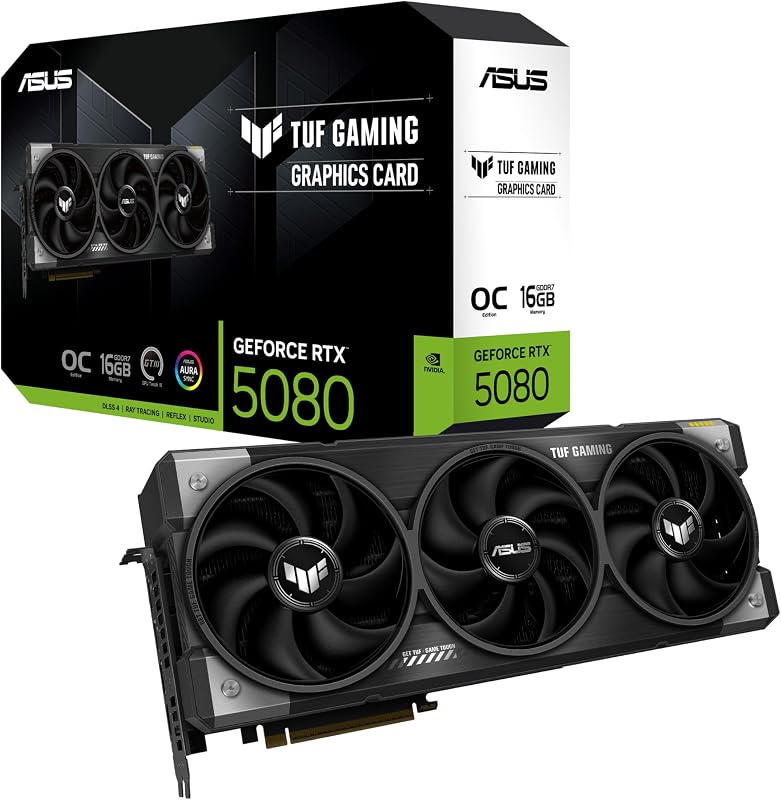
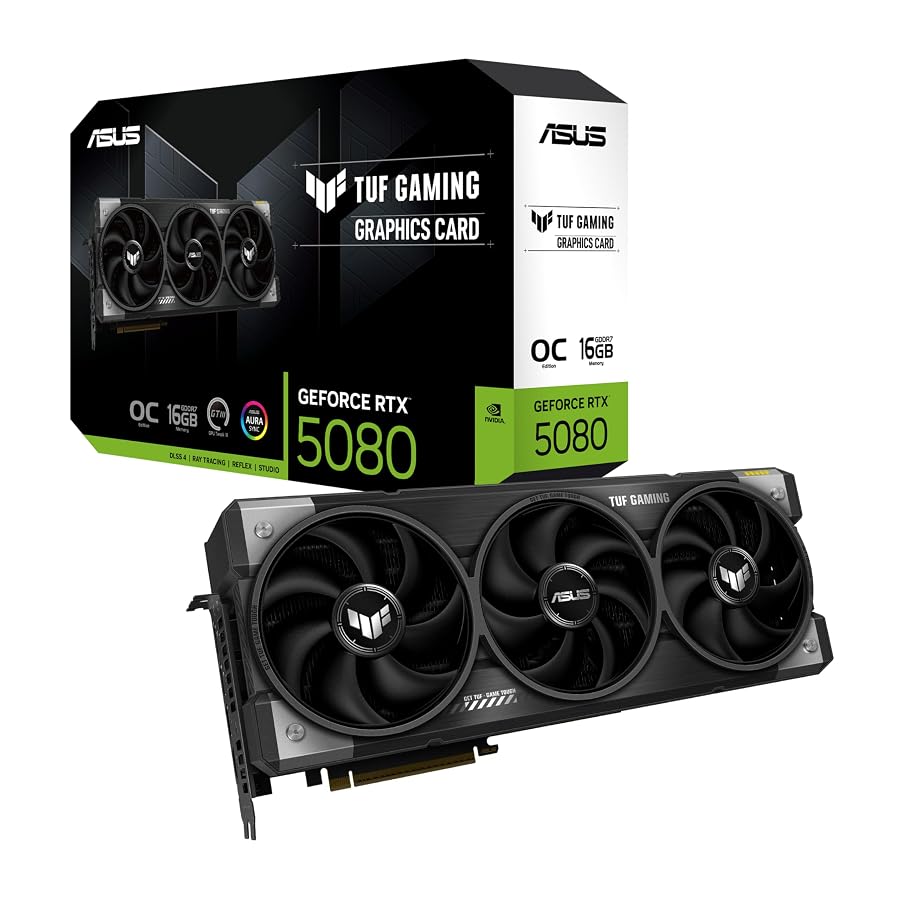
ASUS packages the TUF-RTX5080-O16G-GAMING with hardware essentials designed to simplify installation and protect both the card and your motherboard against physical strain during demanding studio operations.
- ASUS TUF Gaming GeForce RTX 5080 16GB GDDR7 OC Edition graphics card
- TUF Graphics Card Holder designed to brace the card against slot sag
- TUF Magnet for mounting and positioning convenience
- TUF Velcro Hook and Loop cable ties for clean workstation cable routing
- Protective PCB coating that shields surface components from dust, debris, and moisture
- Axial-tech triple-fan cooling system integrated into a 3.6-slot heatsink array
- Phase-change GPU thermal pad designed for long-term thermal endurance under continuous loads
- User setup and quick-start documentation
Key Specifications
| Hardware Feature | Manufacturer Specification |
|---|---|
| Graphics Processor | NVIDIA GeForce RTX 5080 (Blackwell Architecture) |
| Video Memory | 16 GB GDDR7 |
| Boost Clock Speed | 2700 MHz (Default Mode) / 2730 MHz (OC Mode) |
| Memory Clock Speed | 2730 MHz |
| Bus Interface | PCI Express x16 (PCIe 5.0) |
| Card Dimensions | 13.7 inches (348 mm) Length x 5.7 inches (144.8 mm) Width |
| Slot Profile and Weight | 3.6 Slots, 4.3 lbs |
| Display Connectivity | 3x Native DisplayPort 2.1a, 2x Native HDMI 2.1b |
| Maximum Resolution | 7680 x 4320 (8K Ultra HD) |
| Power Supply Requirement | Minimum 850W with 16-pin 12V-2×6 (12VHPWR) connector |
Physical Clearance and Workstation Chassis Integration
Evaluating the rtx 5080 tuf gaming dimensions is an essential first step before purchasing this card for any video editing or production tower. Measuring 348 millimeters (13.7 inches) in length and 144.8 millimeters (5.7 inches) in width, this card occupies substantial internal volume. Workstation builders utilizing mid-tower enclosures must verify that front-mounted liquid cooling radiators, reservoir mounts, or front intake fan arrays do not collide with the leading edge of the shroud.
Beyond its length, the 3.6-slot profile presents severe spatial consequences for secondary add-in expansion cards. Creative professionals frequently depend on PCIe slots for dedicated audio capture devices, Blackmagic DeckLink SDI interface cards, or 10GbE network adapters. Installing this GPU effectively obstructs four physical motherboard brackets. If your workstation motherboard positions secondary PCIe slots directly adjacent to the primary x16 slot, you will lose access to those lanes entirely. Creators moving up from smaller dual-slot cards like the asus tuf rtx 4060 need to plan motherboard layout carefully to avoid blocking critical peripherals.
Physical weight is another factor workstation editors must account for when building their machine. At 4.3 pounds, the card puts notable mechanical leverage on the motherboard PCIe slot. ASUS includes a dedicated TUF Graphics Card Holder in the packaging specifically to counteract this physical downward torque. Utilizing this support bracket is strongly recommended to prevent long-term structural deformation of the PCIe connector during workstation transport or continuous thermal cycles.
Thermal Dissipation and Fan Noise in Creative Environments
Acoustic performance is critical in creative suites where video editors and vloggers monitor audio tracks or record voiceovers in the same room as their primary rendering tower. The asus tuf rtx 5080 cooling noise is managed by three enlarged Axial-tech fans blowing downward across a massive fin array. The heatsink assembly takes full advantage of the 3.6-slot thickness, offering a large surface area that allows heat dissipation without forcing the fans to run at maximum acoustic thresholds during moderate timeline navigation.
A distinctive technical highlight found in the asus tuf gaming rtx 5080 specs is the transition to a phase-change GPU thermal pad. Traditional thermal paste compounds often dry out, crack, or suffer from thermal pump-out after thousands of hours of high-temperature compute cycles. The phase-change material softens under operational heat to bridge the microscopic gaps between the silicon die and the cold plate, maintaining thermal conductivity and consistency across years of intensive exports without needing routine repasting maintenance.
ASUS also incorporates its Auto-Extreme automated manufacturing technology to eliminate manual soldering variance and ensure solid structural integrity across the internal components. For studio engineers who demand customized fan profiles, the card interfaces directly with ASUS GPU Tweak III software. This utility allows creators to configure custom temperature thresholds, tie fan curves to specific workflow profiles, and monitor thermal readings without interfering with background creative tasks.
Multi-Display Connectivity and Video Editing Pipelines
Video production environments require flexible monitor layouts, ranging from high-refresh UI monitors and timeline views to dedicated color-calibrated client displays. Choosing the asus tuf rtx 5080 for video editing gives creators an expansive set of native physical ports on the rear bracket. Unlike reference designs that offer a sparse port layout, ASUS includes three native DisplayPort 2.1a connections alongside two native HDMI 2.1b connections.
The inclusion of asus tuf rtx 5080 displayport 2.1 connectivity ensures forward-looking compatibility with modern high-bandwidth studio monitors. DisplayPort 2.1a provides the bandwidth necessary to drive ultra-high refresh rate 4K displays and native 8K displays up to a 7680 x 4320 resolution without visual compression artifacts. Editors running complex DaVinci Resolve or Adobe Premiere Pro setups can comfortably direct separate feeds to a high-refresh timeline monitor, a bin management display, and an external reference monitor simultaneously.
Workstation builders who do not require this maximum tier of multi-port display density or extreme rendering headroom often look toward mid-tier options such as the rtx 5070 tuf gaming, but the dual native HDMI ports on this 5080 model eliminate the need for flaky DisplayPort-to-HDMI active adapters when connecting directly to client-viewing OLED televisions or hardware calibration units.
Power Demands and Heavy Rendering Workloads
Deploying this GPU inside an enterprise-grade rig requires strict adherence to power supply guidelines. The asus tuf rtx 5080 power supply requirements demand a minimum 850W power supply equipped with a native 16-pin 12V-2×6 (12VHPWR) connector. Creators upgrading older workstations must verify that their power delivery system provides this exact connector rather than daisy-chaining multiple traditional 8-pin PCIe cables through unverified third-party adapters. Ensuring clean, steady power delivery prevents sudden system shutdowns during peak hardware utilization.
Under heavy workloads, the card leverages the NVIDIA Blackwell architecture to accelerate complex compute tasks. The integration of 16 GB of high-speed GDDR7 memory marks an architectural leap forward, offering immense memory bandwidth that accelerates rtx 5080 gddr7 creator performance across heavy tasks. When working with raw 6K and 8K video timelines, noise reduction plugins, and complex neural rendering filters, high memory speed prevents pipeline stalls and dropped frames during real-time timeline scrubs.
For 3D visualization and VFX workstations, rtx 5080 16gb rendering throughput provides ample local frame buffer capacity for detailed geometry and texture mapping in Blender, Cinema 4D, or Unreal Engine. ASUS incorporates military-grade components and power delivery chokes designed to endure prolonged compute stress. Additionally, the protective PCB coating shields internal circuitry from airborne dust, humidity, or studio debris that can accumulate in production facilities over years of operation. While balanced production setups might balance budgets around a 5070 ti asus prime, the structural durability and power delivery of this TUF model target uninterrupted continuous rendering.
Check ASUS TUF Gaming RTX 5080 on Amazon
Is the ASUS TUF Gaming RTX 5080 Worth It
Determining whether this GPU suits your workflow comes down to physical space, power supply readiness, and the complexity of your daily production pipelines. If your workstation regularly crunches through multi-stream 8K raw video, heavy 3D scene rendering, or complex generative visual effects, the asus tuf gaming rtx 5080 workstation reliability, phase-change thermal interface, and massive GDDR7 bandwidth provide serious real-world utility that speeds up turnaround times.
Conversely, creators working within compact mini-ITX cases, small studio enclosures, or setups that rely on several PCIe expansion cards may find the 3.6-slot thickness and 13.7-inch length entirely prohibitive. In such situations, the physical clearance compromises outweigh the hardware benefits. If you are debating is asus tuf gaming rtx 5080 worth it for a general 1080p or lightweight 4K vlogging setup, the card represents far more hardware than those lighter workloads can realistically utilize.
For commercial editors, 3D animators, and visual artists who own a spacious ATX chassis and an 850W power supply, this graphics card provides a robust, rock-solid foundation engineered for endurance under sustained rendering workloads.
FAQ
What power supply do you need for the ASUS TUF Gaming RTX 5080?
The manufacturer recommends a minimum 850W power supply equipped with a 16-pin 12V-2×6 (12VHPWR) power connector. It is essential to ensure that your power supply natively supports this high-current connection standard before installation.
How many displays can the card drive simultaneously?
The card features five native output ports: three DisplayPort 2.1a ports and two HDMI 2.1b ports. It can output resolutions up to 7680 x 4320, providing extensive flexibility for multi-display studio setups and external client-monitoring screens.
Does the card come with an anti-sag bracket?
Yes, ASUS includes a dedicated TUF Graphics Card Holder in the box. Because the card weighs 4.3 pounds and spans 13.7 inches, using this bracket prevents motherboard PCIe slot strain over extended periods of use.
What is the advantage of the phase-change thermal pad?
Unlike conventional thermal paste that can dry out or migrate away from hot spots under repeated heating cycles, the phase-change thermal pad softens under operating temperatures to maintain consistent thermal contact and longevity under sustained export loads.
Will this graphics card fit into a compact mid-tower case?
The card measures 348 mm (13.7 inches) long and requires 3.6 expansion slots of clearance. You must carefully measure the distance between your rear chassis brackets and any front-mounted case fans or liquid cooling radiators to verify clearance before buying.