
As Amazon Associates, we earn from qualifying purchases. This means we may receive a small commission at no extra cost to you if you click through and make a purchase.
Selecting the right desktop monitor is one of the most critical hardware choices for visual creators, vloggers, and digital artists. The LG 27US500-W is aimed squarely at budget-conscious creative professionals who demand Ultra High Definition screen resolution without paying the steep premium often attached to specialized graphic arts monitors. Built around a 27-inch IPS panel that displays 3840 x 2160 pixels, this unit balances fine image definition, broad color coverage, and everyday desktop productivity features to serve editing suites, home studios, and mixed-use workspaces.
In this detailed LG UltraFine 27-inch review, we examine the real-world utility of this display for digital content production. We will walk through the core panel capabilities, analyze color coverage, test ergonomics and connectivity options, evaluate the software utility, and determine where this panel excels and where its hardware constraints show. Whether you are cutting video timelines, managing multi-window layout arrangements, or grading stills for online publishing, this guide details everything you should anticipate before making your purchase decision.
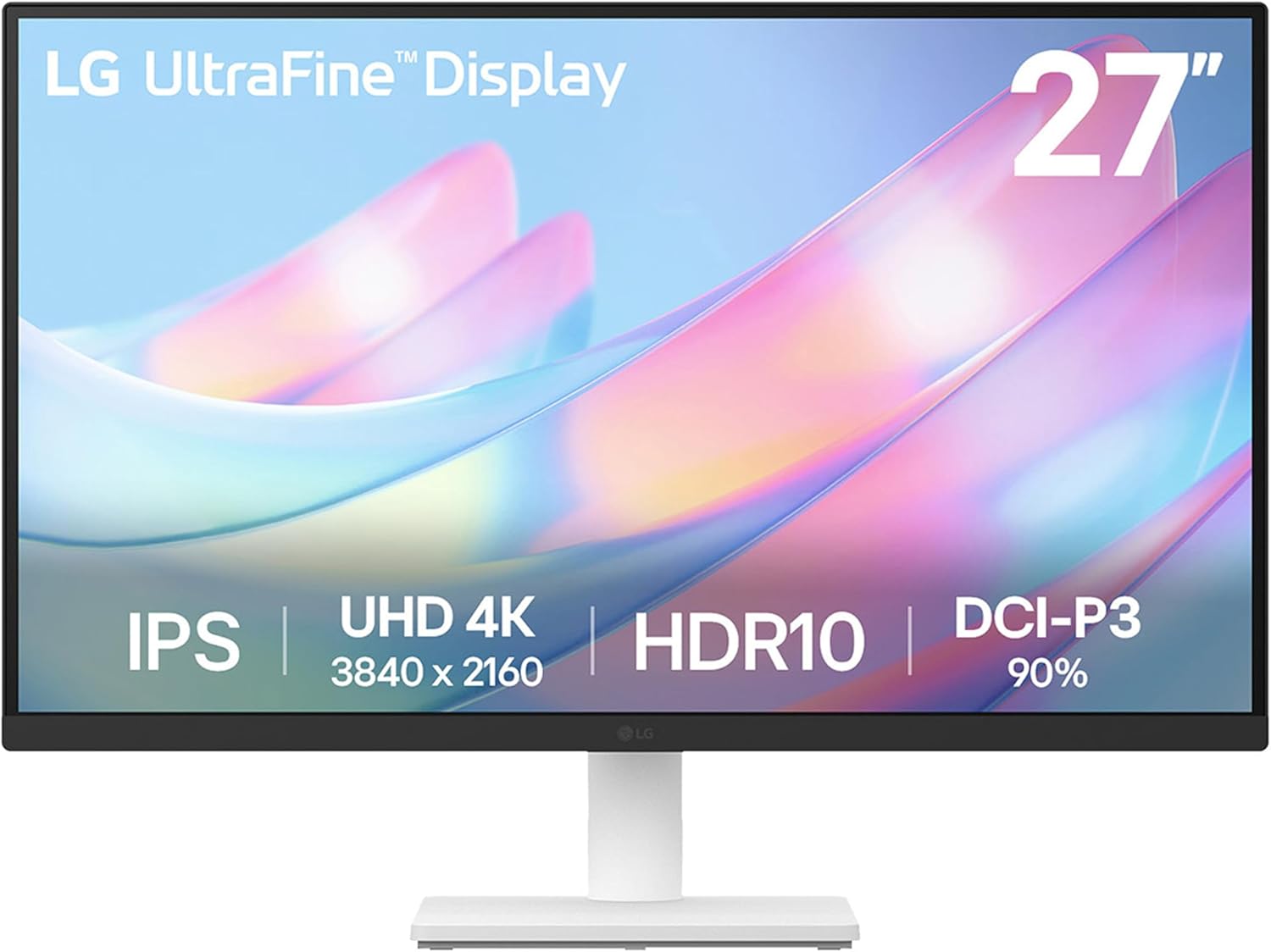
What You Get With the LG 27US500-W

The LG 27US500-W package provides the essential hardware components required to assemble the unit, set it up on a standard desk surface, and interface immediately with modern computer graphics outputs.
- LG 27US500-W 27-inch 4K UHD display panel with three-sided borderless frame
- Ergonomic stand body and matching stand base
- Mounting screws for stand attachment
- External power adapter
- HDMI cable
- Quick Start Guide
- Product registration card
- Manufacturer warranty documentation
- On-board viewing utilities including Reader Mode and Flicker Safe operation
- Support for LG OnScreen Control desktop software via download
Key Specifications
| Specification | Manufacturer Detail |
|---|---|
| Screen Size | 27 inches |
| Native Resolution | 4K UHD (3840 x 2160) |
| Panel Technology | In-Plane Switching (IPS) |
| Aspect Ratio | 16:9 |
| Refresh Rate | 60 Hz |
| Response Time | 5ms |
| Brightness | 300 cd/m² |
| Contrast Ratio | 1000:1 |
| Color Gamut Support | Up to 90% DCI-P3 |
| Viewing Angle | 170 degrees |
| Inputs | HDMI, DisplayPort |
| Power Consumption | 25 Watts |
| Dimensions (D x W x H) | 8.46 x 24.15 x 17.87 inches |
| Item Weight | 12.1 pounds |
Visual Fidelity and Color Performance for Digital Workflows
At the center of the display experience is the panel itself. The LG 27US500-W 4K IPS display delivers 3840 x 2160 pixels across a 27-inch diagonal surface. This translates to an approximate pixel density of 163 pixels per inch, providing exceptionally sharp text rendering, crisp UI elements, and detailed previews of high-resolution digital media. The matte finish diffuses ambient room reflections, allowing you to focus on your timeline or canvas without distracting glare from windows or overhead office lighting.
For creative users, color reproduction is a pivotal consideration. The published LG 27US500-W specs confirm coverage reaching up to 90% of the DCI-P3 color spectrum alongside a standard 1000:1 static contrast ratio. In practical terms, this wide color spectrum brings richer reds, greens, and secondary tones than basic sRGB office displays. While 90% DCI-P3 fulfills the demands of YouTube creators, web publishers, and social media producers, studio colorists mastering cinematic content for commercial release often require wider coverage. Evaluating LG 27US500-W color accuracy reveals a capable, vivid presentation that handles digital graphic assets and video grading with dependable fidelity for web distribution.
When evaluating LG 27US500-W HDR10 performance, it is helpful to understand the panel’s physical parameters. The monitor accepts and interprets HDR10 metadata, delivering richer visual tone mapping than standard dynamic range profiles. However, with a peak brightness rated at 300 cd/m² and a 1000:1 contrast ratio without local dimming zones, this screen functions as an entry-level HDR preview canvas rather than a professional mastering suite display. It allows editors to inspect HDR tags and baseline color distribution without pretending to replicate thousand-nit studio reference monitors.
Video Editing and Timeline Efficiency on a 27-Inch Canvas
Deploying the LG 27US500-W for video editing introduces notable workflow advantages over standard 1080p or 1440p monitors. In modern Non-Linear Editing software like DaVinci Resolve or Adobe Premiere Pro, screen real estate determines how many panels, bins, and tracks you can view concurrently. A native 4K UHD desktop lets you run a full 1080p preview monitor at pixel-for-pixel resolution while leaving abundant peripheral room for multi-track audio, color wheels, project directories, and scope windows.
To maximize this desktop area, LG 27US500-W OnScreen Control software allows users to split the display into organized multi-window layouts with a few clicks. This desktop utility eliminates tedious window resizing when managing research references, video transcripts, and file folders side by side. For editors who frequently shift between high-refresh gaming monitors like the dell 24 monitor – se2426h – 23.8-inch fhd (1920×1080) 144hz 1ms display, in-plane switching (ips) te and high-resolution creative hubs, the pixel density of this 4K screen proves vastly superior for timeline precision.
Motion clarity on this panel is anchored by a 60 Hz refresh rate and a 5ms response time. For video editors cutting at 24, 30, or 60 frames per second, a 60 Hz refresh rate aligns perfectly with your delivery frame rates. The broad 170-degree viewing angle preserves contrast and color uniformity when you lean back to review a cut or collaborate with a colleague sitting alongside your editing desk. Creative professionals who spend long hours reviewing assets will also appreciate the onboard Flicker Safe technology and Reader Mode, which ease visual fatigue during late-night cutdowns.
Ergonomics, Physical Footprint, and Desk Setup
Physical setup and workspace adjustment represent significant considerations when outfitting an editing room. The LG 27US500-W features an all-white enclosure paired with a three-sided borderless bezel that gives the front face a modern, uncluttered appearance. Measuring 24.15 inches wide and 17.87 inches high on its stand, the monitor fits neatly on compact desks without dominating available surface space. At 12.1 pounds including the base, it remains relatively light and manageable during assembly.
The included ergonomic stand focuses on simplicity, offering forward and backward tilt adjustment so you can angle the panel toward your line of sight. However, the listing does not specify height adjustment, swivel, or pivot capabilities for this stand. If your ideal posture requires elevating the display to eye level or pivoting into portrait orientation for coding or vertical video formatting, you may need a separate monitor riser or an aftermarket arm. The assembly process is straightforward, using the provided screws to join the stand body, base, and screen panel securely.
Power delivery is handled by an external power adapter, contributing to a modest power consumption rating of 25 watts during operation. The slim frame borders make the screen an appealing candidate for dual-monitor arrangements where visual continuity between displays matters. Users seeking smaller companion panels for secondary chat or browser windows often compare these dimensions against compact units like the lg 24u411a-b 24-inch 120hz 1080p ips to build a tiered, multi-screen desk layout.
Connectivity and Daily Workspace Integration
The input layout of the LG 27US500-W includes both HDMI and DisplayPort inputs, facilitating straightforward connections to desktop workstations, editing rigs, and external docks. The package includes an HDMI cable to get you running immediately, while users planning to interface via DisplayPort will need to supply their own cable as the listing does not include one in the box. Both video inputs support native 3840 x 2160 resolution at 60 Hz, ensuring smooth cursor movement and playback performance across your primary operating systems.
While the hardware inputs handle core video signals reliably, it is worth noting what the rear panel omits. The listing does not specify integrated USB Type-C connectivity with power delivery, USB pass-through hubs, or onboard audio speakers. Laptop creators looking to charge their machines over a single unified cable will need to continue relying on their existing laptop power bricks or dedicated dock systems. Audio monitoring must similarly be routed through your host computer or dedicated audio interface.
For hybrid creators who divide their time between digital content production and PC gaming, picking the right display requires balancing pixel clarity against refresh rates. Displays like the samsung odyssey g50d 27 cater to players prioritizing high frame rates and motion response, whereas this LG model targets visual creators whose primary objective is sharp 4K image geometry and dependable color fidelity. Incorporating this screen into your workspace establishes a dedicated, high-density visual workspace that treats color rendering and asset organization as top priorities.
Is the LG 27US500-W Worth It
Determining whether the LG 27US500-W is worth it comes down to the specific demands of your everyday production workflow. For freelance video editors, vloggers, photo retouchers, and graphic designers seeking an accessible entry point into 4K UHD resolution, this display delivers outstanding utility. Its sharp IPS panel, 90% DCI-P3 color gamut, clean aesthetic, and low 25-watt power footprint offer exceptional value for creative desks that need sharp visual verification without inflating overhead costs.
On the other hand, users with specialized requirements should weigh its hardware boundaries carefully. The 60 Hz refresh rate will not satisfy competitive gamers who want high-framerate motion, and the 300 cd/m² maximum brightness paired with standard edge lighting means high-end HDR color grading remains outside its operational scope. Furthermore, buyers requiring extensive stand adjustments like height and pivot will need to supplement the included tilt-only mount with third-party desk accessories.
As a dedicated LG 27US500-W creator monitor, this unit succeeds by concentrating on what digital editors use most: crisp 3840 x 2160 pixel clarity, stable IPS viewing angles, dependable wide color coverage, and seamless workspace customization through OnScreen Control. If your creative work centers on video production for the web, digital photo grading, and detailed visual publishing, this screen serves as a practical, reliable desktop centerpiece.
FAQ
Does the LG 27US500-W include built-in speakers?
The listing does not specify integrated speakers on the LG 27US500-W. Creators and video editors should plan to use external desktop monitors, studio headphones, or their computer’s built-in audio outputs for sound monitoring.
Can the factory stand adjust for height?
The included ergonomic stand features tilt adjustment to adjust the vertical viewing angle, but the listing does not specify height adjustment, swivel, or pivot capabilities.
What cables are supplied in the product box?
The package includes an HDMI cable alongside the external power adapter. A DisplayPort cable is not listed among the included accessories, so you will need to purchase one separately if your workstation requires that connection.
How do you install and use LG OnScreen Control?
The OnScreen Control software is available via download from the Support section on LG.com. Once installed on your operating system, it enables screen splitting and direct adjustment of basic display settings using your mouse.
Is this monitor suitable for color-critical photo grading?
With 90% DCI-P3 color gamut expression, an IPS panel, and a 1000:1 contrast ratio, the monitor delivers dependable color performance for digital photography, social content, and web-bound video projects. However, critical print work demanding full Adobe RGB coverage or hardware-level calibration will require higher-tier specialized graphic art panels.


