As Amazon Associates, we earn from qualifying purchases. This means we may receive a small commission at no extra cost to you if you click through and make a purchase.
Creative professionals and digital editors often face a difficult trade-off between desk space and compute power when configuring their workspaces. The Minisforum UM890 Pro Barebone directly addresses this challenge by providing a compact platform equipped with the 8-core AMD Ryzen 9 8945HS processor, leaving system memory, solid-state storage, and the operating system open for custom configuration. Choosing a barebone system allows video creators, audio producers, and 3D animators to build a workstation tailored to their exact workload demands rather than paying for bundled components that might not match production needs.
This comprehensive Minisforum UM890 Pro Barebone review examines how this miniature desktop integrates into demanding creative environments. We explore the architectural limits of its integrated AMD Radeon 780M graphics, thermal stability under extended timeline rendering, memory bandwidth capabilities, quad-monitor workflow potential, and how the onboard OCuLink connection unlocks desktop-class graphical performance through an external GPU enclosure.

What You Get With the Minisforum UM890 Pro Barebone
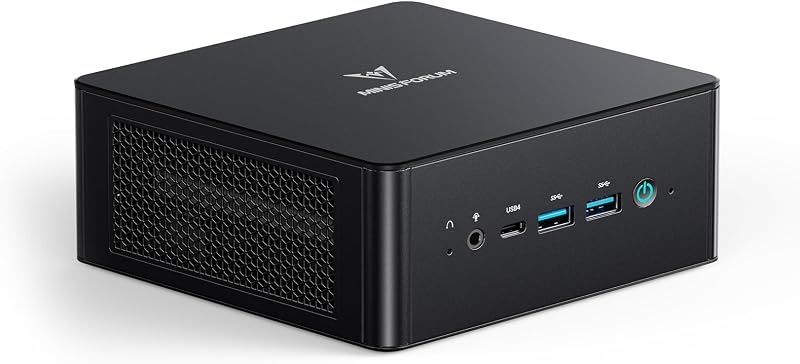
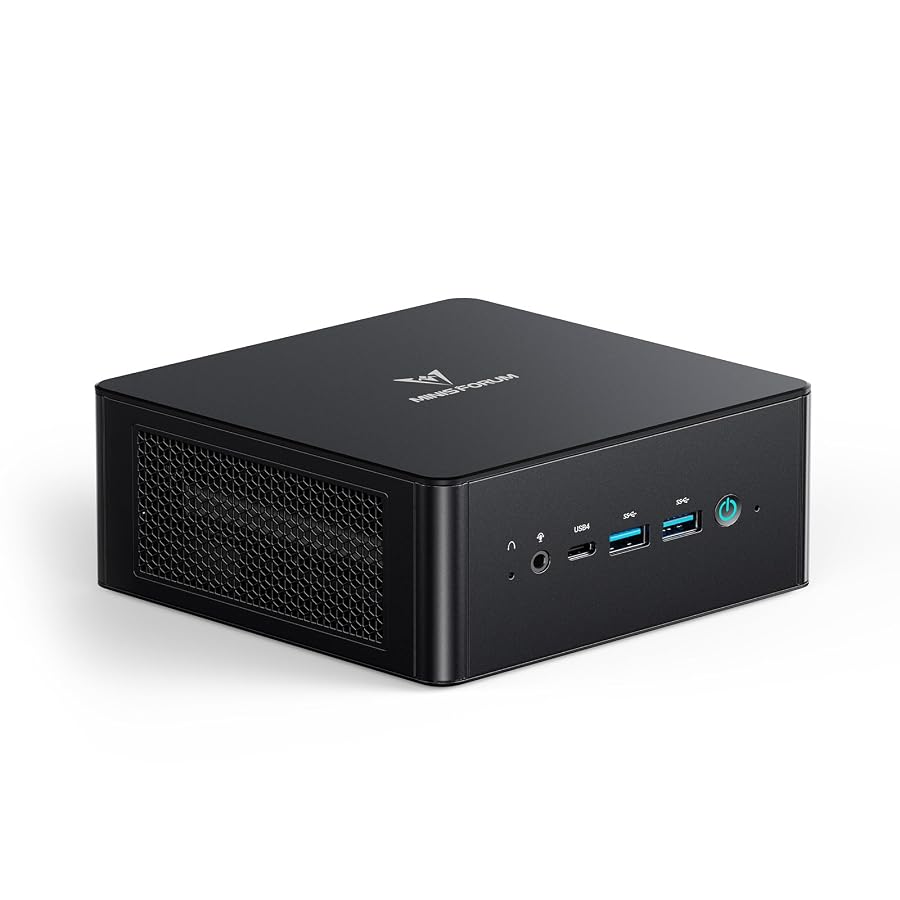
The Minisforum UM890 Pro Barebone arrives as a minimalist modular chassis pre-fitted with the core processing silicon, cooling hardware, and input-output controllers, requiring you to supply and install your own DDR5 memory modules, M.2 solid-state drives, and operating system.
- AMD Ryzen 9 8945HS processor with 8 cores, 16 threads, 16 MB L3 cache, and clock speeds reaching up to 5.2 GHz
- Integrated AMD Radeon 780M graphics processor operating at frequencies up to 2,800 MHz
- Cold Wave 2.2 cooling system engineered with two 8mm heat pipes, high-density offset fan blades, active DDR and SSD heatsink cooling, and liquid gold thermal material
- Two SODIMM DDR5 memory slots supporting dual-channel memory speeds up to 5600 MHz and capacities up to 96 GB
- Two M.2 2280 PCIe 4.0 SSD slots supporting rapid removal and cumulative storage arrays up to 8 TB
- High-speed OCuLink expansion port engineered for external graphics connectivity and certified for the MINISFORUM DEG1 eGPU dock
- Dual 2.5G RJ45 Ethernet ports for high-throughput wired local network environments and network-attached storage links
- Quad-display video output capabilities via one HDMI 2.1 port, one DisplayPort 1.4 port, and two full-function USB4 ports supporting 8K at 60Hz and 4K at 144Hz
- Comprehensive front and rear peripheral connectivity including four USB 3.2 Gen2 Type-A ports, an audio jack, a digital microphone, and a hardware Clear CMOS button
- Integrated TPM chip supporting baseline hardware-level platform security
Key Specifications
| Attribute | Detail |
|---|---|
| Processor | AMD AI Ryzen 9 8945HS (8 Cores, 16 Threads, up to 5.2 GHz, 16 MB L3 Cache) |
| Graphics Coprocessor | AMD Radeon 780M Integrated Graphics (up to 2,800 MHz) |
| Memory Support | Dual-channel DDR5 SODIMM, up to 5600 MHz, expandable up to 96 GB |
| Storage Expansion | 2 x M.2 2280 PCIe 4.0 SSD slots, expandable up to 8 TB |
| External GPU Port | 1 x OCuLink port (requires one M.2 slot, non-hot-swappable, DEG1 dock compatible) |
| Video Output Interfaces | 1 x HDMI 2.1, 1 x DisplayPort 1.4, 2 x USB4 (Quad 8K at 60Hz / 4K at 144Hz) |
| Networking | Dual 2.5G RJ45 Ethernet LAN |
| USB Interfaces | 2 x USB4 (Alt PD, 65-100W PD input, 15W PD output), 4 x USB 3.2 Gen2 Type-A |
| Cooling Architecture | Cold Wave 2.2 System (Dual 8mm heat pipes, offset blade fan, active RAM/SSD fan, liquid gold) |
| Security | TPM chip and basic hardware-level security |
Thermal Management and Sustained Creator Performance
Thermal stability dictates whether a compact desktop can maintain high clock speeds across long export queues or throttle down under pressure. The Minisforum UM890 Pro cooling architecture relies on the Cold Wave 2.2 cooling system, which combines two thick 8mm high-performance heat pipes with a high-density offset blade fan. Rather than relying on traditional silicone thermal paste, the processor utilizes liquid gold cooling material to pull heat away from the silicon die rapidly, ensuring the 8-core, 16-thread Ryzen 9 8945HS processor sustains its boost headroom when crunching multi-layered video timelines.
In addition to active cooling on the primary processor, the unit incorporates an active DDR and SSD heatsink fan directly above the memory and storage bay. High-speed solid-state drives and dense memory modules generate substantial ambient heat during high-bitrate video ingest and rendering tasks. Providing direct airflow over the expansion slots prevents memory throttling and protects NVMe drives from reaching safety cut-offs during prolonged file transfers, maintaining stable operations across extended studio sessions.
By engineering independent thermal pathways for both the computing silicon and the underlying add-in components, the minimalist black enclosure prevents heat soak. Editors working with high-framerate media or real-time effects can run sustained encoding batches without experiencing thermal drops in clock frequencies, solving one of the most persistent issues found in ultra-small workstations.
Memory Bandwidth and High Capacity Storage Expansion
Configuring a barebone workstation gives creators direct authority over system latency and read-write performance. The UM890 Pro DDR5 expansion capabilities allow you to install up to 96 GB of dual-channel SODIMM memory rated up to 5600 MHz. Having access to high-density DDR5 memory is critical for working with large project files in demanding video editing suites and complex motion graphics applications, where standard memory thresholds quickly become restrictive bottlenecks.
Storage flexibility is equally comprehensive thanks to dual M.2 2280 PCIe 4.0 SSD slots supporting up to 8 TB of combined capacity. Video editors requiring ultra-fast media scratch disks can populate the system with a premium high-speed drive like the samsung 990 pro to ensure that raw footage scrubs smoothly without dropped frames. The tool-friendly rapid removal design makes it straightforward to replace or upgrade storage drives as your project archives expand over time.
For creators managing immense digital asset libraries or long-form documentary footage on local drives, outfitting the secondary bay with high-capacity solutions such as the samsung ssd 9100 pro 8tb creates an exceptional all-in-one studio editing station. Having dual Gen4 NVMe slots inside a chassis this compact eliminates the constant need to juggle external portable drives during active edits.
Video Editing Workflows and OCuLink External GPU Expansion
The integrated AMD Radeon 780M graphics coprocessor runs at speeds up to 2,800 MHz and readily tackles everyday 4K editing, proxy workflows, and color corrections. However, heavy 3D rendering, noise reduction plugins, and complex visual effects often demand dedicated desktop-class GPU compute. Evaluating the UM890 Pro for video editing highlights a unique architectural advantage: the inclusion of a dedicated OCuLink port engineered specifically for external graphics docking.
Unlike standard external graphics setups that route through Thunderbolt or USB4 channels and encounter protocol translation latency, the UM890 Pro OCuLink eGPU connection provides a direct PCIe connection with higher effective bandwidth. The interface is specifically compatible with the MINISFORUM DEG1 eGPU dock, allowing creators to tether full-size desktop graphics cards to the mini PC. This hybrid approach delivers the compact footprint of a mini PC for daily office work while unlocking desktop workstation rendering muscle when docked in the studio, serving as a versatile alternative to monolithic configurations like a mac mini 64gb ram workstation.
Prospective builders must consider one essential trade-off when planning an eGPU deployment: utilizing the OCuLink port requires one of the two internal M.2 2280 PCIe 4.0 SSD slots. Furthermore, the listing explicitly notes that the OCuLink port does not support hot swapping, meaning that external graphics enclosures must be securely connected before powering on the desktop. If you choose to run an external graphics card, your internal storage will be constrained to a single M.2 NVMe slot.
Studio Monitor Layouts and Peripheral Connectivity
Multi-tasking across timeline monitors, color grading scopes, script drafts, and audio mixers requires substantial display real estate. The UM890 Pro quad display setup supports up to four independent screens simultaneously by combining one HDMI 2.1 port, one DisplayPort 1.4 port, and two high-speed USB4 ports. The system handles maximum display resolutions up to 8K at 60Hz or high-refresh 4K at 144Hz, enabling razor-sharp preview monitoring alongside high-refresh editing displays.
Connectivity extends beyond display output to address high-volume peripheral workflows. Dual 2.5G RJ45 Ethernet ports provide robust networking flexibility, allowing creators to allocate one port for studio internet access while dedicating the second 2.5G port to a direct high-speed link with a network-attached storage array. Four USB 3.2 Gen2 Type-A ports accommodate audio interfaces, control surfaces, card readers, and hard drives without requiring external expansion hubs.
The two onboard USB4 ports also support Alternate Power Delivery, accommodating 65W to 100W PD input as well as 15W PD output. This feature set lets you power accessories directly or streamline power delivery across compatible monitors and docking gear, while a dedicated front-panel Clear CMOS button ensures quick troubleshooting when testing memory timings or hardware configurations.
Check Minisforum UM890 Pro Barebone on Amazon
Is the Minisforum UM890 Pro Barebone Worth It
The Minisforum UM890 Pro Barebone delivers outstanding value for creators who possess existing PC components or want deliberate control over their workstation hardware. By decoupling memory, storage, and operating system licensing from the core purchase, this platform ensures you invest your budget exclusively in the exact DDR5 memory capacities and high-tier NVMe SSDs required for your creative workflow. The underlying 8-core AMD Ryzen 9 8945HS processor provides an abundance of processing speed for multitasking, rendering, and content production.
For editors who need modular graphics scalability, the integration of an OCuLink port paired with dual 2.5G networking makes this desktop a compelling choice. If your pipeline demands raw desktop GPU acceleration at your primary editing desk but prizes mobility and a minimal desk presence when working on location, pairing this barebone kit with an external dock provides flexibility that proprietary, sealed compact computers simply cannot match.
Conversely, if you prefer an unbox-and-play experience that includes pre-installed memory, factory-loaded operating systems, and plug-and-play simplicity without opening a chassis, a barebone configuration may introduce unwanted setup friction. However, for tech-savvy videographers, digital creators, and hobbyists looking to construct a high-performance, modular studio engine tailored to their exact specifications, the UM890 Pro stands out as an exceptionally capable modular foundation.
FAQ
Does the Minisforum UM890 Pro Barebone include memory, storage, or an operating system?
No. As a barebone system, the Minisforum UM890 Pro includes the chassis, motherboard, AMD Ryzen 9 8945HS processor, integrated AMD Radeon 780M graphics, and the Cold Wave 2.2 cooling system. You must separately purchase and install compatible DDR5 SODIMM memory, an M.2 2280 PCIe 4.0 SSD, and your choice of operating system.
Can the OCuLink port be hot-swapped while the system is powered on?
No, the OCuLink connection does not support hot swapping. You must connect your external GPU dock, such as the MINISFORUM DEG1, while the mini PC is completely powered down before booting up the system.
Does utilizing the OCuLink eGPU port affect internal storage capacity?
Yes. The listing notes that enabling the OCuLink port requires one of the two M.2 2280 PCIe 4.0 SSD slots. When an eGPU is connected via OCuLink, the computer utilizes one internal M.2 slot for the graphics connection, leaving one internal M.2 slot available for storage.
What is the maximum RAM capacity supported by the UM890 Pro?
The unit features dual-channel DDR5 SODIMM slots supporting speeds up to 5600 MHz and can be expanded up to a maximum capacity of 96 GB of system memory.
How many independent monitors can be connected to the UM890 Pro?
The system supports up to four independent displays simultaneously through its quad-display interface, utilizing one HDMI 2.1 port, one DisplayPort 1.4 port, and two USB4 ports, supporting resolutions up to 8K at 60Hz or 4K at 144Hz.
What cooling system does the UM890 Pro use to manage thermal loads?
The desktop utilizes the Cold Wave 2.2 cooling system, which features two 8mm high-performance heat pipes, a high-density offset blade fan, an active DDR and SSD heatsink fan, and liquid gold thermal material on the processor.


