
As Amazon Associates, we earn from qualifying purchases. This means we may receive a small commission at no extra cost to you if you click through and make a purchase.
Deciding whether the VuPoint Magic InstaScan fits your creative or field documentation workflow comes down to a clear requirement: the need to capture clean physical documents without tethering hardware to a workstation. If you are looking for an untethered way to digitize production notes, release forms, field sketches, and travel receipts on location, this battery-operated device delivers practical utility. Operating as a portable sheet feed scanner, it stores scans straight to removable storage, bypassing operating system handshakes and bulky desktop flatbeds. For creators managing paperwork across production sets, design tables, and remote offices, it provides an organized bridge between physical documentation and digital archives.
In this comprehensive VuPoint Magic InstaScan review, we examine what creators can expect from its image sensor, paper transport assembly, and file management system. We break down the real-world utility of its 900 dpi scanning capabilities, inspect the physical requirements of its auto-feed dock, evaluate its battery performance, and explain how the storage setup operates in production environments. By reviewing the exact manufacturer specifications, hardware dimensions, format selections, and software inclusions, this guide clarifies whether this standalone scanner earns a permanent spot in your mobile kit.
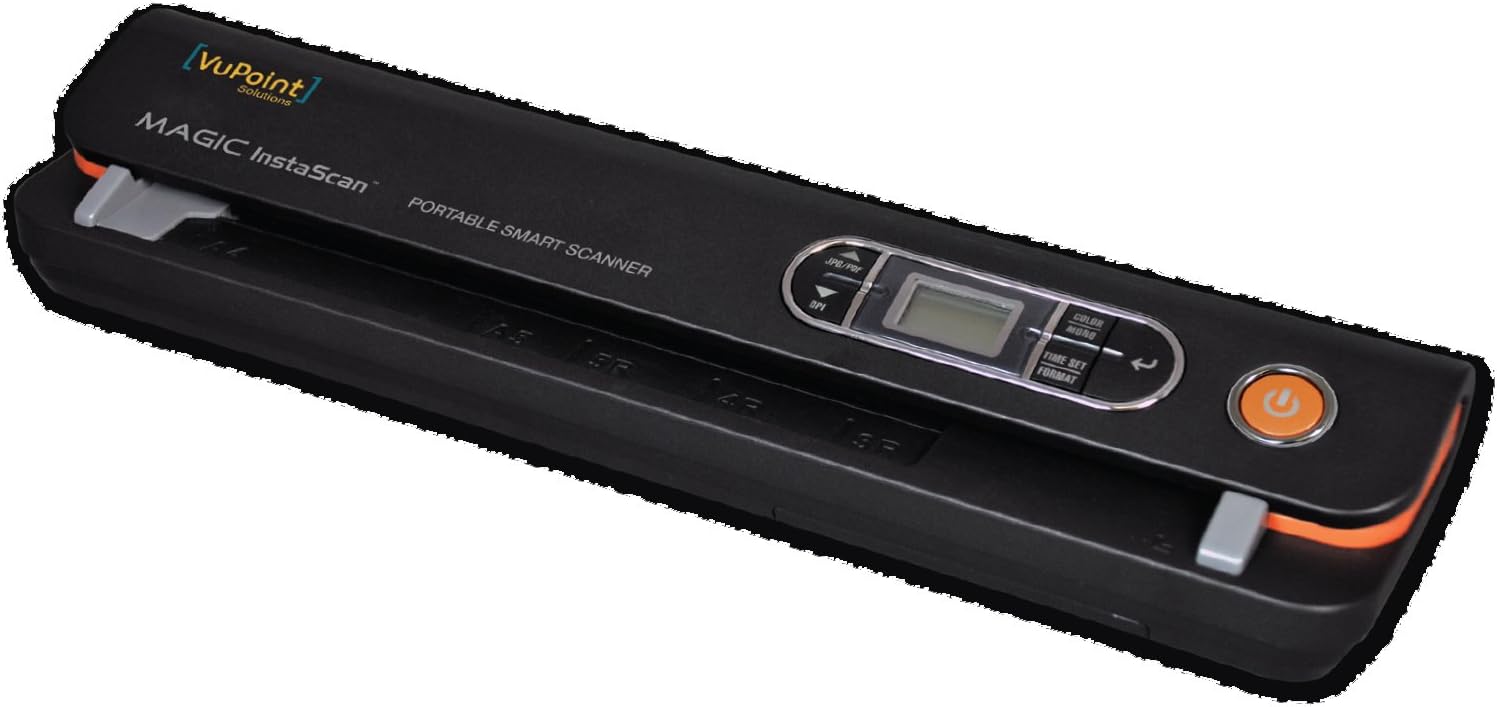
What You Get With the VuPoint Magic InstaScan
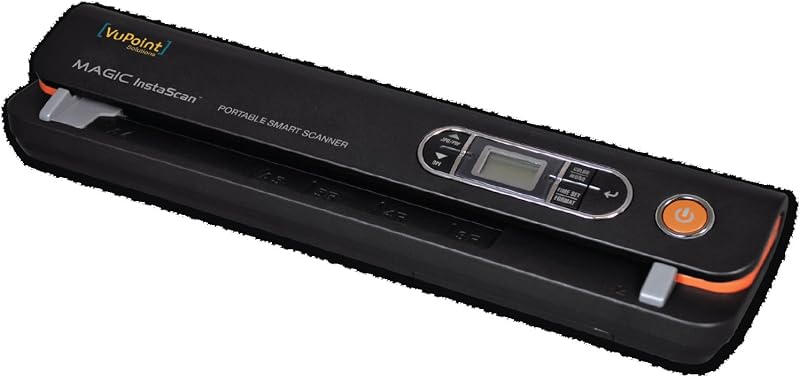
Opening the box reveals the core digitizing hardware and the essential power source required to initiate field archiving immediately, though users must supply their own digital storage media to begin capturing records.
- VuPoint Magic InstaScan handheld portable scanner base unit (model PDS-ST420-VP)
- Auto sheet feed docking mechanism with an integrated 10-sheet paper tray
- Four AA batteries to power mobile operation straight out of the box
- Standard USB connectivity cable for physical computer data transfer
- Nuance PaperPort 14 software download key for desktop document management
- Integrated slot supporting microSD and microSDHC memory cards up to 32GB
- Native system support for dual file outputs in either standard JPEG or PDF format
- Multi-resolution optical sensor capable of capturing media up to 900 dpi
Key Specifications
| Specification | Detail |
|---|---|
| Model Name | PDS-ST420-VP |
| Scanner Type | Document, auto sheet feed portable |
| Optical Resolution | Up to 900 dpi |
| Optical Sensor Technology | CCD, CMOS |
| Light Source | LED |
| Color Depth | 24 bits |
| Sheet Capacity | 10 sheets standard |
| Scanning Dimensions | 8.5 inches wide by up to 90 inches long |
| Supported Storage Media | MicroSD and microSDHC cards up to 32GB |
| Power Source | 4 x AA batteries (included) |
| Output File Formats | JPEG, PDF |
| Weight | 1.7 pounds |
| Minimum System Requirement | Windows 7 (for bundled software and USB) |
Standalone Scanning Workflow and Media Setup
A primary appeal of this hardware is its genuine freedom from desktop operating systems during the actual digitizing pass. Built as a standalone document scanner battery powered by four AA cells, the hardware performs document intake, optical conversion, and file generation without maintaining a live USB connection to a computer. When working on remote video sets, inventory audits, or off-grid client meetings, you do not need to boot up a laptop or wait for scanning utility drivers to load before archiving physical documents. You switch on the unit, feed your target page into the transport slot, and allow the internal processing engine to write the digitized asset directly to local storage.
Handling digital storage requires familiarizing yourself with the VuPoint Magic InstaScan SD card setup before heading into the field. The unit features an onboard memory card slot engineered to read and write to microSD and microSDHC cards up to a maximum capacity of 32GB. Because the memory card is not included in the standard retail package and must be purchased separately, users must obtain a compatible 32GB or smaller card prior to field deployment. Once inserted, the scanner routes all incoming page data directly into the directory structure of the card, ensuring your original captures remain intact without relying on cloud sync or desktop connections.
Offloading these captured files fits smoothly into modern file management routines, especially for mobile creators who rely on compact field gear. When you return to a workstation or transition to editing on mobile devices, you can extract the microSD card directly and connect it to a card reader paired with an apple ipad 13 pro to review contract scans, verify field notes, or share production releases with collaborators. Alternatively, creators who keep the scanner docked near a desk can connect the included USB cable to a computer running Windows 7 or later to read files straight off the internal memory card.
Image Quality and Sensor Performance
The internal imaging core combines CCD and CMOS optical sensor technologies with an energy-efficient LED light source to record documents with crisp contrast and reliable legibility. Operating as a VuPoint handheld scanner 900 dpi system, the unit offers selectable scanning fidelity so creators can balance visual precision against overall file size. The optical resolution reaches up to 900 dpi, delivering sharp edge clarity on printed text, architectural line art, detailed ink sketches, and financial paperwork where tiny figures must remain completely readable over long-term digital archiving.
Color fidelity is maintained through an internal 24-bit color depth pipeline, which translates to accurate recording of color photographs, graphic design proofs, highlighter annotations, and multi-colored receipts. The LED light source activates instantly across the document width without requiring the warm-up cycles associated with traditional desktop flatbed cold-cathode lamps. When configuring the VuPoint Magic InstaScan for documents containing sensitive layout details or varying ink tones, the sensor architecture captures clean tonal separation, ensuring that legal watermarks, colored stamps, and ballpoint signatures remain clearly distinguished from the background paper surface.
File versatility is reinforced by direct hardware support for two essential formats: JPEG and PDF. Utilizing VuPoint InstaScan PDF scanning allows users to produce immediate multi-use documents ready for client emailing or document archiving without running intermediate desktop conversion software. When digitizing illustrations, color swatches, or photographic prints, toggling over to standard JPEG preserves standard photographic image handling. The scanning width accommodates standard 8.5-inch letter documents while extending up to an impressive 90 inches in total length, making the scanner capable of handling continuous receipts, banner prints, or panoramic design layouts that physically cannot fit on standard flatbed glass platens.
Feeding Mechanism and Physical Handling
The physical layout of the device balances tabletop stability with compact transportability. Weighing in at 1.7 pounds, the unit remains substantially lighter and more manageable than motorized flatbed scanners, tucking neatly inside an equipment bag or backpack. While compact, it integrates an auto sheet feed mechanism featuring a standard sheet capacity of 10 pages. This automated motorized feed grabs paper smoothly from the top tray, pulling individual sheets evenly past the internal optical sensor array to maintain consistent feeding alignment without requiring manual dragging across a desk.
Because documents feed directly through a straight paper path rather than bending around high-radius internal drums, delicate line drawings and historical records suffer minimal mechanical stress during the scan cycle. For vloggers and solo operators managing mobile production kits alongside devices like the honor magic v6 foldable phone, having a dedicated physical document digitizer that takes up less desk area than a folded magazine keeps tight workspaces completely organized.
The dual capability of being used in handheld mode or connected through its automatic feed dock provides practical versatility depending on your scanning environment. In tight field situations where a flat surface might not be available, the core wand scanner can be deployed manually across books, mounted blueprints, or non-feedable surfaces. When stationary at a production desk, dropping the wand back into the docking station restores automatic sheet feeding convenience, allowing you to feed through a batch of 10 receipts or call sheets in sequence while you focus on production tasks.
Hardware Setup and Software Integration
Powering the scanner relies on four standard AA batteries, which VuPoint includes directly inside the package so you can deploy the hardware immediately upon unboxing. Using standard AA cells delivers a distinct operational advantage for traveling creators and field workers: you do not need to hunt for specialized charging bricks or proprietary wall outlets in remote environments. When batteries deplete during extended production runs or outdoor events, replacing them with readily available alkaline or rechargeable AA cells restores full functionality in seconds, eliminating prolonged downtime.
For desktop integration and organization, the package contains a software download key for Nuance PaperPort 14. According to the VuPoint Magic InstaScan specs, the minimum system requirement to run this software suite is Windows 7. PaperPort 14 serves as a comprehensive digital filing cabinet on your computer, enabling users to organize scanned PDFs, manage thumbnails, and assemble multi-page archives into cohesive project binders. The listing does not specify native macOS compatibility for this bundled software, meaning Apple users will interact with the device primarily as an external mass storage drive or handle file organization through native desktop tools.
Connectivity to external hardware is maintained via standard USB, allowing the device to bridge smoothly to desktop computers when you wish to extract files directly without removing the microSD card. Creators who prefer reviewing assets on tablets like an ipad air apple can integrate the scanner into their flow via external USB card adapters. The hardware operates with class compliance for storage access, ensuring that documents captured to the memory card can be imported, sorted, and sent into cloud storage across diverse computing setups without wrestling with specialized manufacturer drivers.
Check VuPoint Magic InstaScan on Amazon
Is the VuPoint Magic InstaScan Worth It
Determining whether the VuPoint Magic InstaScan is worth it hinges entirely on your need for mobile document intake and tether-free autonomy. If you are a field producer, traveling consultant, or remote creator constantly collecting physical media—such as talent release agreements, location permits, fuel slips, and storyboard sketches—this unit eliminates the friction of traditional scanning. Its self-contained power design, support for up to 90-inch long documents, and direct microSD recording mean you can execute reliable high-resolution archiving right at the point of activity without carrying a computer or hunting for an AC outlet.
On the other hand, the VuPoint PDS-ST420-VP may not suit users seeking an ultra-high-volume office workhorse. With a standard feed capacity capped at 10 sheets and a maximum microSD capacity ceiling of 32GB, businesses attempting to digitize multi-hundred-page archives in a single unattended sitting will find its mechanical throughput limiting. Furthermore, because users must purchase their own microSD card separately and the included PaperPort 14 software lists Windows 7 as its minimum operating baseline, those needing fully automated multi-platform desktop synchronization out of the box will face minor initial configuration steps.
Ultimately, the value of this hardware lies in its role as a dedicated, go-anywhere capture tool. For mobile professionals, solo video creators, and small business operators who prize a clean workspace and require an untethered, high-clarity 900 dpi document archive utility, the VuPoint Magic InstaScan fulfills its specific operational promise with efficiency, reliability, and minimal gear footprint.
FAQ
Does the VuPoint Magic InstaScan require a computer to scan documents?
No, the VuPoint Magic InstaScan functions as a completely standalone document scanner battery powered by four AA batteries. It digitizes documents and saves files directly to an onboard microSD or microSDHC card without needing any connection to a laptop or computer.
What kind of memory card does the scanner accept?
The scanner features a dedicated card slot that supports microSD and microSDHC memory cards with storage capacities up to 32GB. The listing notes that a memory card is required for operation but is not included in the retail box, so it must be purchased separately.
What file formats and resolutions are supported?
The scanner allows users to save digitized files in either standard JPEG or PDF formats. Its optical imaging sensor supports scanning resolutions up to 900 dpi, with a 24-bit color depth pipeline powered by an integrated LED light source.
What are the maximum document dimensions the scanner can handle?
The VuPoint Magic InstaScan accepts documents with a maximum width of 8.5 inches and can scan continuous documents up to 90 inches in length, making it suitable for standard letter paperwork as well as unusually long receipts, banners, and logs.
What software comes included with the scanner?
The device includes a download key for Nuance PaperPort 14 software to assist with desktop document management, organization, and archiving. The manufacturer listing notes Windows 7 as the minimum system requirement for running this software package.


