As Amazon Associates, we earn from qualifying purchases. This means we may receive a small commission at no extra cost to you if you click through and make a purchase.
Creators, freelancers, and remote professionals constantly balance real-time communication with the cognitive drain of manual note-taking. The HiDock H1 Lite targets this exact friction point by serving as a dedicated conference speakerphone, hardware call recorder, and automated transcription interface. If you are debating whether this unit is the right addition to your desk, the short answer is that it dramatically simplifies conversation archiving by routing audio capture directly through local hardware rather than clunky virtual recording bots. It bridges the gap between traditional speakerphone hardware and automated documentation, giving you direct control over your meeting archives across USB-C desktop configurations.
Navigating this device means understanding both its physical audio design and its software backend. In this hidock h1 lite review, we will examine the device’s technical specifications, hardware layout, and unique BlueCatch wireless audio routing. We will also explore how the HiNotes AI meeting notes software processes voice files into organized action items, assess its fit for multi-device workspaces, and evaluate whether this dedicated audio hub earns permanent desk space in your production workflow.

What You Get With the HiDock H1 Lite

The HiDock H1 Lite ships with the core accessories needed to establish a wired desktop connection and begin capturing audio right out of the packaging.
- HiDock H1 Lite hardware unit
- USB C-to-C cable for host connectivity
- Quick start guide for setup and software pairing
- Integrated 360-degree ECM microphone
- BlueCatch earbud recording architecture
- Access to HiNotes automated AI meeting notes and transcription
- 18-month manufacturer warranty
Key Specifications
| Specification Attribute | Listing Detail |
|---|---|
| Brand | HiDock |
| Manufacturer | Sugr Technology Hong Kong Limited |
| Model Part Number | HD1LS100 |
| Hardware Interfaces | Bluetooth 5, USB 3.0 Type C |
| Microphone Form Factor | Built-In 360-Degree ECM Microphone |
| Microphone Operation Mode | Mono |
| Compatible Devices | Personal Computer, Laptop, Bluetooth Earphone |
| Battery Configuration | 1 Lithium Ion battery required (included) |
| Physical Dimensions | 8.5 inches deep, 3.2 inches wide, 5.4 inches high |
| Warranty Period | 18-month manufacturer warranty |
Audio Capture and BlueCatch Technology for Private Calls
One of the primary selling points highlighted in the hidock h1 lite specs is BlueCatch bluetooth recording. Traditional call capture setups often require speaker output that everyone nearby can overhear, or invasive software plugins that must be invited to video calls as distinct participants. HiDock circumvents this obstacle by routing incoming and outgoing voice signals directly through your paired Bluetooth earphones. This setup allows private conversations to be recorded cleanly without altering your normal listening routine, ensuring that sensitive creator client negotiations or confidential team check-ins remain audible only to you.
When operating in room-filling speakerphone mode, the device employs an omnidirectional ECM microphone array designed for 360-degree voice pickup. The listing highlights built-in noise cancellation to clean up ambient desk noise, such as keyboard clatter or low-frequency computer fans, before the signal reaches the storage phase. However, audio enthusiasts should note that the internal microphone captures in mono mode rather than stereo. While mono tracking is entirely standard and optimal for speech intelligibility and voice recognition engines, creators looking to record multi-track podcasts or spatial acoustic instruments will still rely on their dedicated studio microphones.
The hidock conference speakerphone design prioritizes reliable voice isolation. By controlling the capture stage at the hardware level, the system minimizes common voice artifacts, digital clipping, and echo loops that often plague digital web conferencing software. Whether you conduct client interviews through Bluetooth earbuds or broadcast hands-free via the main speakerphone enclosure, the hidock h1 lite audio capture process ensures consistent vocal clarity to provide the AI processing engine with the best possible acoustic baseline.
Automating Transcripts and Summaries With HiNotes AI
Capturing clean audio is only half the battle; processing that audio into actionable takeaways is where the hidock h1 lite ai transcription capabilities come to the forefront. The hardware works alongside the HiNotes companion software, which leverages modern AI models to transcribe voice conversations across more than 75 supported languages. Instead of manually scrubbing through hour-long interview recordings or meeting tapes, the system transcribes the dialogue into searchable digital text, identifying action items and creating structured summaries on autopilot.
The integration of hinotes ai meeting notes significantly changes how solo creators and digital workers operate during live discussions. With automated summaries handling the documentation, users can maintain eye contact with collaborators and focus on conversational flow rather than frantically typing notes on a second monitor. The service converts messy back-and-forth exchanges into formatted summaries that segment discussions by key talking points, follow-ups, and agreed deadlines. Because free AI transcription is included with the device, users can integrate the tool into recurring weekly workflows without immediately managing third-party transcription subscription tokens.
The accuracy of any automated transcript relies heavily on audio input fidelity. Because the ECM microphone utilizes directional noise reduction and clear voice pickup, the speech-to-text conversion avoids the frequent phoneme errors common to standard laptop webcams. For international creators and cross-border teams, the 75-plus language coverage ensures multilingual calls can be cataloged seamlessly. Searchable transcripts also allow you to quickly retrieve specific project parameters, client quotes, or technical feedback months after a call concluded, effectively transforming your desk speakerphone into a searchable organizational knowledge base.
Desktop Placement and Connectivity Across Mac and PC Workstations
Physical space and port efficiency are essential considerations when outfitting a modern production workstation. At 8.5 inches deep, 3.2 inches wide, and 5.4 inches high, the HiDock H1 Lite carries a noticeable physical presence that resembles a hybrid between a compact desktop console and an angled communication hub. Unlike smaller portable pucks meant to be tossed into a backpack, this device is engineered primarily to occupy a fixed station alongside your primary display, making it particularly well matched for static home office setups.
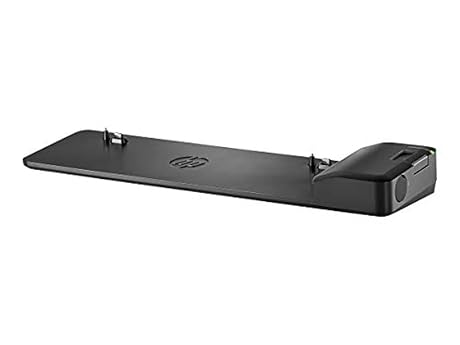
The manufacturer specifically positions the hidock h1 lite for mac mini users and modern USB-C desktops looking for a centralized voice terminal. Connecting the included USB C-to-C cable establishes high-speed data flow and audio transmission via the USB 3.0 Type-C standard. If your workspace already features streamlined peripherals like the hp 2013 ultra slim docking station for port expansion, the HiDock fits neatly into the wider desktop ecosystem. It also interfaces seamlessly with portable business notebooks like the x1 carbon gen 13, connecting over Bluetooth 5 or wired USB without demanding specialized drivers for basic audio passthrough.
Internal battery provision is another functional detail: the device includes one lithium-ion battery. While primarily designed for continuous tethered use on a desk, having internal battery support adds stability during power interruptions or quick workspace relocations. The dual-path connectivity—combining Bluetooth 5 pairing for peripheral wireless earphones and wired USB-C for the primary host computer—allows you to toggle between private call answering and open-room speakerphone discussions without juggling audio settings in your operating system control panel.
Understanding the Hardware Tier and the HiDock H1 Lite vs H1 Context
Prospective buyers evaluating the hidock h1 lite vs h1 lineup often wonder what compromises or design decisions define this streamlined edition. The manufacturer uses the Lite designation to focus squarely on core audio functions: speakerphone playback, high-grade voice pickup, BlueCatch earbud bridging, and HiNotes cloud processing. By concentrating on audio capture and AI meeting documentation rather than adding ancillary hardware complexities, the device delivers a targeted interface for users who want dedicated audio automation without unnecessary physical clutter.
However, understanding the hardware trade-offs is essential before restructuring your desk. The internal microphone operates in mono, which is perfectly suited for meeting dialogue and transcription clarity, but will not satisfy users looking for multi-channel spatial recording. Furthermore, the 8.5-inch depth means it demands a permanent spot on your desk surface; users with cramped desk mats or standing desk setups with limited depth will need to allocate dedicated room. The listing does not specify multi-port USB hub pass-throughs or onboard memory card slots, indicating that the hardware is built to pass data directly to your connected computer and the HiNotes application rather than acting as a full-fledged peripheral docking station.
For remote workers and creators whose days revolve around client discovery calls, editorial pitch meetings, and collaborative brainstorming sessions, these trade-offs are sensible. The physical controls and dedicated recording functions eliminate the awkwardness of missing critical instructions or scrambling to open third-party recording software before a client starts speaking. It turns the mundane task of voice archiving into a deliberate, repeatable physical interaction that quietly supports your digital output.
Check HiDock H1 Lite on Amazon
Is the HiDock H1 Lite Worth It
Determining whether is hidock h1 lite worth it comes down to how much time you currently lose to manual meeting documentation and administrative note organization. For solo creators, video producers, and remote project managers, the combination of 360-degree voice capture and automated HiNotes transcription eliminates hours of administrative overhead each week. The exclusive BlueCatch recording feature alone justifies the hardware for professionals who conduct private client calls via Bluetooth earbuds and cannot afford to record out loud over a traditional speakerphone.
Conversely, if your daily schedule consists of minimal meetings, or if you already use an enterprise-managed corporate recording suite with mandatory compliance protocols, a dedicated hardware transcription hub may be redundant. Creators seeking a multi-track recording interface for podcast production or music creation will also find the mono microphone mode limiting, as the unit is optimized specifically for vocal clarity and transcription accuracy rather than expressive acoustic fidelity.
For the home-office worker, agency freelancer, or tech-forward creator looking to streamline communication workflows on Mac or Windows, the HiDock H1 Lite presents a focused, reliable solution. Its combination of local hardware recording, multi-language speech recognition, and hands-free desktop ergonomics offers real utility that keeps your focus where it belongs: on the conversation itself.
FAQ
Does the HiDock H1 Lite require a paid subscription for AI transcription?
The product listing specifies that free AI transcription is included with the HiDock H1 Lite, allowing users to transcribe conversations across more than 75 languages and generate summaries through the HiNotes application.
Can I record calls privately without using the open speakerphone?
Yes. The HiDock H1 Lite features proprietary BlueCatch technology, which allows the device to capture audio directly through your paired Bluetooth earphones so your calls remain completely private.
What operating systems and devices are compatible with the HiDock H1 Lite?
The listing states that the device is compatible with personal computers, laptops, and Bluetooth earphones. It connects via Bluetooth 5 and USB 3.0 Type-C, making it an ideal companion for Mac mini systems and modern USB-C laptops.
What comes in the box with the HiDock H1 Lite?
The package contains the HiDock H1 Lite unit, a USB C-to-C connection cable, and a quick start guide. It also includes one required lithium-ion battery.
Does the microphone record in stereo or mono?
The built-in 360-degree ECM microphone operates in mono mode, which is engineered specifically for speech clarity, noise cancellation, and automated speech-to-text accuracy.
What warranty coverage does the manufacturer provide?
The HiDock H1 Lite includes an 18-month manufacturer warranty provided by Sugr Technology Hong Kong Limited.