As Amazon Associates, we earn from qualifying purchases. This means we may receive a small commission at no extra cost to you if you click through and make a purchase.
Finding an affordable, productivity-focused laptop with sufficient screen real estate often forces creators and remote workers to make difficult compromises. If you are researching the acer 315 15.6 chromebook to determine whether a budget-conscious ChromeOS laptop can handle daily script drafting, media organization, and desk-based multitasking, the Acer Chromebook 315 presents an intriguing option. With its 15.6-inch Full HD display, dedicated numeric keypad, and modern USB Type-C connectivity, it targets users who need a spacious visual workspace without paying for heavyweight Windows workstations or expensive aluminum hardware.
This review explores how the machine performs across practical productivity tasks, examining its Intel Celeron N4500 processor, expanded 128GB hybrid storage configuration, and external monitor capabilities. We break down the real-world utility of its anti-glare screen, look at port management for connecting external accessories, evaluate battery efficiency for travel, and outline exactly which creative and organizational workflows fit its hardware limits.
What You Get With the Acer Chromebook 315
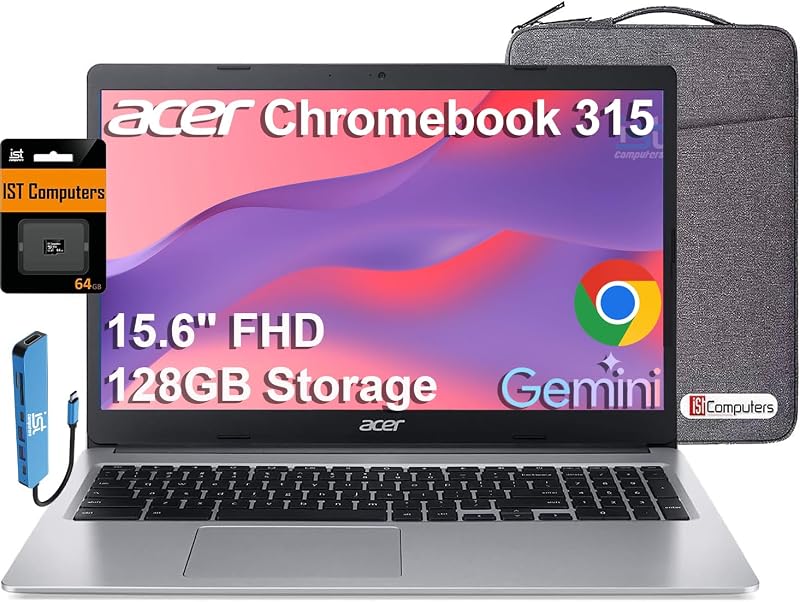
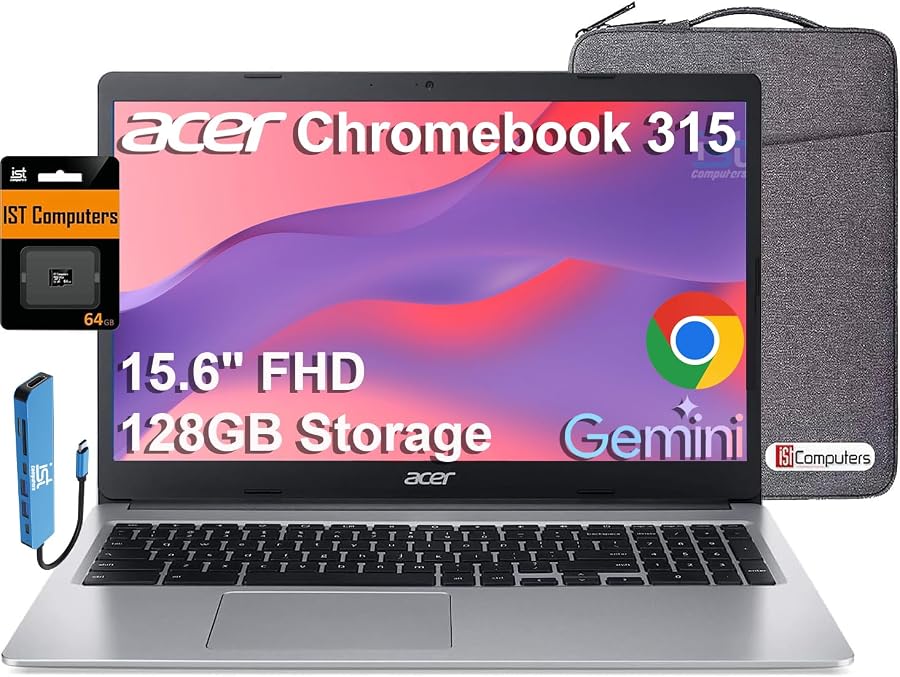
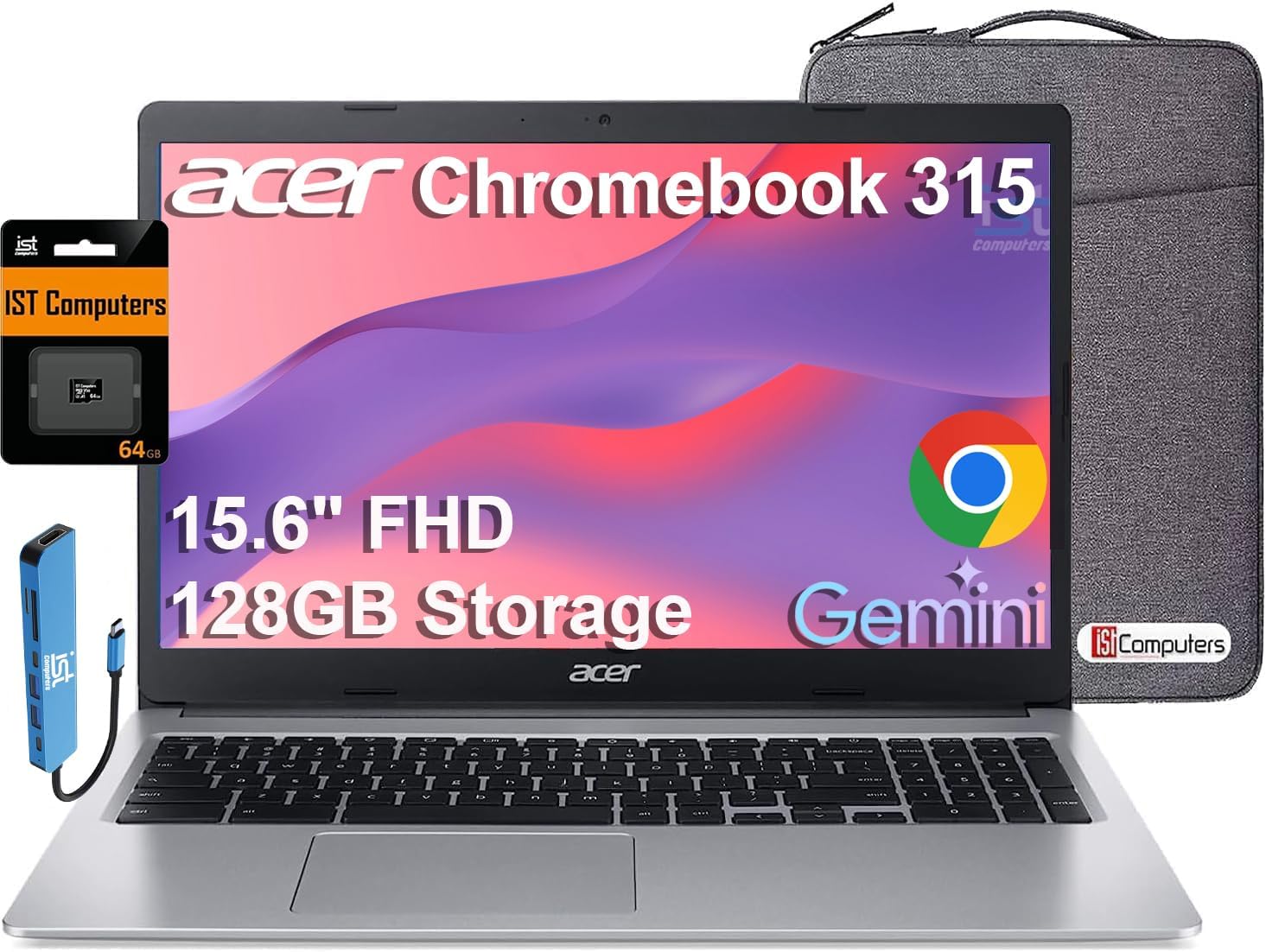
The laptop arrives configured for straightforward setup, combining standard ChromeOS simplicity with hardware upgrades tailored for extended file storage and multi-peripheral connectivity right out of the box.
- 15.6-inch Full HD (1920 x 1080) widescreen display featuring narrow bezels and an anti-glare coating
- Intel Celeron N4500 dual-core processor paired with integrated Intel UHD Graphics
- 4GB system RAM for daily web applications, video playback, and cloud workflows
- 128GB total storage, combining 64GB onboard eMMC storage with an expanded 64GB SD card
- Full-size silver clamshell chassis equipped with a dedicated numeric keypad and OceanGlass touchpad
- Two USB Type-C ports supporting power delivery and 4K external display output at 60Hz
- Two USB Type-A ports and a 3.5mm headphone and microphone combo audio jack
- Front-facing HD webcam paired with high-definition audio hardware for virtual meetings
- Intel Wi-Fi and Bluetooth 5 wireless support for modern accessories and fast networking
- ChromeOS platform coverage with Google Auto Update Expiration (AUE) support through June 2031
- Coverage package featuring a 1-year manufacturer warranty alongside a 3-year warranty for the expanded SD storage
Key Specifications
| Component | Specification Detail |
|---|---|
| Processor | Intel Celeron N4500 |
| Graphics | Integrated Intel UHD Graphics (Shared Memory) |
| Memory | 4GB RAM |
| Internal Storage | 128GB (64GB eMMC + 64GB Expanded SD Card) |
| Display Panel | 15.6″ FHD (1920 x 1080) Anti-Glare Widescreen |
| Connectivity Ports | 2x USB Type-C, 2x USB Type-A, 3.5mm Audio Combo Jack |
| Video Output | USB Type-C (Up to 4K @ 60Hz without docking station) |
| Wireless Technology | Intel Wi-Fi and Bluetooth 5 |
| Weight and Dimensions | 3.6 lbs; 14.4″ L x 9.9″ W x 0.8″ H |
| Platform Lifecycle | Chrome OS with Auto Update Expiration through June 2031 |
Screen Real Estate and FHD Clarity for Production Planning
A primary consideration in any acer 315 fhd display review is whether a 15.6-inch panel provides meaningful ergonomic advantages over standard compact laptops. With a native resolution of 1920 x 1080, this panel gives creators and busy professionals enough visual real estate to comfortably position two browser windows side by side. For hobbyists writing video descriptions, updating YouTube analytics, or tracking inventory across spreadsheets, the 1080p density avoids the cramped sensation typical of smaller school-oriented devices like the chromebook 3100 2-in-1. The narrow side bezels maximize active screen surface without unnecessary chassis bulk, keeping your focus on the working canvas.
The anti-glare matte coating plays a crucial role if your workspace includes overhead studio lights, large open windows, or bright desk lamps. Unlike glossy displays that turn into mirrors under harsh ambient lighting, this surface disperses reflections effectively. That makes long writing sessions, storyboard review, and content proofing far easier on the eyes during prolonged workdays. While the listing does not specify sRGB color coverage metrics, the 1080p sharpness ensures clean font rendering and accurate page previews when organizing graphics, previewing thumbnails, or reading technical camera manuals.
For desk-bound creative tasks, screen size directly affects daily efficiency. Working inside cloud-based production dashboards requires multiple panels: an outline editor, an asset folder, and an active communication channel. On a smaller 11-inch or 13-inch screen, switching between tabs interrupts your rhythm. The 15.6-inch diagonal on the Acer Chromebook 315 lets you tile a script on the left half of the display while monitoring cloud drive uploads on the right, providing a practical workstation experience that rivals budget office monitors.
Processing Capability and Multitasking With the Celeron N4500
Understanding the hardware profile is essential when examining acer 315 15.6 chromebook specs. At the heart of this laptop is the Intel Celeron N4500 processor paired with integrated Intel UHD Graphics and 4GB of system memory. This efficient dual-core chip is engineered specifically for low-power operation and responsive everyday computing. When using the acer chromebook 315 celeron n4500 for web browsing, streaming audio, and editing documents in Google Docs, the system delivers snappy responsiveness and smooth window transitions, making it well-suited for planning stages and project documentation.
Users must remain realistic about the processing boundaries of this setup. The 4GB RAM capacity handles several active browser tabs, audio playback, and light background apps without hesitation. However, attempting to run complex web-based graphic generators alongside dozens of dense spreadsheet calculations will eventually hit hardware thresholds. Creators who need heavy, multi-track 4K video rendering or dedicated local game processing will require dedicated graphics horsepower, such as the hardware found in an acer nitro v15. For scriptwriting, research, social media scheduling, and asset logging, the Celeron N4500 manages daily computing demands efficiently without generating intrusive fan noise or excess chassis heat.
Storage management on this machine utilizes a thoughtful dual-tier setup. The laptop provides 128GB of total storage capacity, splitting the load between 64GB of fast onboard eMMC storage and an included 64GB SD card that serves as an acer chromebook 315 storage upgrade. ChromeOS seamlessly recognizes the expanded storage, letting you stash project archives, downloaded sound libraries, and raw image backups on the secondary card while preserving the main eMMC drive for system files and offline web apps. Issaquah Highlands Tech provides a separate 3-year warranty covering this expanded SD storage, offering peace of mind for users who keep important project files stored locally.
External Display Connectivity and Desk Setup Potential
Connecting auxiliary gear is an area where this laptop stands out among entry-level ChromeOS devices. The acer 315 chromebook external monitor capabilities allow you to drive an external monitor at resolutions up to 4K (3840 x 2160) at 60Hz directly through one of its USB Type-C ports. This acer chromebook 315 usb-c display feature means you do not need to invest in a proprietary dock or specialized display adapter just to power a large secondary 4K screen at your edit desk. Hooking up a single Type-C cable turns the laptop into the hub of a clean dual-display workstation.
The overall port layout offers broad versatility for hobbyist studios and creator desks. Alongside the two USB Type-C ports, the chassis retains two traditional USB Type-A ports, a dedicated SD card slot, and a 3.5mm combo audio jack. This allows creators to plug in external backup hard drives, USB podcast microphones, a wired mechanical keyboard, and a desktop mouse simultaneously without fighting for open sockets. Many ultraportable notebooks eliminate legacy ports entirely, forcing creators into carrying dongles; this clamshell keeps essential studio connections accessible.
Wireless peripherals also connect reliably thanks to the integrated Intel Wi-Fi and Bluetooth 5 hardware. Pairing wireless studio monitors, Bluetooth editing mice, or wireless headphones is quick and stable. The high-throughput Wi-Fi radio maintains steady cloud transfers, which is vital when backing up high-resolution b-roll or syncing project folders to cloud storage drives. If your content workflow depends on uploading large video files to video hosting platforms, having dependable wireless throughput minimizes upload dropouts and keeps your production calendar on schedule.
Chassis Ergonomics, Input Quality, and Daily Battery Life
Ergonomics make or break a production laptop, especially when logging hours of administrative work or content planning. The Acer Chromebook 315 includes a dedicated numeric keypad built into the keyboard deck, a feature rarely found on smaller portable options like the compact acer chromebook 511. For spreadsheet bookkeeping, timestamp logging during video editing passes, or budget tracking, the dedicated number pad significantly speeds up data entry. The keys offer comfortable spacing that prevents hand cramping during long writing marathons.
Navigating the interface is handled by the eco-friendly OceanGlass touchpad. Built from recycled materials, this touchpad provides a surprisingly slick, glass-like texture that makes two-finger scrolling, tab switching, and multi-touch gestures smooth and accurate. Above the screen, an integrated front HD webcam captures sharp, vivid video for virtual production conferences, remote interviews, or team catch-ups. Paired with the onboard HD audio, it provides clear voice reproduction without requiring an immediate microphone upgrade for basic conference calls.
Portability and power management are equally solid. Weighing 3.6 pounds and measuring 0.8 inches thick, the laptop is easy to slide into a gear backpack when moving between a home studio, a coffee shop, or a school library. The acer chromebook 315 battery life is tuned for all-day unplugged productivity, meaning you can leave the power brick behind during morning travel. Compared to older legacy notebooks like the classic acer r11 touchscreen, the modern power efficiency of the Celeron N4500 architecture provides dependable endurance across continuous video playback, typing, and cloud-connected research.
Check Acer Chromebook 315 on Amazon
Is the Acer Chromebook 315 Worth It
Determining whether the Acer Chromebook 315 fits your lifestyle depends on how your workflow balances screen size, cloud software, and computing demands. If you are asking is acer chromebook 315 worth it for creator-adjacent duties like podcast script coordination, social media campaign planning, online course management, and light office productivity, the answer is a clear yes. Its combination of a 15.6-inch 1080p anti-glare display, 4K USB-C video output, dedicated numeric keypad, and robust port selection makes it a highly capable command center for browser-centric tasks.
On the other hand, shoppers seeking a dedicated machine for offline Premiere Pro editing, high-framerate 3D rendering, or heavy PC gaming should look elsewhere. The Intel Celeron N4500 processor and 4GB RAM are tuned specifically for ChromeOS agility, lightweight app execution, and cloud document workflows rather than raw computational muscle. If your creative process relies primarily on browser-based tools, web apps, and media playback, this machine avoids the high price tags of traditional workstation laptops while providing the display real estate you actually need.
Longevity is another strong asset. With an official Google Auto Update Expiration date reaching out to June 2031, you receive over half a decade of guaranteed operating system patches, built-in cloud backup support, and security updates. Backed by solid port options and an extended 3-year warranty on its expanded storage card, this clamshell Chromebook represents a practical, dependable investment for students, remote administrators, and content planners who want expansive screen workspace without spending heavily on unnecessary hardware.
FAQ
Can the Acer Chromebook 315 output to a 4K external monitor?
Yes. The Acer Chromebook 315 can connect to an external monitor via its USB Type-C port, supporting resolutions up to 4K (3840 x 2160) at 60Hz without requiring an external docking station.
How does the 128GB storage setup work on this Acer Chromebook 315?
The laptop utilizes a hybrid storage setup combining 64GB of fast onboard eMMC storage with a pre-installed 64GB SD card. ChromeOS reads the SD card seamlessly, allowing you to use it for local media, documents, and project archives, and the expanded card includes a 3-year warranty from Issaquah Highlands Tech.
Can creators edit video or audio on the Acer Chromebook 315?
The Acer Chromebook 315 handles lightweight web-based audio recording, podcast planning, script editing, and browser-based graphics tools easily. However, with its Intel Celeron N4500 processor and 4GB RAM, it is not built for running heavy, local offline video editing suites or rendering high-bitrate multi-camera footage.
How long will the Acer Chromebook 315 receive ChromeOS software updates?
According to the product specifications, this model has an official Google Auto Update Expiration (AUE) date of June 2031, providing years of automated security patches, interface improvements, and operating system updates.
Does the Acer Chromebook 315 include a dedicated number pad?
Yes. The 15.6-inch clamshell chassis accommodates a full keyboard layout that includes a dedicated numeric keypad on the right side, which is useful for spreadsheet entry, logging timestamps, and administrative work.