As Amazon Associates, we earn from qualifying purchases. This means we may receive a small commission at no extra cost to you if you click through and make a purchase.
Setting up a productive creative workspace often comes down to choosing between a bulky desktop tower and an underpowered ultraportable machine. The MSI Cubi 5 positions itself right in the sweet spot for creators, vloggers, and home-office professionals who want to reclaim their desk space without surrendering essential desktop connectivity. Built around the 12th Generation Intel Core i5-1235U processor, this micro-form-factor desktop promises the right balance of responsive computing, quiet operation, and robust external device support for multi-monitor setups and light creative tasks.
Choosing the right mini PC depends on whether the machine fits your specific production pipeline, external drive configurations, and workspace layout. In this comprehensive MSI Cubi 5 mini PC review, we break down how its internal components perform during routine creator tasks, examine the benefits of its integrated Thunderbolt 4 and dual Ethernet networking, evaluate the physical form factor, and explore where its hardware limits lie so you can determine if it deserves a permanent spot in your studio.

What You Get With the MSI Cubi 5
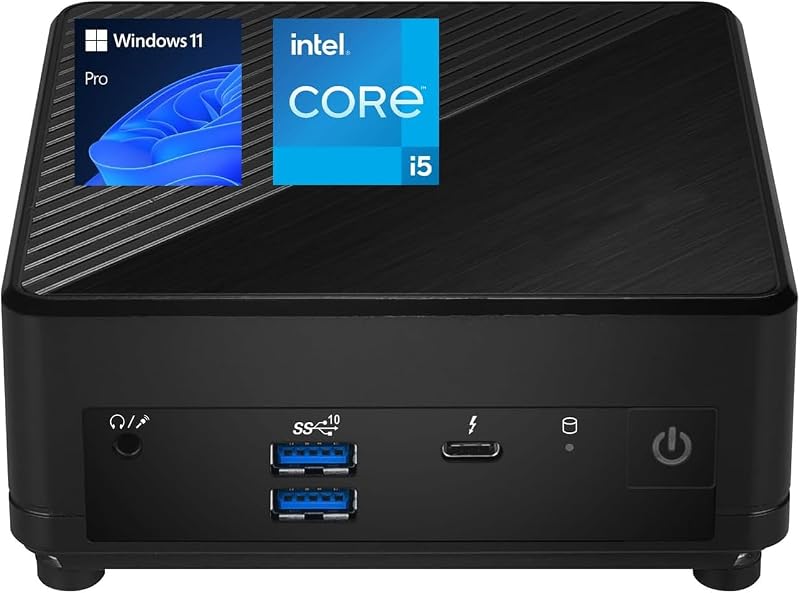
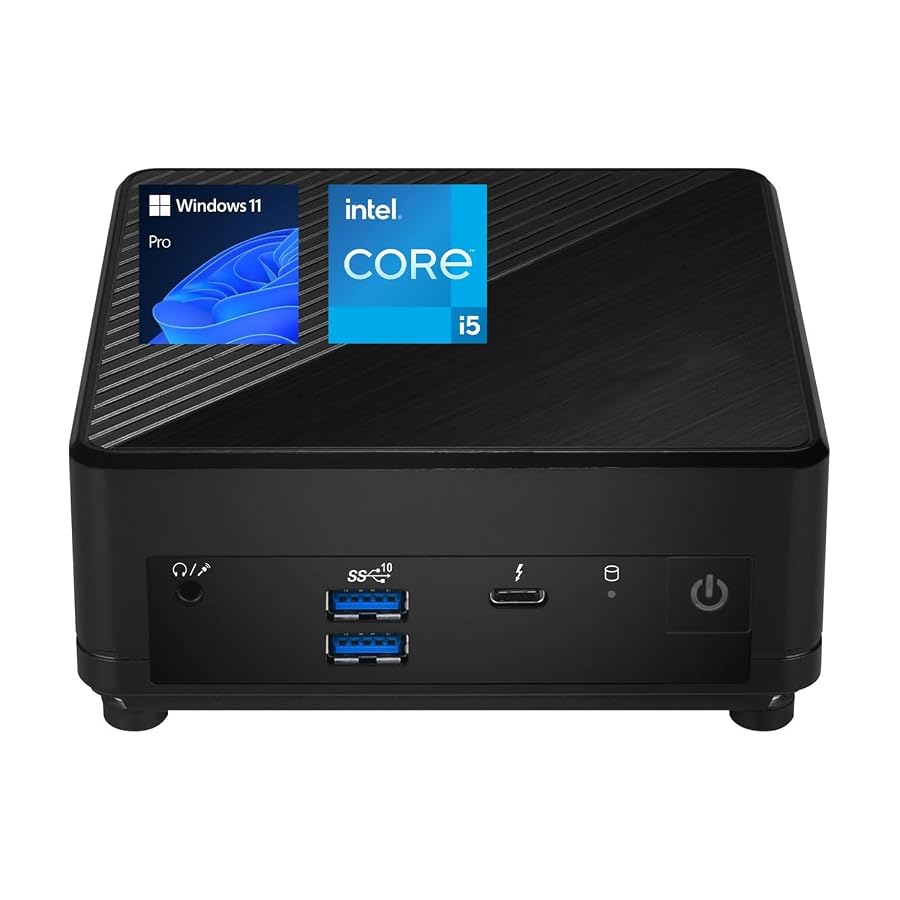
The MSI Cubi 5 arrives in a space-saving micro chassis designed to blend seamlessly into minimal studio desks or hide entirely behind a computer monitor. According to the manufacturer listing, the package provides a complete desktop platform ready to run straight out of the box, combining efficient processing hardware with an expansive selection of peripheral ports.
- 12th Gen Intel Core i5-1235U processor featuring 10 cores and 12 threads for responsive multitasking
- Integrated Intel Graphics providing hardware video decoding and output support for high-resolution displays
- 16GB of system memory for handling multiple desktop applications simultaneously (with listing references also noting 8GB configurations)
- 512GB PCIe NVMe M.2 solid-state drive for fast operating system boot times and swift project loading (with listing references also noting 256GB configurations)
- Front-panel connectivity featuring one Thunderbolt 4 port, two USB 3.2 Gen 2 Type-A ports, and a combination audio jack
- Rear-panel connectivity offering one HDMI 2.1 port, one DisplayPort output, two RJ-45 LAN jacks, two USB 2.0 Type-A ports, and a DC power input
- Built-in Wi-Fi 6 and Bluetooth wireless functionality for cable-free networking and device pairing
- Standard VESA mounting capability that attaches the micro form factor computer securely behind compatible displays
- Pre-installed Windows 11 Pro operating system featuring advanced desktop organization and security management tools
Key Specifications
Reviewing the formal MSI Cubi 5 specs helps clarify what hardware powers this ultra-compact workstation and how it manages data across internal and external pipelines.
| Component | Specification |
|---|---|
| Brand | MSI |
| Form Factor | Micro Form Factor Mini PC (VESA Mountable) |
| Processor | 12th Gen Intel Core i5-1235U (10 Cores, 12 Threads, 0.9 GHz Base Speed) |
| Graphics Hardware | Integrated Intel Graphics |
| Installed Memory | 16 GB (Listing also notes 8 GB in feature text) |
| Primary Storage | 512 GB PCIe NVMe M.2 SSD (Listing also notes 256 GB in feature text) |
| Front Ports | 1x Thunderbolt 4 (Type-C), 2x USB 3.2 Gen 2 Type-A, 1x Mic-in / Headphone-out Combo |
| Rear Ports | 1x HDMI 2.1, 1x DisplayPort Out, 2x RJ-45 Gigabit LAN, 2x USB 2.0 Type-A, 1x DC Jack |
| Wireless Connectivity | Wi-Fi 6, Bluetooth |
| Operating System | Windows 11 Pro |
Everyday Computing and Creator Workflows with Intel 12th Gen
At the center of this mini workstation is the MSI Cubi 5 i5-1235U processor, a 10-core, 12-thread mobile platform that balances energy efficiency with burst computing power. Intel designs this hybrid chip architecture with two dedicated performance cores handling demanding single-thread activities and eight efficient cores managing background threads, system operations, and lighter utilities. In everyday office and media administration, this setup prevents background browser tabs, music streams, or file downloads from disrupting active foreground tasks. The CPU operates at a low base speed of 0.9 GHz to conserve energy and reduce heat, dynamically ramping up clocks when creative applications demand brief processing bursts.
When assessing the MSI Cubi 5 for video editing, understanding hardware limitations is crucial for managing expectations. Because the system relies on integrated Intel Graphics rather than a dedicated graphics card, heavy timeline scrubbing, complex visual effects rendering, and multi-camera 4K timelines in professional color grading software will push the hardware to its absolute limit. However, for basic clip trimming, vlog cutting in 1080p, and assembling social media videos with pre-optimized codecs, the integrated graphics processor offers reliable hardware-accelerated encoding and decoding. Content creators who focus primarily on photo editing, digital audio workstations, batch image compression, and podcast production will find plenty of everyday muscle for a seamless MSI Cubi 5 creative workflow without the fan noise of a massive tower.
The pre-installed Windows 11 Pro operating system complements this workload by offering enhanced window management tools, virtual desktop isolation, and robust enterprise encryption. While users who require cutting-edge AI processing blocks or extreme integrated processing speed might evaluate newer platforms like the MSI Cubi NUC, this 12th Gen Core i5 machine delivers steady, predictable responsiveness across standard creative suites, web-based production boards, and dual-display office tools.
Display Versatility and Thunderbolt 4 Connectivity
Connecting modern studio equipment demands high-speed, versatile I/O, and the MSI Cubi 5 Thunderbolt 4 interface serves as the primary centerpiece for expanding this compact machine. Located conveniently on the front panel, the Thunderbolt 4 Type-C connector supports blazing data transfer speeds, making it an ideal port for connecting ultra-fast external NVMe scratch drives, portable digital audio converters, or modular peripheral hubs. Instead of waiting for high-resolution photo archives or raw footage folders to transfer over standard USB, Thunderbolt 4 ensures high-throughput file transfers so your production storage never creates a bottleneck.
For users building a productive MSI Cubi 5 multi monitor setup, the display configuration options are surprisingly expansive for such a diminutive chassis. The rear panel incorporates a modern HDMI 2.1 connection alongside a dedicated DisplayPort output, both of which work alongside the Thunderbolt 4 port to drive external screens with native support for 4K at 60Hz display output. Driving dual or triple monitors allows video editors to keep an active media pool and timeline on one screen, full-screen playback on a second panel, and communication or research windows on a third. Visual clarity remains sharp, provided you connect certified cables capable of carrying 60Hz signals at full 4K resolution.
In addition to advanced display interfaces, the chassis provides two high-speed USB 3.2 Gen 2 Type-A ports on the front panel for frequently swapped flash media and external card readers. The rear panel adds two USB 2.0 Type-A ports, which are ideally suited for low-bandwidth studio peripherals such as audio interface control surfaces, keyboards, wireless mouse dongles, or MIDI controllers. This thoughtful division between front-facing high-speed jacks and rear legacy connections helps keep visible cabling clean and organized.
Dual LAN Architecture and Studio Network Routing
One of the most distinctive physical attributes of this compact desktop is the MSI Cubi 5 dual LAN configuration. Mini PCs in this size bracket rarely provide two physical RJ-45 Ethernet jacks, making this machine an intriguing option for users with specialized networking requirements. Having two independent physical network interfaces opens practical routing possibilities for studios that rely heavily on local network storage solutions.
In a typical creator environment, one Ethernet port can remain permanently assigned to an isolated, high-speed local network attached storage (NAS) device for real-time video project backups and archival asset access. Meanwhile, the second RJ-45 port connects directly to the local office router to handle dedicated internet traffic, live video streaming, and cloud uploads. This physical separation prevents local data transfers from competing with outward-bound stream bandwidth, ensuring reliable data delivery across both channels without complex software switching.
For wireless environments where running physical Ethernet cables across the room is impractical, the onboard Wi-Fi 6 wireless card ensures reliable throughput and lower latency across modern network environments. When paired with high-performance network equipment such as the MSI Radix AXE6600, the Wi-Fi 6 module maintains consistent transfer speeds even when multiple studio devices communicate simultaneously on the same local wireless band. Built-in Bluetooth rounds out the wireless feature set, providing hassle-free pairing with wireless headphones, studio reference controllers, and wireless graphic tablets.
Chassis Design and Hardware Expansion Potential
Physical space constraints often dictate studio arrangements, and the micro form factor of the Cubi 5 excels at saving precious desk real estate. Measuring only a fraction of the size of traditional desktop cases, it fits neatly beside a studio monitor, flat under an elevated display riser, or vertically along the corner of your workspace. Because the chassis is fully VESA mountable, creators can take advantage of the included mounting bracket to secure the mini PC directly to the back of a compatible monitor or an under-desk mounting arm, creating a completely cable-managed, floating all-in-one computer setup.
When considering longevity, understanding the MSI Cubi 5 upgrade options and baseline hardware specifications is critical. The Amazon product listing contains slight internal discrepancies regarding base storage and memory capacity: the headline and technical specification table state that the system arrives with 16GB of RAM and a 512GB SSD, while the promotional bullet points reference 8GB of memory and a 256GB PCIe NVMe M.2 drive. Buyers should confirm the specific installed capacity upon receiving their machine, as configurations can vary depending on distributor batches.
While the internal PCIe NVMe M.2 slot delivers rapid storage access for the operating system and applications, the listing does not specify whether secondary drive brackets or additional M.2 slots are included inside the chassis. Furthermore, the maximum memory capacity supported by the internal motherboard slots is not specified in the listing details. Users who anticipate outgrowing 512GB of internal storage should plan on utilizing the front-panel Thunderbolt 4 port with high-speed external solid-state drives, or lean on local network storage via the secondary Ethernet port rather than relying solely on internal hardware expansion.
Is the MSI Cubi 5 Worth It
Determining whether the MSI Cubi 5 is worth it comes down to matching your everyday computing demands with its specialized micro hardware profile. If your daily workflow centers on office productivity, streaming media management, audio editing, batch photo processing, and driving multiple 4K desktop screens, this mini PC offers outstanding utility. Its compact footprint, quiet micro chassis, versatile front Thunderbolt 4 port, and rare dual-LAN networking configuration provide exceptional practical value for organized, space-conscious creator workstations.
Conversely, creators whose production pipeline revolves around intensive 3D rendering, complex visual effects pipelines, heavy 8K RAW video timelines, or high-frame-rate AAA PC gaming will find the integrated Intel Graphics and low 0.9 GHz base CPU clock speed limiting. Workstations designed for sustained, multi-threaded rendering typically require dedicated desktop motherboards such as the MSI MPG B650 Carbon WiFi paired with high-wattage graphics cards. Mobile gamers and creators seeking handheld convenience might alternatively look toward dedicated devices like the MSI Claw 8 AI+ for portable processing.
For home studio operators, vloggers needing a secondary ingest and editing hub, and remote professionals desiring a clutter-free desk setup with multi-display capability, the MSI Cubi 5 stands out as a sensible, highly functional choice. It turns a tiny patch of desk space into a capable, versatile productivity station without the cable clutter or bulk of traditional office computers.
FAQ
Can the MSI Cubi 5 drive multiple 4K monitors simultaneously?
Yes. The MSI Cubi 5 features an HDMI 2.1 port, a DisplayPort output, and a front-panel Thunderbolt 4 port, all of which provide video output. The official specifications support 4K resolution at 60Hz, allowing users to configure multi-monitor productivity workstations across modern displays.
Is the MSI Cubi 5 capable of handling video editing?
The MSI Cubi 5 is capable of editing 1080p footage, cutting social media clips, and performing lightweight 4K assembly using hardware-accelerated video codecs. However, because it uses integrated Intel Graphics rather than a discrete GPU, heavy visual effects, complex 3D transitions, and high-bitrate multi-cam 4K timelines will exceed its comfortable processing capabilities.
Why does the MSI Cubi 5 have two Ethernet LAN ports?
Dual RJ-45 LAN ports allow you to connect the computer to two separate physical networks simultaneously. Content creators often use one port for direct, high-bandwidth connection to a local network attached storage (NAS) system for video archives, while using the second port for general internet connectivity and live streaming.
What operating system comes pre-installed on the MSI Cubi 5?
The computer comes pre-installed with Windows 11 Pro, providing native support for modern window layouts, remote desktop tools, advanced security configurations, and broad compatibility with creative software packages.
Can you mount the MSI Cubi 5 to the back of a monitor?
Yes. The MSI Cubi 5 features a micro form factor design that is VESA mountable. With compatible display mounts, you can attach the mini PC directly to the rear of your monitor to keep your desk completely clear of desktop clutter.


