As Amazon Associates, we earn from qualifying purchases. This means we may receive a small commission at no extra cost to you if you click through and make a purchase.
Creative professionals, vloggers, and hobbyists often struggle to find a machine that bridges the gap between bulky workstation rigs and sluggish ultraportables. The Acer Nitro V 16S AI aims squarely at this balance, pairing a contemporary AMD mobile processor with next-generation dedicated graphics in a remarkably trim clamshell form factor. If you need a capable machine for rendering 4K media, managing complex multi-track timelines, or running local AI accelerators on location, this laptop represents a compelling configuration. Rather than forcing you to sacrifice portability for graphical output, it balances everyday mobile convenience with capable silicon.
In this in-depth nitro v 16s ai laptop review, we examine how the machine behaves across real-world creative workflows, everyday media duties, and resource-intensive processing tasks. We will analyze the core processing architecture, color accuracy, cooling design, and internal expansion options to determine whether this system fits your production kit. Whether you are assembling a portable studio for field recording or searching for a single rig that balances daytime work with evening gaming, this breakdown details everything you need to know before making an investment.

What You Get With the Acer Nitro V 16S AI
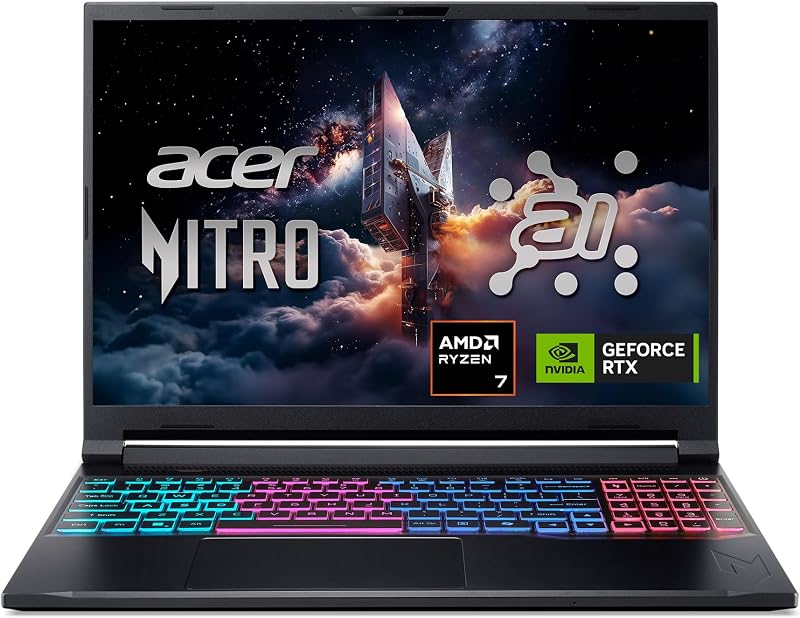
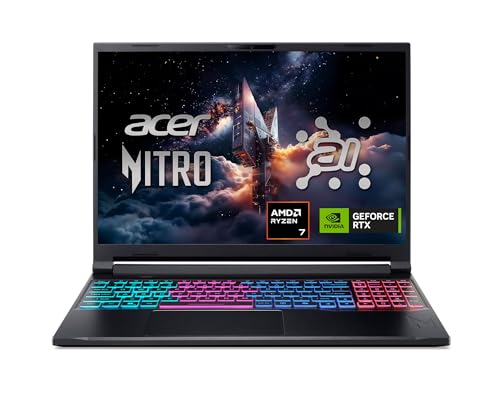
The Acer Nitro V 16S AI arrives configured out of the box with balanced hardware tailored to creators who require both processing capacity and graphics rendering capability without purchasing immediate component upgrades.
- AMD Ryzen 7 260 processor featuring built-in AI processing reaching up to 38 AI Overall TOPS and native support for 4K HDR streaming.
- Dedicated NVIDIA GeForce RTX 5060 Laptop GPU engineered on the Blackwell architecture, carrying 8GB of GDDR7 video memory and 572 AI TOPS.
- 16-inch WUXGA 1920 x 1200 IPS display featuring a 180Hz refresh rate and 100% sRGB color gamut coverage.
- 32GB of DDR5 5600MHz system RAM utilizing two physical slots for dual-channel memory performance.
- 1TB PCIe Gen 4 solid-state drive paired with an available second M.2 expansion slot for secondary internal storage.
- Quad-intake cooling architecture designed to cycle thermal airflow efficiently through the slim chassis.
- Integrated backlit keyboard with a dedicated numeric keypad for streamlined numeric entry and shortcut navigation.
- Modern external connectivity options including HDMI, DisplayPort over USB-C, and high-speed Wi-Fi 6 wireless networking.
- Windows 11 Home operating system pre-installed without an optical disc drive.
Key Specifications
| Component / Attribute | Specification Detail |
|---|---|
| Processor | AMD Ryzen 7 260 (Up to 38 AI Overall TOPS, 4K HDR Streaming Support) |
| Dedicated Graphics | NVIDIA GeForce RTX 5060 Laptop GPU (8GB GDDR7, 572 AI TOPS, Blackwell Architecture) |
| Display Size & Resolution | 16.0-inch WUXGA (1920 x 1200), 16:10 Aspect Ratio, IPS Technology |
| Display Color & Refresh Rate | 100% sRGB Color Gamut, 180Hz Refresh Rate |
| System Memory | 32GB DDR5 5600MHz (2 Slots Total, 32GB Maximum Supported) |
| Internal Storage | 1TB PCIe Gen 4 SSD (2 x PCIe M.2 Slots Total, 1 Slot Available) |
| Chassis Dimensions | 14.08 inches L x 10.39 inches W x 0.79 inches Thin |
| Weight | 4.6 pounds |
| Operating System | Windows 11 Home |
| Networking & Video Ports | Wi-Fi 6, HDMI, DisplayPort over USB-C |
Processing Muscle and Graphics Acceleration
At the center of the hardware layout is the processor, where the acer nitro v 16s ryzen 7 260 configuration delivers balanced computational power for sustained multi-threaded jobs. The processor provides up to 38 AI Overall TOPS, which accelerates background neural tasks, audio noise suppression, and computer vision filters directly on the chip without siphoning resources away from your main rendering thread. In addition to handling standard multitasking, the CPU natively handles 4K HDR streaming, allowing video creators to broadcast or monitor high-resolution streams smoothly. Compared to older hardware lineups detailed in our acer nitro v16 rtx 5060 analysis, this newer architecture improves foundational efficiency for everyday studio tasks.
Graphical execution is handled by the dedicated acer nitro v 16s rtx 5060 setup, leveraging NVIDIA’s Blackwell architecture alongside 8GB of high-speed GDDR7 memory. With a dedicated capacity of 572 AI TOPS horsepower, the graphics card is well-equipped for compute-intensive tasks, neural image processing, and heavy creative export pipelines. Creators working with ray-traced rendering software or 3D modeling packages benefit from full ray tracing support, while gamers enjoy DLSS 4 features such as Multi Frame Generation, enhanced Ray Reconstruction, and Super Resolution to maintain fluid frame rates under high visual presets.
When assessing the Acer Nitro V 16S AI for video editing and general media manipulation, the pairing of 8GB of fast VRAM with dedicated tensor performance translates into concrete workflow advantages. The hardware handles hardware-accelerated video decoding, timeline effects, and real-time color grades without the persistent stuttering found on integrated graphics solutions. By leveraging the GPU for complex export codecs and local machine-learning filters, the acer nitro v 16s ai for content creation serves as a capable portable workstation for editors producing weekly video feeds or managing commercial digital assets.
Display Fidelity and Workspace Accuracy
Visual fidelity is critical when cutting footage or color-grading imagery, and the acer nitro v 16s ai display quality is engineered to support color-sensitive production. The laptop incorporates a 16-inch WUXGA IPS panel with a 1920 x 1200 native resolution, presenting a 16:10 aspect ratio that provides vertical canvas space over conventional 16:9 widescreen formats. This extra vertical height provides room for multi-track video timelines, audio mixer panels, and expansive photo palettes, reducing the constant need to scroll through project windows.
Crucially for creators, the panel offers 100% sRGB color gamut coverage, delivering accurate reproduction across the standard color space used for web publishing, YouTube uploads, and social platforms. Having genuine color accuracy straight out of the box prevents the washed-out or oversaturated previews common to entry-tier gaming panels. You can color-correct footage and finalize graphics with confidence that your audience will see consistent tones across their phones, monitors, and television screens.
Complementing its color accuracy, the acer nitro v 16s 180hz screen delivers exceptionally fluid motion clarity that benefits high-speed playback as well as fast-paced gaming sessions. While high refresh rates are typically highlighted for competitive gaming, timeline scrubbers and animation animators will notice immediate benefits in interface fluidness and cursor precision. Navigating dense software menus, tracking fast-moving video clips, and switching between dynamic applications feels responsive and immediate on this panel.
Thermal Management and Real-World Portability
Managing heat in a chassis measuring just 0.79 inches thin requires thoughtful internal engineering, and the acer nitro v 16s cooling performance relies on a quad-intake airflow system. The thermal design draws cool air across key processing zones through four intake channels before expelling warm exhaust away from user contact surfaces. This layout helps prevent the internal hardware from dropping into severe throttling states during extended video exports or lengthy 3D render queues. For users familiar with larger options like the acer nitro 16, this slimmer S-series chassis prioritizes structural compactness without dropping dedicated active fan cooling.
Portability remains a strong suit for a 16-inch machine, with the entire system weighing in at 4.6 pounds and measuring 14.08 inches long by 10.39 inches wide. While heavier than an ultra-low-power travel notebook, 4.6 pounds is manageable in a camera backpack or gear bag, making it a viable mobile edit station for location shoots, event coverage, or client meetings. The clamshell build feels secure when closed, offering a sleek black finish that blends easily into professional production environments without drawing unnecessary attention.
Ergonomics on the move are supported by the integrated backlit keyboard, which includes a full dedicated numeric keypad for efficient numerical input, timeline timecode scrubbing, and shortcut mapping. The physical interface provides a balanced typing experience during long editing sessions or script-writing sprints. For external display integration, the machine includes both a dedicated HDMI port and DisplayPort over USB-C, enabling dual-monitor workflows when returning to a permanent studio desk.
Memory Bandwidth and Expansion Flexibility
Under the hood, the acer nitro v 16s ai specs provide a generous starting baseline for multitasking thanks to 32GB of high-speed DDR5 5600MHz memory. Having 32GB installed natively is a distinct advantage for video editors and VFX hobbyists who frequently encounter out-of-memory errors when working with multi-layered 4K timelines or memory-intensive digital audio workstations. The system occupies two DDR5 slots, ensuring dual-channel memory bandwidth for data throughput. It is worth noting, however, that 32GB represents the maximum memory supported by the motherboard architecture, meaning users cannot expand the system RAM beyond this figure in the future.
Storage management is equally practical for digital creatives who handle large RAW video files, sound libraries, and project archives. The laptop comes equipped with a 1TB PCIe Gen 4 SSD that delivers fast read and write velocities for rapid asset loading and uninterrupted playback caching. To accommodate future archival needs, the motherboard includes two PCIe M.2 slots, leaving one slot available for an additional solid-state drive. If you are comparing this layout against other options like the acer nitro v16s lineup, having an open second M.2 slot makes expanding local storage simple and cost-effective.
In terms of peripheral compatibility and overall connectivity, the Nitro V 16S AI integrates Wi-Fi 6 for stable high-bandwidth transfers when uploading footage to cloud repositories or streaming project previews. The chassis accommodates mice, external keyboards, USB audio interfaces, and external high-speed storage drives through standard bus connections. While it lacks an internal optical storage drive, modern digital production workflows rely almost exclusively on solid-state media and high-speed network connections, rendering disc drives unnecessary for creative setups.
Check Acer Nitro V 16S AI on Amazon
Is the Acer Nitro V 16S AI Worth It
Determining whether the machine justifies an investment depends heavily on your daily creative workflow and mobile requirements. When evaluating if is acer nitro v 16s ai worth it, the standout strength is the combination of 32GB DDR5 memory, an RTX 5060 GPU with 8GB GDDR7, and a factory 100% sRGB 180Hz screen inside a chassis under an inch thick. For solo vloggers, digital illustrators, and mobile editors who cannot afford to buy a laptop and immediately pay for memory upgrades, this configuration is production-ready straight out of the box. Shoppers who previously evaluated mid-tier options like the acer nitro v 15.6 will find the 16-inch 16:10 panel and updated Blackwell graphics architecture a noticeable step forward.
The laptop delivers genuine value for users seeking an all-in-one machine capable of handling intensive daytime media authoring alongside evening entertainment. With 572 AI TOPS on the graphics card and up to 38 AI TOPS on the Ryzen processor, local neural workloads and DLSS 4 gaming run smoothly. The inclusion of an open M.2 slot ensures your local storage can grow as video libraries accumulate, while the dual video outputs facilitate an easy transition from a travel bag to a multi-monitor desk setup.
On the other hand, buyers needing ultra-high-resolution 4K screens for mastering print media or those requiring more than 32GB of RAM for massive architectural datasets should consider specialized desktop-replacement workstations instead. The Nitro V 16S AI caps memory at 32GB, and the WUXGA resolution prioritizes frame rates and color fidelity over ultra-dense pixel counts. However, for mobile video creators, gaming enthusiasts, and digital media students seeking a balanced, modern machine, this laptop delivers an effective blend of real-world productivity and portable power.
FAQ
Can the Acer Nitro V 16S AI handle 4K video editing?
Yes. With its AMD Ryzen 7 260 processor, 32GB of DDR5 memory, and dedicated NVIDIA GeForce RTX 5060 GPU with 8GB of GDDR7 VRAM, the laptop handles multi-track 4K editing and timeline scrubbing reliably. It also supports hardware-accelerated video rendering and 4K HDR streaming natively.
What is the maximum RAM capacity on the Acer Nitro V 16S AI?
The laptop comes configured with 32GB of DDR5 5600MHz RAM across two slots, which the listing specifies as the maximum supported memory capacity. While you cannot upgrade the memory beyond 32GB, this capacity is sufficient for most video editing, 3D modeling, and creative multitasking workflows.
Does the display on the Acer Nitro V 16S AI support accurate color work?
Yes. The 16-inch WUXGA IPS display features 100% sRGB color gamut coverage, making it suitable for color grading web video, digital illustration, and photo editing. Its 16:10 aspect ratio also provides additional vertical canvas space compared to standard widescreen panels.
Can an additional solid-state drive be installed in this laptop?
Yes. The Acer Nitro V 16S AI includes two PCIe M.2 slots on the motherboard. Because the 1TB Gen 4 SSD occupies only one slot, there is one available M.2 slot remaining for users to add a secondary solid-state drive for project storage or asset libraries.
What external display connections are included on the chassis?
The laptop features a dedicated HDMI port as well as DisplayPort output over USB-C, allowing users to connect external production monitors, high-resolution displays, or multi-screen desk setups without needing external docking stations.