
As Amazon Associates, we earn from qualifying purchases. This means we may receive a small commission at no extra cost to you if you click through and make a purchase.
Evaluating a machine that bridges the demands of creative production and competitive play requires looking past conventional category labels. The Acer Predator Triton 500 arrives configured for creators who need dedicated graphical acceleration alongside the rapid visual response typical of esports hardware. Built around a 10th Generation Intel Core i7-10750H processor and an overclockable NVIDIA GeForce RTX 2070 Super Max-Q graphics chip, this configuration delivers balanced performance across video rendering timelines and modern gaming titles. If you are seeking a slim workstation capable of scrubbing multi-track video while maintaining high frame rates away from a stationary desk, this machine serves as a versatile dual-purpose option.
Navigating the specific strengths and trade-offs of this mobile system is essential before integrating it into a production pipeline. This detailed breakdown explores how the display panel handles color-critical media, how the graphics hardware manages intensive video rendering tasks, and how the physical cooling setup balances sustained thermals. Furthermore, we examine the physical expansion potential, peripheral compatibility, and overall practicality for media professionals who produce content on the move.
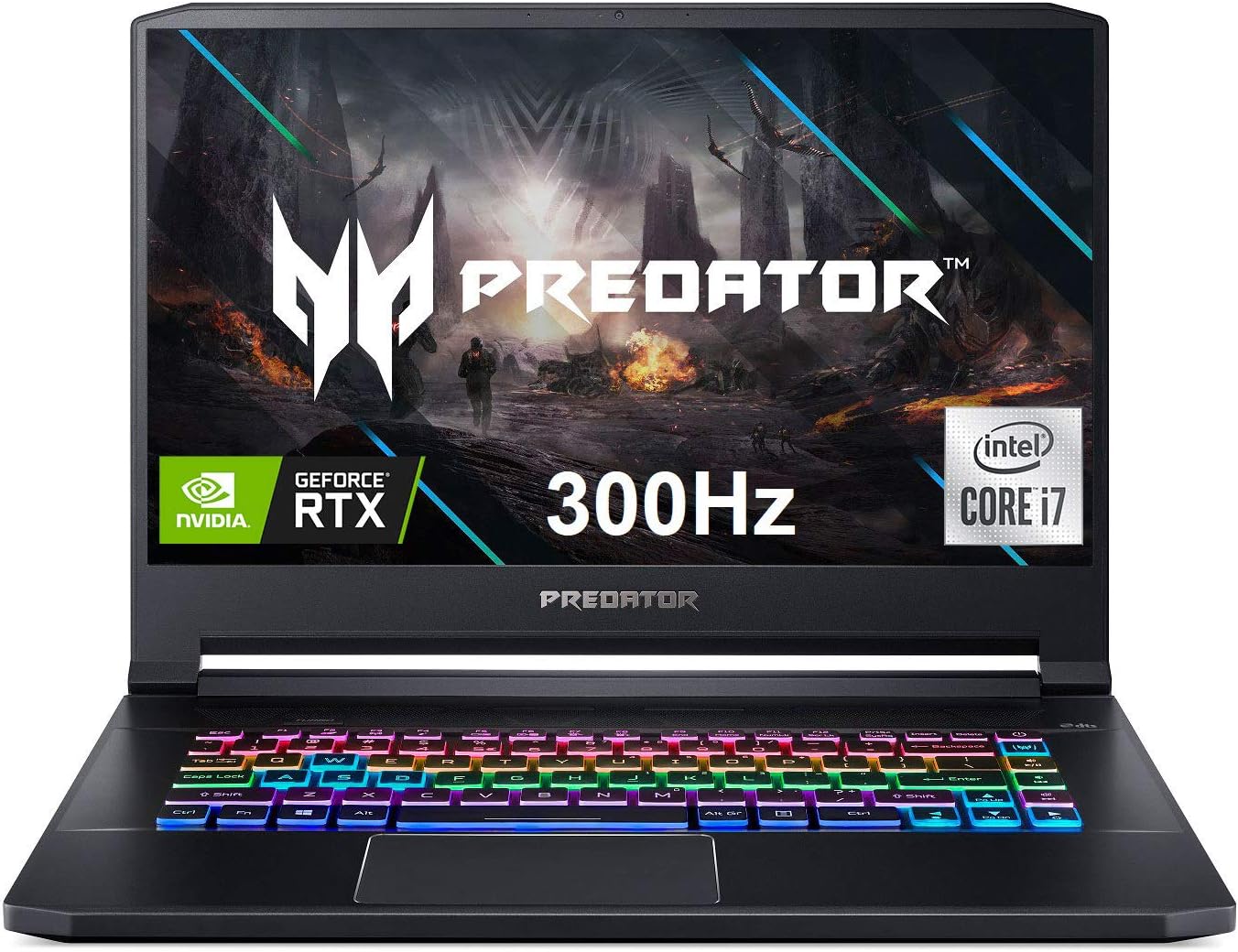
What You Get With the Acer Predator Triton 500

The Acer Predator Triton 500 packages high-performance processing hardware, responsive display technology, and specialized thermal components within a portable black chassis weighing 4.6 pounds.
- Intel Core i7-10750H 6-core processor operating at 2.6GHz with Turbo Boost speeds up to 5.0GHz
- Overclockable NVIDIA GeForce RTX 2070 Super graphics with Max-Q design and 8GB of dedicated GDDR6 VRAM
- 15.6-inch Full HD (1920 x 1080) widescreen LED-backlit IPS display featuring NVIDIA G-SYNC and a 300Hz refresh rate
- 3ms overdrive response time, 300-nit brightness, and 100% sRGB color gamut coverage
- 16GB of DDR4 2933MHz dual-channel system memory
- 512GB PCIe NVMe solid-state drive with an additional open M.2 slot for storage upgrades
- 4th Gen All-Metal AeroBlade 3D fan cooling system
- Per-key RGB backlit keyboard with customizable lighting profiles
- Killer Gaming Network E3100G wired Ethernet controller
- Killer DoubleShot Pro Wireless-AX 1650i 802.11ax Wi-Fi 6 with 2×2 MU-MIMO technology
- DTS:X Ultra Audio sound system with two stereo speakers and Acer TrueHarmony tuning
- Acer Purified.Voice system featuring two integrated microphones and an integrated webcam
- Windows 10 Home operating system pre-installed
Key Specifications
| Hardware Component | Listing Specification |
|---|---|
| Processor | Intel Core i7-10750H (6 Cores, 2.6GHz base, up to 5.0GHz Turbo Boost) |
| Graphics Processing Unit | Overclockable NVIDIA GeForce RTX 2070 Super Max-Q (8GB GDDR6 VRAM) |
| Display Panel | 15.6-inch FHD (1920 x 1080) IPS, 300Hz, 3ms, G-SYNC, 300 nits, 100% sRGB |
| Memory Configuration | 16GB DDR4 2933MHz Dual-Channel |
| Primary Storage | 512GB PCIe NVMe SSD (2 x M.2 slots, 1 slot open) |
| Networking and Wireless | Killer E3100G Gigabit LAN, Killer Wi-Fi 6 AX1650i (2×2 MU-MIMO) |
| Cooling System | 4th Generation All-Metal AeroBlade 3D Fan architecture |
| Audio and Voice | DTS:X Ultra Audio, stereo speakers, dual array microphones |
| Weight and Chassis Color | 4.6 pounds, Black finish |
| Operating System | Windows 10 Home |
Display Color Accuracy for Creative Work and High Refresh Gaming
For digital content creators, display calibration and gamut coverage dictate how reliably color corrections translate across consumer platforms. The Predator Triton 500 display accuracy starts from a firm baseline with its 100% sRGB coverage on a 15.6-inch Full HD IPS panel. Because standard web content, online video streaming, and social media platforms target the sRGB color space, this screen ensures that color balance, skin tones, and graphical grading remain true to standard delivery formats. While creators seeking wide DCI-P3 or Adobe RGB coverage for print or cinema mastering will prefer an external reference monitor, the native panel handles daily digital media creation with dependable consistency.
Beyond color fidelity, the display panel emphasizes rapid motion handling with its 300Hz refresh rate and 3ms overdrive response time. While refresh rates of this caliber are engineered primarily for esports titles where frame fluidity grants a competitive edge, the high refresh rate also delivers visible smoothness during desktop navigation, video scrubbing, and timeline interaction. Combined with NVIDIA G-SYNC technology, the panel eliminates screen tearing during dynamic frame rate fluctuations, creating an artifact-free visual environment whether checking game captures or previewing rendered animations.
The 300-nit maximum brightness level provides adequate illumination for indoor studios, office settings, and controlled ambient workspaces. However, when working near direct sunlight or brightly lit outdoor settings, 300 nits may require repositioning to avoid glare on the matte panel surface. Creative editors who frequently evaluate high-density compositions will appreciate the 1080p resolution for its balance of readable user interfaces and efficient rendering without overtaxing the graphics hardware, though creators used to taller workspaces may also reference modern comparisons like the Acer Predator Helios Neo 16 when considering higher display aspect ratios.
Video Editing and GPU Rendering Performance
Video production and visual effects workflows rely heavily on dedicated GPU acceleration, making the inclusion of the Acer Predator Triton 500 RTX 2070 Super with Max-Q design a notable asset. Armed with 8GB of dedicated GDDR6 VRAM, this GPU provides the memory headroom required to process complex video timelines with multiple layers, color nodes, and real-time transition effects. Modern editing suites like Premiere Pro and DaVinci Resolve leverage hardware encoding and CUDA cores to offload timeline rendering from the CPU, allowing creators using the Acer Predator Triton 500 for video editing to scrub 1080p and compressed 4K footage smoothly without severe timeline stuttering.
Underneath the hood, the 10th Generation Intel Core i7-10750H processor supplies six physical cores and twelve threads, operating with a base clock of 2.6GHz and boosting up to 5.0GHz. Video encoding, audio rendering, and background asset generation consume extensive multithreaded compute, and this processor manages concurrent productivity tasks with solid efficiency. While modern multi-core workloads often scale with even higher core counts as seen in newer platform comparisons like the Acer Nitro 5 laptop, the i7-10750H maintains reliable burst processing power for audio processing via DTS:X Ultra Audio optimization and intensive software tasks.
Graphical capability extends seamlessly into creative playtime, where the Acer Predator Triton 500 gaming performance benefits from the overclockable RTX 2070 Super Max-Q architecture. Demanding titles run comfortably at Full HD resolution with high graphical presets, fully utilizing the 300Hz G-SYNC screen. Gamers and streamers who capture high-bitrate live gameplay will appreciate the 8GB VRAM pool, which keeps frame rates stable while streaming encoder tasks operate in the background without dropping crucial video frames.
Thermal Performance and Chassis Portability
Squeezing high-tier computing components into a compact 4.6-pound chassis introduces clear thermodynamic challenges, which Acer addresses through custom cooling engineering. The Acer Triton 500 thermal performance is anchored by its 4th Gen All-Metal AeroBlade 3D Fan system. These ultrathin metal blades are designed to maximize airflow while minimizing aerodynamic resistance inside the constrained chassis. During heavy video export jobs or extended GPU rendering cycles, the internal fans ramp up quickly to exhaust heat, keeping internal temperatures within operational thresholds.
The implementation of NVIDIA’s Max-Q design on the RTX 2070 Super plays an essential role in keeping thermal outputs manageable within this slim form factor. By optimizing voltage curves and thermal power limits, the graphics card provides substantial rendering compute without exhausting the thermal dissipation capacity of the chassis. However, users should anticipate audible fan noise when pushing both the six-core CPU and GPU to their operational ceilings during sustained export tasks or overclocked gaming sessions, making dedicated headphones advisable during intensive render queues.
Portability remains a primary advantage of this hardware configuration. Weighing just 4.6 pounds, the Triton 500 offers substantial power density for mobile editors, vloggers, and traveling content producers. The chassis fits into standard 15-inch gear bags without imposing excessive strain during commutes, allowing field videographers to offload camera cards, perform on-location edits, and deliver finalized clips directly from coffee shops or temporary studio sets.
Expansion Options and Peripheral Connectivity
Media production files rapidly consume local disk capacity, making internal storage flexibility an important consideration for long-term viability. Regarding the Acer Predator Triton 500 upgrade options, the machine comes equipped with a 512GB PCIe NVMe solid-state drive while providing a second open PCIe M.2 slot for storage expansion. This dedicated open slot allows editors to install a secondary high-speed NVMe drive specifically designated for video scratch disks, cache files, and project archives, avoiding the immediate bottleneck of filling the 512GB boot drive.
The system comes equipped with 16GB of DDR4 2933MHz dual-channel system memory, providing adequate capacity for multitasking across video editing software, web browsers, and image editing suites. While 16GB supports smooth 1080p project workflows and standard multimedia production, creators handling exceptionally complex multi-stream timelines will want to evaluate future memory upgrades. When comparing connectivity and hardware expansion against alternative mobile options like the Acer Nitro V 15, having dedicated dual M.2 slots inside a slim chassis provides tangible longevity.
Looking at the Acer Predator Triton 500 port selection and connectivity profile, the manufacturer specifies native compatibility with external displays, external storage devices, mice, keyboards, and printers. Networking performance is driven by the Killer Gaming Network E3100G wired LAN port alongside Killer DoubleShot Pro Wireless-AX 1650i Wi-Fi 6, which incorporates 2×2 MU-MIMO capability for low-latency transfers across dual-band networks. While the listing does not specify the individual breakdown of video output or USB port standards on the chassis sides, the native device compatibility ensures you can assemble a complete workstation with dual monitors, fast external scratch drives, and dedicated editing peripherals.
Check Acer Predator Triton 500 on Amazon
Is the Acer Predator Triton 500 Worth It
Deciding whether the Acer Predator Triton 500 is worth it depends largely on your balance between creative requirements, mobility, and high-frame-rate performance. For video creators who need an agile editing laptop that avoids the bulk of conventional gaming bricks, the combination of a 4.6-pound chassis, 100% sRGB color accuracy, and an overclockable RTX 2070 Super with 8GB VRAM delivers genuine utility. It handles 1080p video production, timeline color correction, and GPU-accelerated effects with competence while providing a fast 300Hz display for downtime gaming.
On the other hand, buyers focusing strictly on CPU-heavy tasks such as heavy multithreaded 3D rendering or massive code compilation might consider that the 10th Gen Intel i7-10750H contains six processing cores. While completely adequate for general media editing and gaming, creative workflows requiring modern hybrid architectures with greater core counts might encourage users to also explore hardware like the Acer Helios Neo 16S. Additionally, creators who require massive out-of-the-box local storage will need to factor in adding a second M.2 drive to supplement the factory 512GB SSD.
Ultimately, the Triton 500 remains a compelling dual-purpose solution for vloggers, digital artists, and competitive gamers who prioritize visual fluidity and discrete GPU power in a lightweight form factor. If your creative process centers around digital web content, high-speed networking via Killer Wi-Fi 6 and Ethernet, and smooth Full HD playback backed by hardware-accelerated graphics, this laptop represents a capable, well-rounded mobile station.
FAQ
Does the Acer Predator Triton 500 support external monitors?
Yes, the listing confirms compatibility with external displays along with peripheral hardware such as mice, keyboards, storage devices, and printers, enabling a multi-monitor desktop editing environment.
Can you expand the internal storage on the Acer Predator Triton 500?
The system comes with a 512GB PCIe NVMe SSD and features two PCIe M.2 slots in total, leaving one slot open specifically for user storage upgrades.
Is the Acer Predator Triton 500 screen suitable for professional photo and video color work?
The 15.6-inch Full HD IPS display covers 100% of the sRGB color space with 300 nits of brightness, making it well suited for web-oriented video editing, YouTube production, and digital photo editing.
How does the RTX 2070 Super Max-Q assist in video editing tasks?
The RTX 2070 Super features 8GB of dedicated GDDR6 VRAM and overclockable graphics processing, which accelerates timeline effects rendering, hardware video encoding, and real-time color grading in compatible software.
What network capabilities are included with the Acer Predator Triton 500?
The laptop integrates a Killer Gaming Network E3100G wired Ethernet controller and Killer DoubleShot Pro Wireless-AX 1650i Wi-Fi 6 with 2×2 MU-MIMO technology for fast and stable network connectivity.


