As Amazon Associates, we earn from qualifying purchases. This means we may receive a small commission at no extra cost to you if you click through and make a purchase.
Creative professionals and multimedia editors searching for a portable workstation often balance raw rendering performance against panel accuracy and exterior connectivity. Evaluating a machine in this category requires looking closely at how its dedicated processing cores, memory pipeline, and peripheral bus handle real timeline playback and asset exports. If you are researching this particular hardware configuration to determine whether it can anchor your daily production setup, this Gigabyte Aorus 15 review analyzes what the laptop delivers in real-world scenarios. It represents the XE5 generation, configured with a high-wattage mobile graphics card, a high-resolution display, and modern expansion interfaces tailored for intensive software.
Throughout this breakdown, we examine the core architecture to see how well it supports demanding editing environments, multi-stream rendering, and high-frame-rate recreation. We inspect the performance thresholds of its internal components, evaluate the utility of the 1440p panel for color and timeline navigation, and assess how its I/O layout supports high-speed external storage and multi-monitor workstations. Whether you require a capable machine for studio-bound timeline editing or a versatile gaming system between export queues, this guide unpacks every technical aspect to help you decide if it fits your production workflow.

What You Get With the Gigabyte Aorus 15
The system arrives configured with dedicated processing hardware, high-bandwidth memory, and pre-installed operational software straight out of the packaging. Based on the manufacturer listing details, the package includes the core laptop alongside its dedicated power delivery adapter to support high-draw components.
- 12th Gen Intel Core i7-12700H processor with clock frequencies spanning 2.3GHz base up to 4.7GHz turbo boost
- NVIDIA GeForce RTX 3070 Ti Laptop GPU with 8GB GDDR6 dedicated memory, 1410MHz boost clock, and a 130W maximum graphics power rating
- 16GB of DDR5 4800MHz system memory across two 8GB modules, expandable up to 64GB across two physical slots
- 1TB high-capacity solid-state drive storage
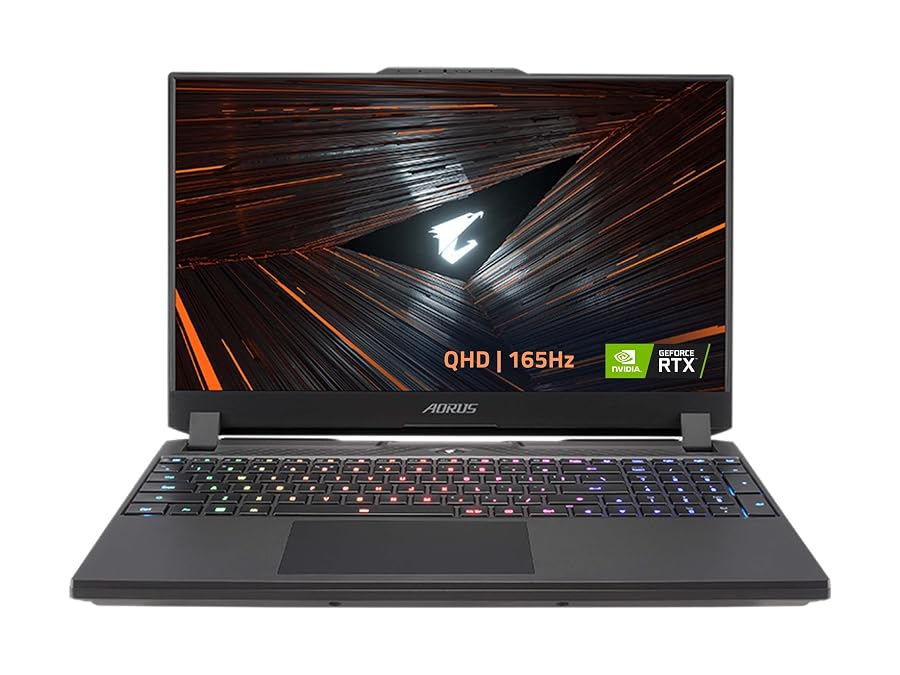
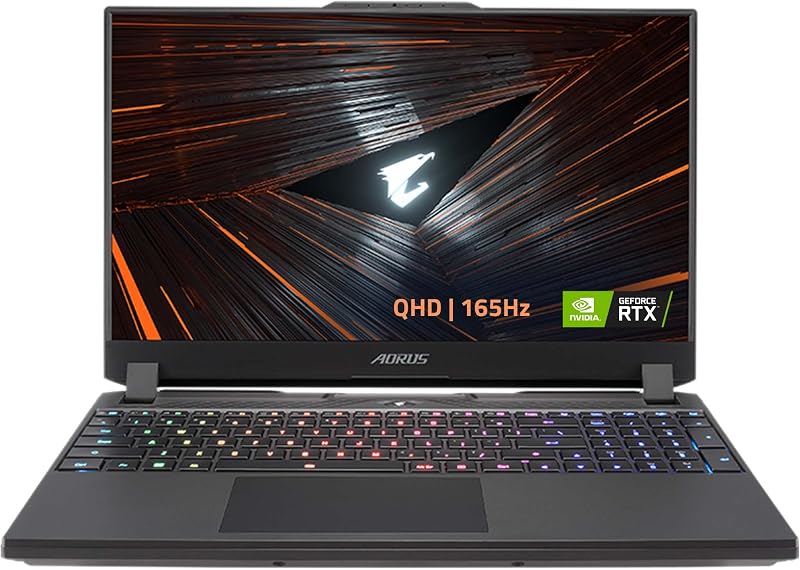
- 15.6-inch thin-bezel QHD 2560×1440 IPS-level anti-glare display with a 165Hz refresh rate and 72% NTSC color gamut rating
- Thunderbolt 4 connectivity interface alongside dedicated HDMI 2.1 and USB Type-C DisplayPort outputs
- Intel Wi-Fi 6E AX210 Gig+ wireless networking and Bluetooth 5.2 connectivity
- DTS:X Ultra Audio processing technology paired with dual 2W integrated speakers and a built-in microphone
- Pre-installed Windows 11 Home operating system
Key Specifications
| Hardware Attribute | Listing Detail |
|---|---|
| Processor (CPU) | Intel Core i7-12700H (12th Gen, 2.3GHz base to 4.7GHz turbo) |
| Graphics Processing Unit (GPU) | NVIDIA GeForce RTX 3070 Ti Laptop GPU (8GB GDDR6, 130W Max TGP, 1410MHz Boost) |
| System Memory (RAM) | 16GB DDR5 4800MHz (2x 8GB modules, 2x slots upgradable to 64GB) |
| Primary Storage | 1TB SSD |
| Display Panel | 15.6-inch QHD (2560×1440) IPS-level Anti-glare, 165Hz, 72% NTSC |
| Thunderbolt Interface | 1x Thunderbolt 4 Type-C |
| Video & Peripheral Ports | 1x HDMI 2.1, 1x USB 3.2 Gen1 Type-C (with DP), 1x USB 3.2 Gen1 Type-A |
| Networking | Intel Wi-Fi 6E AX210 (Gig+), RJ45 Ethernet, Bluetooth 5.2 |
| Audio Architecture | DTS:X Ultra Audio, 2x 2W Speakers, Built-in Mic, Audio Combo Jack |
| Operating System | Windows 11 Home |
Hardware Performance in Creative Workflows
Video editors managing multi-stream timeline scrubbing and high-bitrate video footage need a sustained balance of GPU memory bandwidth and processor core density. The inclusion of the mobile 130W graphics chip gives the Gigabyte Aorus 15 RTX 3070 Ti sufficient compute overhead to handle hardware acceleration across modern non-linear editing platforms like DaVinci Resolve and Adobe Premiere Pro. Its 8GB of dedicated GDDR6 video memory provides adequate buffer space for complex timelines, high-resolution motion graphic titles, and hardware-accelerated video decoding. For creators who frequently render multi-layered projects, this dedicated silicon offloads intensive tasks from the central processor, ensuring timeline scrubbing remains smooth without dropped preview frames.
The computing backbone rests on the 12th Gen Intel Core i7-12700H, which operates across base frequencies of 2.3GHz and reaches up to 4.7GHz when rendering demanding assets. This hybrid architecture pairs high-efficiency computing cores with raw throughput, making the Gigabyte Aorus 15 for video editing a competent mobile option. Timeline audio processing, timeline effects, and background compression benefit heavily from this core arrangement. Studio creators who also monitor deskbound builds like the gigabyte aero 4090 know that while mobile silicon operates under specific power boundaries, having 130W dedicated graphic power in a 15.6-inch chassis delivers workstation-class processing speeds for field production.
Furthermore, the inclusion of 16GB of DDR5 memory clocked at 4800MHz allows for rapid data transfer between system components and active software caches. Modern editing packages consume memory aggressively, particularly when scrubbing through 4K or 6K RAW camera files or handling massive layered compositions in After Effects. Because the listing confirms two physical DDR5 memory slots supporting up to 64GB of RAM, this Gigabyte Aorus 15 creator laptop provides a clear path for expansion as your video resolutions or project file sizes scale upward over time.
Thermal Headroom and Sustained Processing Power
Sustained thermal management is a pivotal factor when evaluating mobile workstations, especially during extended timeline rendering and complex 3D simulations. The Aorus 15 XE5 performance profile is engineered around a 130W maximum graphics power ceiling for the GPU and boosted clock frequencies reaching 1410MHz. When a machine pushes this level of wattage in a mobile enclosure, internal heat buildup can trigger frequency throttling if airflow is restricted. While the listing does not specify internal chamber measurements or heat pipe counts, the hardware footprint is explicitly geared toward high-intensity gaming and creative applications that demand sustained energy delivery.
Operating under heavy workloads typically activates high fan curves to exhaust thermal buildup through the chassis vents. For audio engineers, vloggers recording voiceovers in close proximity, or podcasters working directly next to the machine, elevated acoustic noise is an expected trade-off when running both the CPU and GPU at peak wattage. When you are looking at top-tier desktop solutions such as a gigabyte x870e aorus elite wifi7 setup, acoustic isolation is simple due to spacious desktop cases; however, compact portable systems must actively drive airflow to keep components beneath thermal throttling thresholds.
Managing these performance thresholds effectively in software is key for daily operations. Windows 11 Home is pre-installed, offering modern power scheduling across the Intel Core i7-12700H CPU cores to allocate lighter operating system tasks to background threads while reserving full compute potential for active video exports. When inspecting the official Gigabyte Aorus 15X specs, the pairing of 230-volt power delivery with a dedicated high-TGP graphics module demonstrates that this machine prioritizes performance stability over battery-saving compromises.
Display Accuracy and Visual Workspace
The visual interface of any production laptop dictates how accurately a creator can grade footage, adjust color curves, and organize complicated project timelines. The Gigabyte Aorus 15 QHD display utilizes a 2560×1440 resolution stretched across a 15.6-inch diagonal, resulting in a notably sharp pixel density compared to standard 1080p panels. This higher resolution grants creators significantly more screen real estate, allowing you to view detailed clip bins, multi-track audio meters, and full-resolution playback monitors simultaneously without constant zooming or panel collapsing.
From an image fidelity standpoint, the listing identifies this panel as an IPS-level anti-glare screen with 72% NTSC color gamut coverage. While 72% NTSC corresponds roughly to the standard sRGB color space suitable for web-delivered video, digital content creation, and YouTube production, it is important to recognize that it does not offer full wide-gamut DCI-P3 coverage. Video editors who deliver exclusively for standard rec.709 or online streaming platforms will find the color reproduction consistent and sharp, but professionals grading for print or cinematic wide-gamut standards will likely want an external calibrated display connected via HDMI 2.1 or Thunderbolt.
In addition to resolution, the panel boasts a 165Hz refresh rate that delivers ultra-fluid visual motion across both competitive gaming and routine desktop interactions. Scrolling through dense media directories, timeline tracking, and cursor responsiveness feel immediate and fluid. The anti-glare finish prevents harsh reflections in brightly lit studios, coffee shops, or office spaces, ensuring that screen visibility remains dependable across varying ambient lighting environments.
Connectivity and Studio Expansion Options
Peripheral flexibility is frequently the deciding factor for vloggers, videographers, and content creators who rely on extensive hardware ecosystems. The presence of a dedicated Gigabyte Aorus 15 Thunderbolt 4 port elevates the laptop into a capable studio desktop replacement. Through this single high-bandwidth connection, editors can link external RAID storage arrays, high-speed NVMe scratch disks, or daisy-chained external monitors without running into data pipeline bottlenecks. For mobile workflows involving multi-gigabyte offloads from camera media cards, Thunderbolt 4 ensures file transfers occur at maximum available speeds.
Beyond Thunderbolt, the physical I/O layout covers an array of practical connection standards that eliminate the constant need for USB hubs. The chassis provides an HDMI 2.1 port capable of driving modern high-resolution external monitors at elevated refresh rates, alongside a secondary USB 3.2 Gen1 Type-C port that supports DisplayPort output. A traditional USB 3.2 Gen1 Type-A port remains available for standard input devices, mice, or legacy peripherals. Those exploring alternatives in portable form factors, like an aero x16 5070, will appreciate that the Aorus 15 retains dedicated wired networking via an RJ45 Ethernet port, ensuring reliable network uploads and local NAS transfers.
Wireless networking is managed via the Intel Wi-Fi 6E AX210 Gig+ adapter alongside Bluetooth 5.2, providing access to less-congested 6GHz frequency bands for stable file transfers and low-latency cloud synchronization. For mobile audio and streaming tasks, the inclusion of DTS:X Ultra Audio processing, dual 2W speakers, a built-in microphone, and an audio combo jack ensures basic capture and playback options remain accessible on the go. However, the listing notes that there is no optical drive included, which is typical for modern slim-chassis mobile workstations.
Check Gigabyte Aorus 15 on Amazon
Is the Gigabyte Aorus 15 Worth It
Deciding whether the system fits your specific requirements depends largely on how your creative work balances mobility against hardware power. If you are asking whether the Gigabyte Aorus 15X is worth it, the configuration provides an exceptional balance of hardware capable of handling demanding timeline editing, 3D asset generation, and AAA gaming. The combination of a 130W RTX 3070 Ti graphics processor, an Intel Core i7-12700H CPU, and DDR5 expandable memory delivers sufficient computational headroom to tackle complex creative suites without struggling through proxy generation or delayed renders.
That said, potential buyers must weigh specific creative trade-offs against their personal production requirements. The 72% NTSC color specification provides standard sRGB-level color fidelity, which is sufficient for standard web and social media workflows, but creators requiring full DCI-P3 or AdobeRGB accuracy will need to budget for a color-critical external reference monitor. Additionally, users who require an ultra-quiet working environment during intensive exports should anticipate noticeable fan activity as the dual cooling fans work to dissipate heat from the 130W GPU and 12th Gen processor.
For hybrid users—creators who produce YouTube videos, stream high-definition content, and enjoy high-refresh gaming on the side—this laptop offers a well-rounded and versatile hardware foundation. With its Thunderbolt 4 connectivity, robust video output options, and modular memory slots supporting up to 64GB, the machine functions reliably as both a mobile field workstation and a docked studio centerpiece.
FAQ
Can the RAM in the Gigabyte Aorus 15 be upgraded?
Yes, the listing confirms that the system includes two DDR5 memory slots supporting up to 64GB of total RAM. It comes pre-installed with 16GB of DDR5 4800MHz memory configured as two 8GB sticks, allowing users to upgrade to higher-capacity modules if their editing workflows demand more working memory.
What are the primary display specifications of this laptop?
The laptop features a 15.6-inch thin bezel QHD display with a resolution of 2560×1440. It utilizes an IPS-level anti-glare panel with a 165Hz refresh rate and covers 72% of the NTSC color gamut, providing crisp visuals and smooth motion reproduction for gaming and standard digital content creation.
Does the Gigabyte Aorus 15 have a Thunderbolt 4 port?
Yes, the laptop is equipped with one dedicated Thunderbolt 4 port. This allows creators to connect high-bandwidth external devices such as NVMe external scratch drives, multi-drive storage arrays, docking stations, and external high-resolution monitors through a single cable interface.
Can this laptop support multiple external monitors?
Yes, the machine provides multiple dedicated display outputs. The I/O selection includes an HDMI 2.1 port, a USB 3.2 Gen1 Type-C port that supports DisplayPort output, and a Thunderbolt 4 port. These multiple interfaces make it straightforward to assemble a multi-screen workspace in a home or studio editing bay.
What operating system comes pre-installed on the device?
The laptop comes pre-loaded with Windows 11 Home. The listing also notes that Windows 11 Home includes automatic backup software features, providing immediate operating system support for modern creative applications and PC games right out of the box.
For mobile editors needing more screen real estate on location, pairing the Aorus 15 with secondary displays maximizes productivity without sacrificing portability. Setting up a dedicated Portable Monitor Hub allows you to run multi-panel timelines and preview windows over Thunderbolt 4 with minimal cable clutter. This combination transforms the laptop from a standalone powerhouse into an adaptable field workstation capable of handling demanding production schedules anywhere.