As Amazon Associates, we earn from qualifying purchases. This means we may receive a small commission at no extra cost to you if you click through and make a purchase.
Finding a truly compact, high-performance display solution for traveling creators, mobile editors, and handheld gamers usually means hauling bulky flat panels that demand external stands and dedicated power banks. The Lenovo Legion Glasses Gen 2 offer a radically different approach by condensing a massive secondary monitor into an ultra-compact pair of wearable eyeglasses. Built around dual Micro-OLED panels delivering a 1920 x 1080 resolution per eye and a fluid 120Hz refresh rate, this wearable monitor projects a virtual 126-inch screen right before your eyes. Whether you want a private workspace on a cramped flight or a dynamic display for your handheld console, this headset is built to serve users who need high visual fidelity without being anchored to a desk.
In this comprehensive review, we examine whether these wearable glasses can genuinely stand in for traditional portable field monitors in mobile production and gaming workflows. We evaluate how the Micro-OLED panel handles visual contrast and color, test its plug-and-play functionality across different platforms, assess its ergonomic comfort during extended sessions, and break down the exact hardware specifications you need to know before buying.

What You Get With the Lenovo Legion Glasses Gen 2
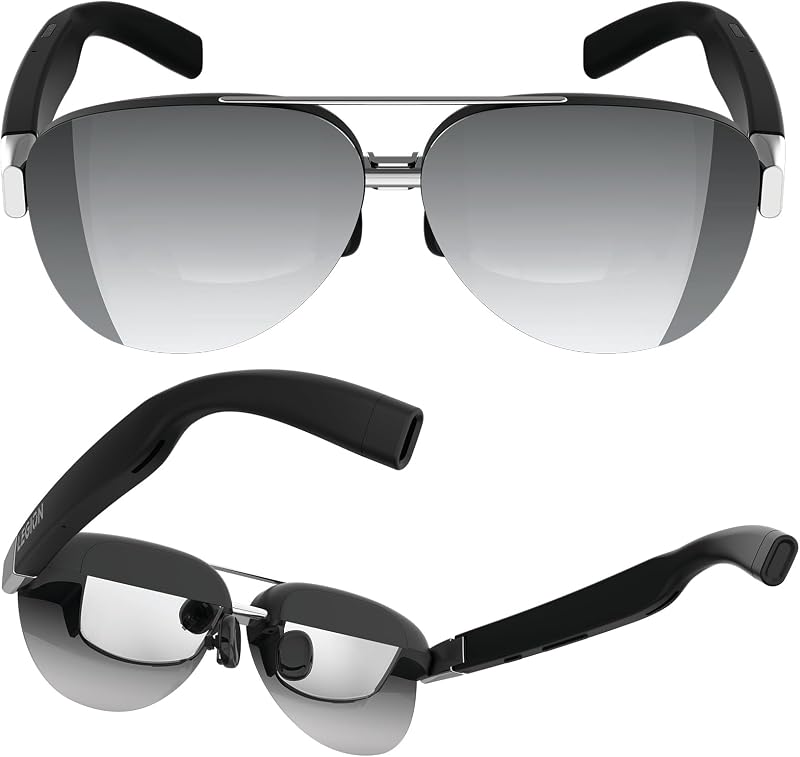
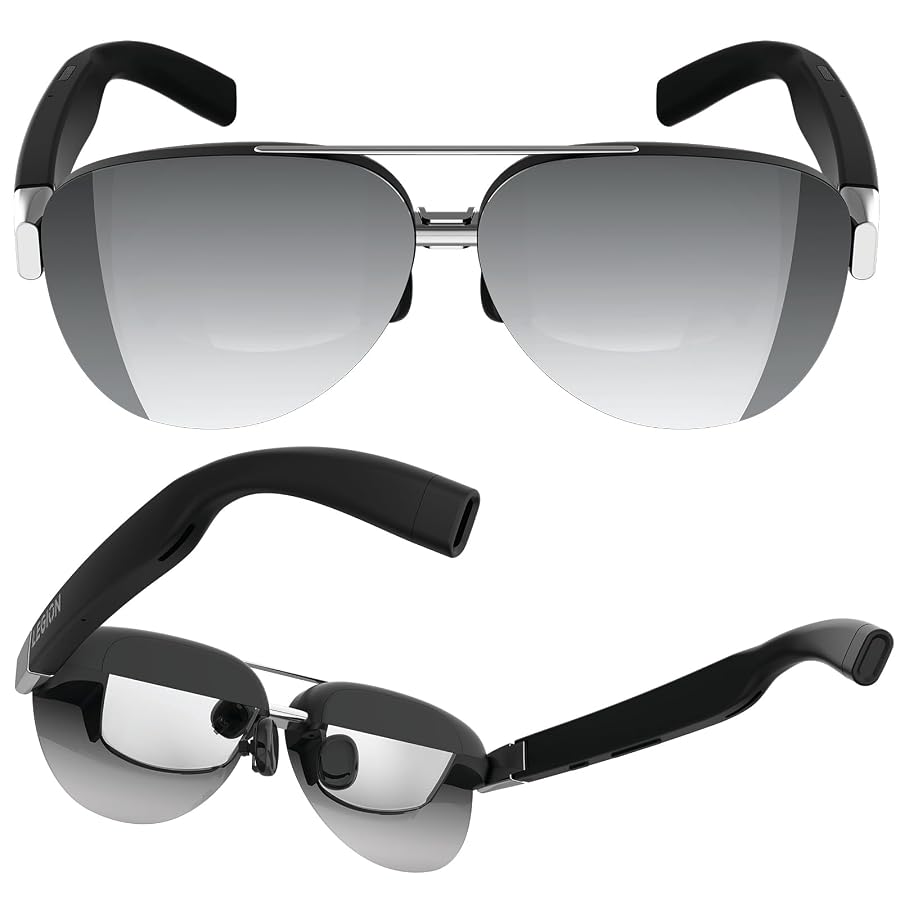
The retail package for the Lenovo Legion Glasses Gen 2 provides the core essentials required to set up an instant private viewing environment across compatible mobile hardware. Lenovo packages the wearable monitor with dedicated accessories designed to shield out ambient light, maintain optical clarity, and accommodate users who require vision correction.
- Legion Glasses (Gen 2) wearable monitor featuring dual Micro-OLED displays
- Protective carrying case for safe transport inside backpacks and camera bags
- Custom USB-C charging and video cable for direct device connection
- Snap-on light shield to block ambient glare and peripheral distractions
- Prescription lens frame allowing custom optical inserts (prescription lenses sold separately)
- Microfiber cleaning cloth for wiping down optical lenses and sensors
- Quick start guide and manufacturer warranty documentation
Key Specifications
| Specification | Detail |
|---|---|
| Brand | Lenovo |
| Model Number | GY21R10236 |
| Display Technology | Micro-OLED |
| Resolution | 1920 x 1080 (Full HD) |
| Refresh Rate | 120Hz |
| Maximum Brightness | 800 nit |
| Virtual Screen Size | 126 inches |
| Connectivity | USB-C with DisplayPort Alternate Mode (DP-Alt) |
| Water Resistance | Not Water Resistant |
| Manufacturer Warranty | 1 Year Manufacturer Limited Warranty |
Micro-OLED Display Quality and Visual Performance
The centerpiece of the hardware package is the lenovo legion glasses gen 2 micro oled display, which pairs Full HD 1920 x 1080 resolution with organic light-emitting diode technology. Unlike conventional LCD field monitors that rely on global or edge-lit LED backlights, Micro-OLED architecture lights each individual pixel independently. This delivers true absolute black levels, virtually infinite contrast ratios, and vivid color reproduction that prevents shadows from appearing washed out or gray. When viewing high-contrast media or navigating detailed timelines, dark areas retain their depth while highlights pop cleanly against the surrounding scene.
Brightness is another area where the panel holds up under varied lighting conditions. The display achieves a maximum brightness of 800 nit, providing sufficient optical punch to overcome moderate ambient glare even before attaching the included light shield. Because the display produces a virtual 126-inch viewing canvas directly in your line of sight, fine details such as timeline cuts, user interface panels, and subtle color gradations remain sharp and legible. For creators comparing portable rigs against desktop setups like the lenovo legion tower 5i (gen 8), having an ultra-compact screen that mirrors high-contrast clarity on the road is a major operational advantage.
Motion handling on the display benefits significantly from the lenovo legion glasses gen 2 120hz refresh rate. Traditional portable secondary panels often lock refresh rates at 60Hz, which can cause micro-stutter, visual tearing, or motion blur during fast pan movements and dynamic gameplay sequences. Operating at 120Hz yields fluid cursor response, instant UI navigation, and seamless frame delivery that reduces visual fatigue during sustained viewing. Whether tracking rapid panning shots in captured video footage or engaging in fast-paced action titles, the elevated refresh rate maintains image stability and crisp frame pacing.
USB-C Compatibility Across Handhelds and Mobile Rigs
Device connectivity on this headset relies entirely on universal plug-and-play architecture, removing the need for proprietary background drivers, companion apps, or complex calibration software. The lenovo legion glasses gen 2 usb-c compatibility requires a host device equipped with a full-function USB-C port that supports DisplayPort Alternate Mode (DP-Alt mode). Once connected, the host system instantly recognizes the glasses as a standard external monitor, transmitting both video and audio through a single cable connection without intermediate converter boxes.
For mobile gamers and traveling enthusiasts, hardware synergy with portable PC consoles is exceptional. Using the legion glasses gen 2 steam deck setup is entirely plug-and-play, allowing players to run their gaming library on an expansive virtual canvas while relaxing in comfortable ergonomic postures. Handheld consoles like the Lenovo Legion Go and modern laptops interface smoothly, driving Full HD visuals straight over the tethered link. Content creators pairing the glasses with ultra-portable workstations such as the lenovo legion slim 5 gen 9 laptop can establish an instant dual-screen workflow wherever a flat surface is unavailable.
It is important to emphasize that compatibility depends entirely on the host port specifications. While the listing notes compatibility with a broad array of laptops, portable consoles, and mobile devices, ports limited strictly to USB data transfer or standard power delivery cannot transmit video signals to the glasses. As long as your device features a full-function USB-C output supporting DP video out, the glasses initialize instantly, drawing operational power directly from the host system so you do not need to juggle separate battery packs or wall adapters.
Practical Utility for Video Editing and Field Monitoring
Deploying the lenovo legion glasses gen 2 for video editing presents a compelling alternative to traditional field monitors and secondary desktop displays. Mobile vloggers and traveling filmmakers often struggle to find adequate working space in hotel rooms, coffee shops, or production vehicles. By donning the glasses, editors gain a private virtual workspace where client timelines, grading scopes, and source bins can be positioned without exposing proprietary commercial projects to curious onlookers sitting nearby.
Operating as a wearable lenovo legion glasses gen 2 portable monitor, the device eliminates the physical footprint of external monitor stands, mounting arms, and bulky HDMI cables. The Micro-OLED panel excels at displaying contrast dynamics, allowing editors to catch clipping shadows, highlight blowouts, and framing alignment errors that might be difficult to identify on a small laptop screen in direct sunlight. Adding the clip-on light shield included in the retail box isolates the viewing field completely from bright outdoor environments, effectively turning the glasses into a private darkroom monitoring booth.
However, creators must understand the operational trade-offs when using wearable displays for color-critical workflows. While the listing highlights vivid color reproduction, high contrast, and an 800 nit ceiling, it does not specify calibrated color spaces such as 100% DCI-P3 or Rec. 709 certifications, nor does it detail onboard Delta E ratings. Editors working on casual vlogs, rough cuts, narrative pacing, and content organization will find the massive canvas extraordinarily productive. For final delivery mastering, pairing the glasses with a color-calibrated studio display or a capable mobile tablet like the legion tab gen 3 remains a sensible quality-assurance step.
Hardware Setup and Ergonomic Wearability
Physical ergonomics dictate whether a wearable monitor remains viable over multi-hour editing timelines or prolonged gaming sessions. Lenovo constructed these glasses with an eyeglass form factor finished in matte black, prioritizing balanced weight distribution across the bridge of the nose and temples. The inclusion of adjustable nose pads allows users to modify the resting height and angle of the frames, ensuring that both Micro-OLED optical chambers align symmetrically with your pupils to avoid edge distortion or chromatic fringing.
The initial lenovo legion glasses gen 2 setup requires minimal effort straight out of the box. Users attach the proper nose pad configuration, connect the provided USB-C cable to their host device, and position the glasses securely. To address vision correction, Lenovo supplies a dedicated prescription lens frame inside the packaging. While prescription corrective lenses must be purchased and fitted separately through an optometrist, the frame clicks directly into the interior housing, allowing spectacles wearers to experience sharp focus without trying to cram bulky everyday glasses underneath the headset.
Environmental durability is a specific factor buyers must weigh carefully before taking this gear into unpredictable outdoor shooting scenarios. According to official product specifications, the glasses carry a water resistance level rated as Not Water Resistant, and they feature no GPS geotagging hardware. Production teams and vloggers shooting in heavy downpours, mist, or high-humidity marine conditions must protect the unit from liquid exposure. For indoor studio editing, hotel-room media assembly, and standard transit travel, the included hard-shell carrying case offers sturdy protection against transit impacts.
Check Lenovo Legion Glasses Gen 2 on Amazon
Is the Lenovo Legion Glasses Gen 2 Worth It
Determining whether the investment aligns with your gear kit comes down to your mobility requirements and everyday computing environment. The question of whether is lenovo legion glasses gen 2 worth it yields an enthusiastic yes for mobile creators, remote professionals, and handheld gamers who frequently operate in confined environments. If you routinely find yourself editing rough cuts on tight airline tray tables, reviewing video footage in transit vans, or gaming on a Steam Deck while reclined, the capability to deploy an 800 nit, 120Hz virtual 126-inch display without carrying a heavy stand transforms mobile productivity.
On the other hand, studio-bound professionals who work exclusively from stationary edit suites equipped with dedicated color-grading reference monitors will find less practical use for a wearable display. The lack of water resistance also limits its utility as an outdoor camera-top monitor replacement in harsh weather conditions. Furthermore, because the lenovo legion glasses gen 2 specs mandate a host system with DP-Alt mode support, users with legacy hardware lacking full-function USB-C ports would need hardware upgrades before enjoying the plug-and-play benefits.
Ultimately, Lenovo has engineered a specialized, high-performance wearable monitor that solves the physical constraints of mobile screens. For digital nomads, traveling vloggers, and gaming enthusiasts who prioritize screen real estate, private monitoring, and high-contrast Micro-OLED visual performance in an ultra-compact form factor, this headset earns a well-deserved position in a modern tech bag.
FAQ
Can you use the Lenovo Legion Glasses Gen 2 for video editing on a laptop?
Yes. As long as your laptop features a full-function USB-C port supporting DisplayPort Alternate Mode (DP-Alt mode), the glasses function instantly as an external secondary monitor. This allows you to expand your video editing workspace, scrub through timelines, and review full-screen video playbacks on a simulated 126-inch virtual display.
Does the Lenovo Legion Glasses Gen 2 work directly with the Steam Deck?
Yes. The Steam Deck includes a full-function USB-C port that outputs DisplayPort video signals natively. Connecting the glasses to the Steam Deck provides immediate plug-and-play visual output at 1920 x 1080 resolution with support for smooth refresh rates up to 120Hz, requiring no external drivers or adapter docks.
Do the Lenovo Legion Glasses Gen 2 require external power or batteries?
No. The glasses do not contain internal batteries and do not require an external power brick. They draw minimal operating power directly through the host device via the connected USB-C cable, keeping the headset lightweight and eliminating the need to monitor a secondary battery level.
How do you handle vision correction with the Lenovo Legion Glasses Gen 2?
The glasses include a dedicated prescription lens frame inside the box. While prescription corrective lenses are sold separately and must be prepared by an optical specialist, the frame mounts directly into the interior nose bridge area of the glasses to provide sharp, clear focus for users who wear corrective eyeglasses.
Are the Lenovo Legion Glasses Gen 2 water resistant for outdoor use?
No. The manufacturer specifications explicitly list the water resistance level as Not Water Resistant. Users should avoid exposing the glasses to rain, splashes, or high-moisture outdoor shooting environments to prevent damage to the internal Micro-OLED panels and electronic components.