As Amazon Associates, we earn from qualifying purchases. This means we may receive a small commission at no extra cost to you if you click through and make a purchase.
Mobile video editors, digital creators, and traveling professionals frequently hit a wall when attempting to manage complex media timelines on a single laptop screen. The VITURE Luma XR Glasses target this specific limitation by packing a wearable 146-inch virtual monitor into a lightweight, standard-looking eyewear form factor. For remote editors who cut footage in coffee shops, airport lounges, or compact studio spaces, this wearable display provides an alternative to hauling bulky physical monitors without sacrificing visual workspace.
Finding the right balance between optical clarity, cross-platform software stability, and ergonomic comfort determines whether a wearable monitor belongs in a daily production kit. In this viture luma xr review, we evaluate the core specifications, real-world multi-display software integration, and practical trade-offs of the hardware to help you determine if it suits your on-the-go creative workflow.
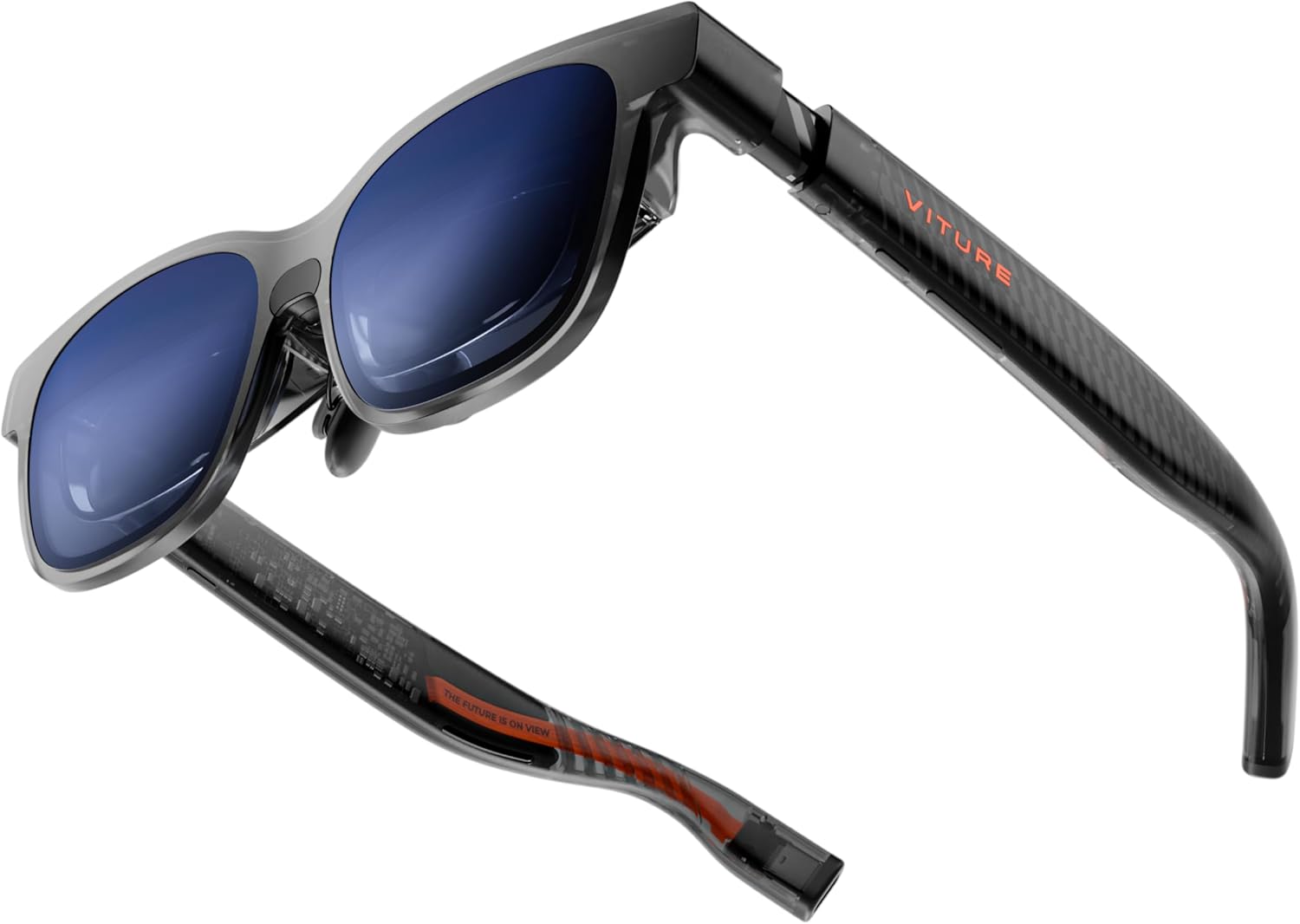
What You Get With the VITURE Luma XR Glasses
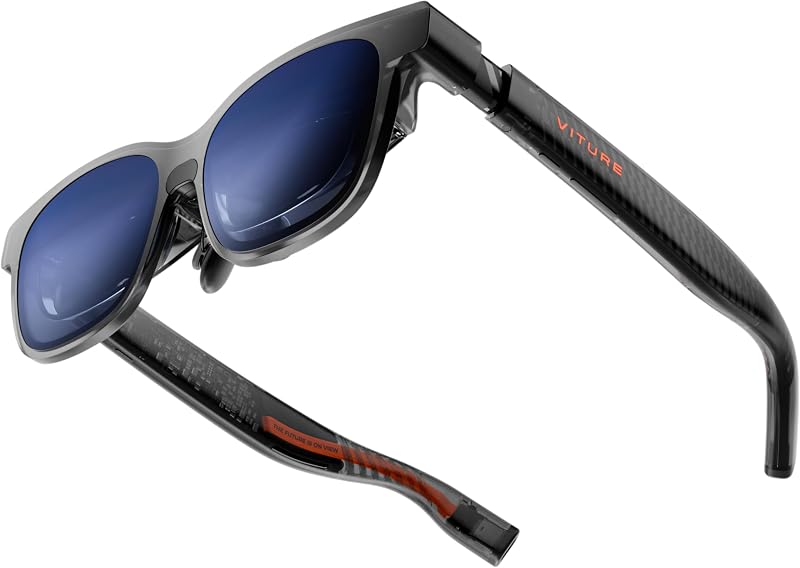
Based on the published product details, the package provides the primary eyewear frame, integrated optical dials, and multi-device connection capabilities tailored for professional multitasking and media review.
- Wearable display providing a 146-inch virtual viewing surface with native 1200p resolution
- High-speed 120Hz refresh rate paired with 1000 nits peak brightness for fluid playback
- Balanced 50-degree field of view engineered to maintain edge-to-edge sharpness
- Integrated rotary myopia adjustment accommodating nearsighted users from 0.0D down to -6.0D
- Electrochromic lens film that darkens with a single touch for instant ambient light blocking
- Direct USB-C connectivity with DisplayPort alternate mode support across major operating systems
- Access to the SpaceWalker software utility for configuring horizontal, vertical, and coding desktop arrangements
- Built-in 3DoF tracking sensors alongside VisionPair visual customization options
- Real-time 2D-to-3D conversion processing built for streaming media and gaming assets
- Flexible temple arms, silicone bands, and magnetic nose pads fitting standard 56mm to 72mm interpupillary distances
Key Specifications
| Specification | Detail |
|---|---|
| Virtual Screen Size | 146 inches |
| Native Resolution | 1200p |
| Field of View | 50 degrees |
| Peak Brightness | 1000 nits |
| Refresh Rate | 120Hz |
| Item Weight | 2.72 ounces |
| Physical Dimensions | 1.97 x 2.2 x 6.1 inches |
| Myopia Correction | Onboard adjustment up to -6.0D |
| Operating System Support | macOS, Windows, Android, iOS |
| Positional Tracking | Built-in 3DoF |
Virtual Display Clarity and Optical Precision
Assessing the viture luma xr glasses display quality is critical for creators whose work demands accurate interface navigation and clean preview monitoring. The optical engine projects an equivalent 146-inch virtual canvas at 1200p resolution, which provides clean text rendering across video editing suites, timeline tracks, and color grading panels. Unlike smaller wearable displays that often suffer from blurred edges around UI controls, the optics maintain clarity across the entire frame so scrubbing fine timeline markers remains precise.
The display panel produces up to 1000 nits of peak brightness and operates at a 120Hz refresh rate, ensuring that fast camera pans and UI animations move without noticeable jitter or ghosting. While creators researching previous hardware releases might recall the vitrue pro xr glasses, this model relies on a balanced 50-degree field of view to keep visual elements centered within the natural gaze. This tighter optical balance helps avoid excessive eye strain during prolonged editing sessions where panning across multiple open bin windows is continuous.
Controlling ambient light interference is equally important when evaluating luma xr glasses specs in varied environments. The front visor features electrochromic film technology that darkens the lenses instantly at the tap of a button, effectively isolating the virtual screen from surrounding reflections. In brightly lit transit hubs or sunlit studios, this electronic dimming preserves color contrast and perceived saturation without forcing the user to manually clip on external plastic covers.
Multi-Screen Productivity and the SpaceWalker Interface
Harnessing the viture luma xr for productivity depends heavily on the integration between the onboard hardware sensors and the desktop software environment. Using the proprietary SpaceWalker application, users can extend a single laptop feed into a virtual multi-monitor command center. The utility enables horizontal ultra-wide arrangements, stacked vertical layouts, and specialized coding setups, allowing an editor to place a full-screen video preview directly above their project bins and audio mixers.
The glasses incorporate built-in 3DoF tracking, which fixes the virtual monitors at absolute points in digital space rather than locking them directly to head movements. When you turn your head to check a reference video or review a script, the displays remain stationary in your peripheral vision, closely mirroring the natural ergonomics of a physical multi-display editing suite. Those considering advanced mobile setups alongside options like the viture luma ultra xr glasses will appreciate that this stable spatial positioning reduces the disorientation typically associated with floating heads-up displays.
Operating a luma xr glasses multi screen configuration demands reliable desktop support across both macOS and Windows platforms. Through the SpaceWalker application, window transitions and layout presets can be saved for rapid recall when transitioning between writing, audio mastering, and timeline cutting. Furthermore, the hardware supports standard keyboard and mouse inputs directly through the host computer, ensuring that existing editing shortcuts, macro pads, and color wheels function without software driver conflicts.
Ergonomics and Optical Myopia Adjustment
Wearable displays often fail on extended workdays due to excessive nasal pressure or rigid frame construction, but these glasses are built around a lightweight 2.72-ounce chassis. Measuring 1.97 by 2.2 by 6.1 inches, the frame incorporates flexible temple arms and a silicone band structure that adjusts naturally to varying skull widths. Magnetic nose pads allow quick swapping to adjust the display height relative to the pupils, accommodating standard interpupillary distances ranging from 56mm to 72mm.
A standout physical feature for nearsighted creators is the integrated viture luma myopia adjustment mechanism. Rather than forcing users to squeeze prescription spectacles beneath the frame or purchase bespoke optical inserts immediately, the frame features built-in rotary adjustment dials that correct vision up to -6.0D directly on the device. Users can dial in each eye independently until text panels and software menus achieve optimal sharpness, drastically simplifying the setup process for everyday glasses wearers.
For users who require stronger correction or who have significant astigmatism, the frame supports separate magnetic prescription lens attachments. The semi-transparent translucent visor design keeps you aware of your physical surroundings, which is essential when reaching for desk tools or collaborating in open offices. For harsh studio backlighting or outdoor glare where total optical isolation is required, pairing the frame with an accessory like the