
As Amazon Associates, we earn from qualifying purchases. This means we may receive a small commission at no extra cost to you if you click through and make a purchase.
Finding a display that balances expansive screen real estate with smooth visual responsiveness can transform a creative workspace, and this detailed Acer KB272 EBI evaluation explores how well an entry-level display handles daily digital content demands. For hobbyist video editors, vloggers, and independent creators, having enough physical desktop area to arrange an editing timeline, media bins, and preview windows without clutter is a major operational advantage. The Acer KB272 EBI 27 review highlights a screen configured with an upgraded 100Hz refresh rate, an In-Plane Switching panel, and AMD FreeSync support, offering an accessible route to a larger desktop footprint without demanding specialized graphics hardware. While a 1080p native resolution on a 27-inch panel results in a wider pixel pitch than smaller displays, the broad physical viewing area and consistent color reproduction provide practical utility for general productivity and video cutting.
Before investing in any desktop peripheral, understanding how specific panel characteristics translate into real-world creative work is essential for setting realistic workflow expectations. This evaluation examines the display across critical creative metrics, including color reproduction, motion handling, physical ergonomics, and workspace connectivity. We will analyze the core acer kb272 ebi specs to determine whether this display provides the right foundation for video editing, office multitasking, and casual gaming. By looking closely at the panel construction, interface choices, and overall design footprint, this guide will help you decide whether this model fits your creative desk or if your workflow requires a higher-density alternative.
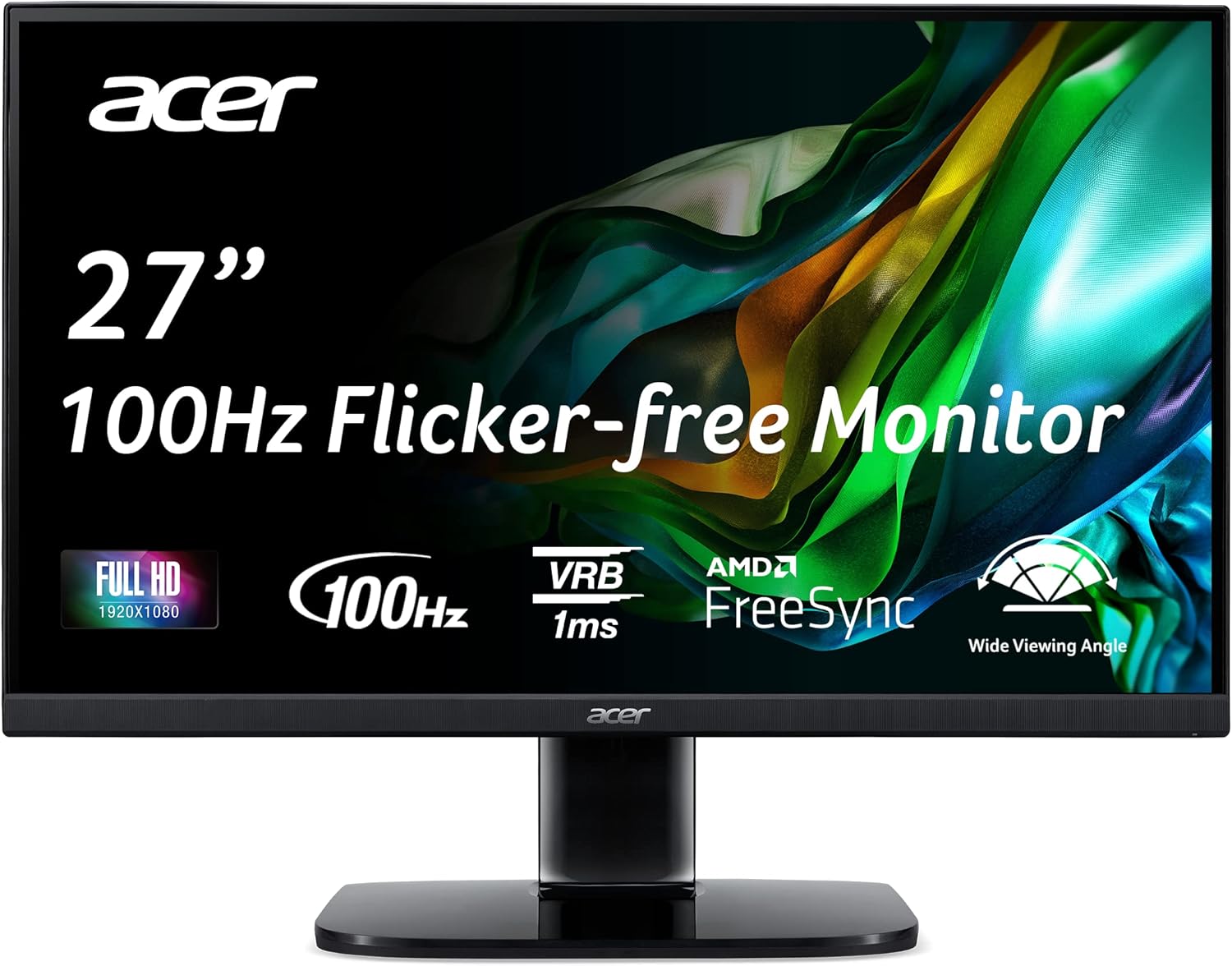
What You Get With the Acer KB272 EBI

The display arrives with essential accessories designed to get a single-screen workstation running immediately out of the box, packaged alongside a standard desktop base and power supply components.
- 27-inch Full HD In-Plane Switching display panel
- Removable tilt-adjustable desk stand
- Bundled HDMI cable for digital video connection
- Integrated VESA 100 x 100mm wall and arm mounting interface
- Single HDMI 1.4 video input port
- Single legacy VGA video input port
- Built-in eye care suite featuring flicker-less and low blue light technologies
- Integrated AMD FreeSync variable refresh rate support
Key Specifications
| Attribute | Specification |
|---|---|
| Screen Size | 27 inches |
| Panel Technology | IPS (In-Plane Switching) LCD |
| Native Resolution | 1920 x 1080 (Full HD) |
| Refresh Rate | 100Hz (via HDMI port) |
| Response Time | 1ms VRB (Visual Response Boost) |
| Brightness | 250 nits |
| Aspect Ratio | 16:9 widescreen |
| Color Gamut Rating | 99 |
| Contrast Ratio | 100,000,000:1 (Dynamic) |
| Video Inputs | 1 x HDMI 1.4, 1 x VGA |
| Ergonomic Adjustments | Tilt (-5° to 15°) |
| VESA Compliance | 100 x 100mm |
Visual Clarity and Panel Density for Editing Workflows
The central consideration when evaluating the acer kb272 ebi for video editing is the balance between physical screen size and panel resolution. Spreading a standard 1920 x 1080 resolution across a 27-inch diagonal yields a pixel pitch of 0.311mm, which is noticeably coarser than the same resolution compressed onto a 24-inch or 21-inch screen. For video editors laying out broad multi-track sequences in software like Premiere Pro or DaVinci Resolve, the large physical dimensions make timeline cuts, audio waveforms, and bin organization easy to navigate at standard desk distances. However, fine typography, detailed vector assets, and intricate UI elements show softer edges compared to high-density alternatives like the acer nitro xv275k, which provides a significantly sharper 4K visual canvas for fine image adjustments.
When assessing acer kb272 ebi color accuracy, the monitor is backed by In-Plane Switching technology, delivering 170-degree horizontal and vertical viewing angles. This ensures that colors and contrast do not dramatically shift when you lean back in your chair or share preview playback with a client sitting beside you. The manufacturer specifications list a color gamut rating of 99 alongside HDR 10 picture enhancement technology. For web-focused creators publishing YouTube videos, short-form reels, or podcast clips, the standard color reproduction is fully adequate for basic color balance and standard sRGB delivery. However, serious post-production color grading requiring wide DCI-P3 or Adobe RGB coverage falls outside the realistic scope of this general-purpose display.
Workstation lighting also plays a major role in visual performance. The panel delivers a peak brightness of 250 nits, which is optimal for controlled indoor lighting and shaded home studios. Paired with a matte anti-glare screen finish, the display deflects harsh overhead light reflections and window glare effectively. If your creative workspace receives intense, unshielded natural sunlight, the 250-nit backlight may feel slightly constrained, but in typical office ambient lighting, it provides a comfortable viewing experience that minimizes eye strain during extended rendering and editing sessions.
Motion Handling and the 100Hz Refresh Rate Advantage
A distinctive feature highlighted in this acer kb272 ebi 100hz ips review is the jump from standard 60Hz or 75Hz refresh rates to a smoother 100Hz ceiling over HDMI. While traditional office monitors lock at 60Hz, the acer kb272 ebi refresh rate delivers noticeably smoother cursor tracking, effortless timeline scrubbing, and fluid window dragging across your operating system. For hobbyist video editors who spend hours navigating dense user interfaces, the reduced motion judder produces a more responsive desktop feel that reduces visual fatigue during repetitive daily tasks.
Beyond creative productivity, the display functions as an acer kb272 ebi gaming office monitor thanks to the incorporation of AMD FreeSync technology and a 1ms Visual Response Boost (VRB) mode. FreeSync dynamically matches the display refresh rate to the output of compatible graphics cards, eliminating screen tearing and stuttering during game captures or post-work gaming sessions. While high-tier esports enthusiasts might lean toward high-refresh panels like the acer nitro xv271u, the 100Hz refresh rate combined with VRB delivers solid motion clarity that comfortably handles casual gaming, fast-paced video playback, and general animation reviews.
Prolonged screen exposure is common among digital creators, making visual comfort features an essential consideration. Acer integrates flicker-less backlighting, low dimming technology, and blue light reduction into this panel to protect eyesight over lengthy work sessions. Combined with an energy-conscious 42-watt power consumption profile, the display provides a reliable, flicker-free presentation that maintains visual comfort whether you are editing a vlog sequence late at night or reviewing long analytical spreadsheets during regular office hours.
Ergonomics, Desk Footprint, and Mounting Options
Physical workstation integration is straightforward, thanks to the monitor’s clean dimensions and Zero-Frame bezel design. Measuring 24.5 inches wide, 18 inches high, and 7.9 inches deep with the stand installed, the unit commands a modest footprint that fits comfortably on small and medium-sized editing desks. The ultra-thin bezels along the top and sides give the screen a modern aesthetic while making it convenient to place two monitors side by side to build an expanded dual-screen editing station with minimal visual interruption between panels.
Mechanical adjustability on the included stand is limited strictly to tilt, offering a range between -5 degrees forward and 15 degrees backward. There is no built-in height adjustment, horizontal swivel, or vertical pivot functionality. Creators seeking ideal ergonomic posture to prevent neck strain during long editing sessions will want to take advantage of the acer kb272 ebi vesa mount interface. With standard 100 x 100mm mounting holes positioned on the rear chassis, the monitor easily attaches to aftermarket monitor arms or multi-display desk clamps, allowing full freedom to adjust height, tilt, and orientation.
Weighing 11.9 pounds, the monitor is sturdy enough to remain planted on its desk stand while remaining lightweight enough to mount effortlessly on standard pneumatic gas-spring monitor arms. For creators using mobile setups, connecting the screen to a lightweight laptop like the acer swift air 14 provides an immediate workstation upgrade, instantly expanding your available screen area from a compact travel display to an expansive 27-inch editing canvas.
Connectivity Options and Workspace Integration
Input connectivity on this display is intentionally streamlined, prioritizing basic plug-and-play functionality for standard computing setups. The back panel features one HDMI 1.4 port and one legacy VGA port, with Acer bundling an HDMI cable directly in the packaging. The HDMI connection is required to unlock the full 100Hz refresh rate and AMD FreeSync capabilities, while the VGA port provides backwards compatibility for secondary office computers, legacy testing rigs, or older production hardware that lacks modern digital outputs.
While the port selection handles essential single-cable video input easily, creative users should plan their desk wiring accordingly. The absence of a DisplayPort connection means multi-monitor daisy-chaining is not supported directly through the display, requiring separate video cables from your host computer for dual-monitor setups. Furthermore, the monitor does not include an integrated USB hub or USB-C connectivity, so creators connecting modern laptops will need an external hub or dock to handle charging, external hard drives, and peripheral data transfer alongside video output.
For users running capable desktop towers or gaming rigs such as the acer nitro 16, connecting via the included HDMI cable immediately unlocks stable 1080p performance at 100Hz without requiring complex driver configurations. The inputs are oriented downward on the rear casing, keeping cable clutter managed and allowing the monitor to sit relatively close to a back wall or partition without bending connectors excessively.
Check Acer KB272 EBI on Amazon
Is the Acer KB272 EBI Worth It
Deciding whether is acer kb272 ebi worth it comes down to matching your specific creative workflow requirements with the reality of its hardware profile. If you are an aspiring vlogger, podcast producer, student, or general multitasker seeking an expansive 27-inch canvas that delivers smooth 100Hz navigation and dependable IPS color reproduction, this monitor represents a highly practical choice. It provides ample physical space for software toolbars, media bins, and rough video assemblies without imposing demanding hardware requirements on your computer.
However, creators whose daily work revolves around precision photo retouching, fine graphic design, or professional broadcast color grading should recognize the natural trade-offs of this panel. The combination of 1080p resolution on a 27-inch diagonal produces a lower pixel density than smaller Full HD screens or 1440p displays, meaning fine text and delicate visual details lack absolute tack-sharpness. Additionally, users who require advanced ergonomic height adjustments out of the box will need to factor in the addition of an aftermarket VESA mounting arm.
For everyday creative editing, secondary timeline monitoring, office productivity, and casual after-hours gaming, the monitor achieves a smart balance of panel size, refresh rate, and dependable viewing angles. It successfully fulfills its design role as a reliable, clutter-free workspace display that elevates everyday desktop interaction without unnecessary operational complexity.
FAQ
Does the Acer KB272 EBI support 100Hz over the VGA port?
No, the 100Hz refresh rate is achieved specifically when using the HDMI port. The legacy VGA connection is designed for standard baseline display signals and typically operates at standard lower refresh rates depending on your computer graphics output.
Can the Acer KB272 EBI be mounted on a monitor arm?
Yes, the display is fully compliant with standard VESA 100 x 100mm mounting patterns. This allows you to remove the included desktop stand and attach the display to aftermarket desk clamps, wall brackets, or articulated monitor arms for complete ergonomic flexibility.
Is the Acer KB272 EBI suitable for professional color grading?
While the IPS panel delivers reliable 170-degree viewing angles and a 99 color gamut rating suitable for web content and casual YouTube video editing, it is not engineered for high-end color grading. Critical broadcast work and print color accuracy require professional displays with dedicated wide-gamut coverage such as DCI-P3 or Adobe RGB.
Does the monitor feature built-in speakers?
The listing specifications do not specify integrated built-in speakers for this model. Audio output is typically handled through your computer system, dedicated desktop studio monitors, or connected external headphones.
Does the monitor come with an HDMI cable in the box?
Yes, the manufacturer includes an HDMI cable in the packaging alongside the monitor, allowing you to connect directly to your PC, laptop, or game console without purchasing additional video cables separately.


